Start a new order #
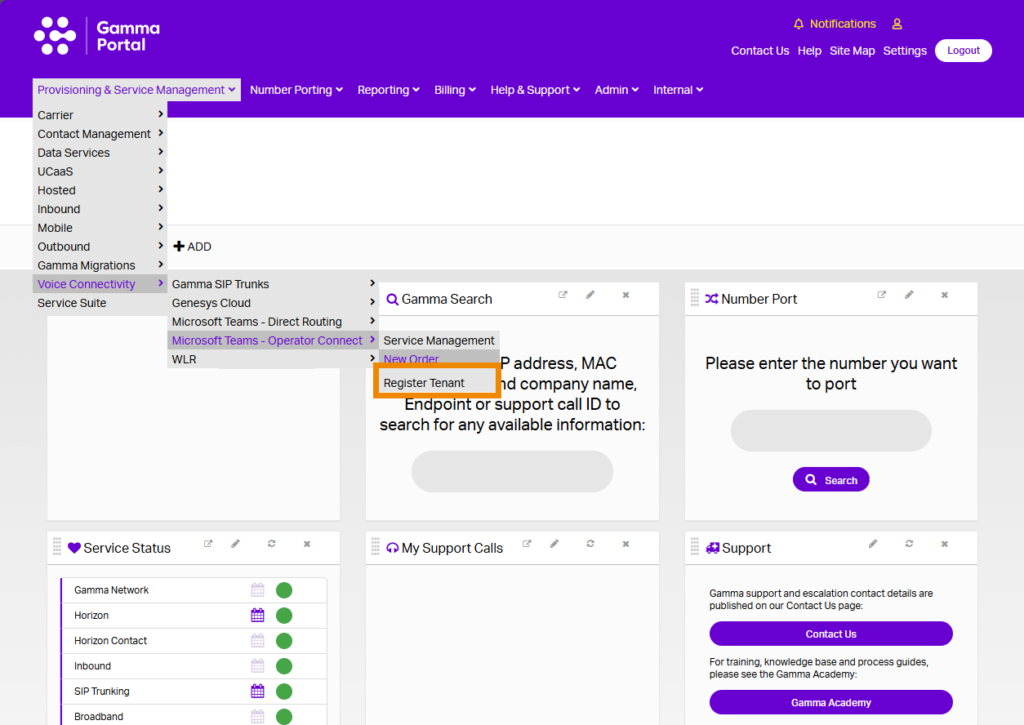
You can start a new order from the Gamma Portal, go to “Provisioning and Service Management”, “Voice Connectivity”, “Microsoft Team – Operator Connect” and “New Order”.
Partner and Customer Details #
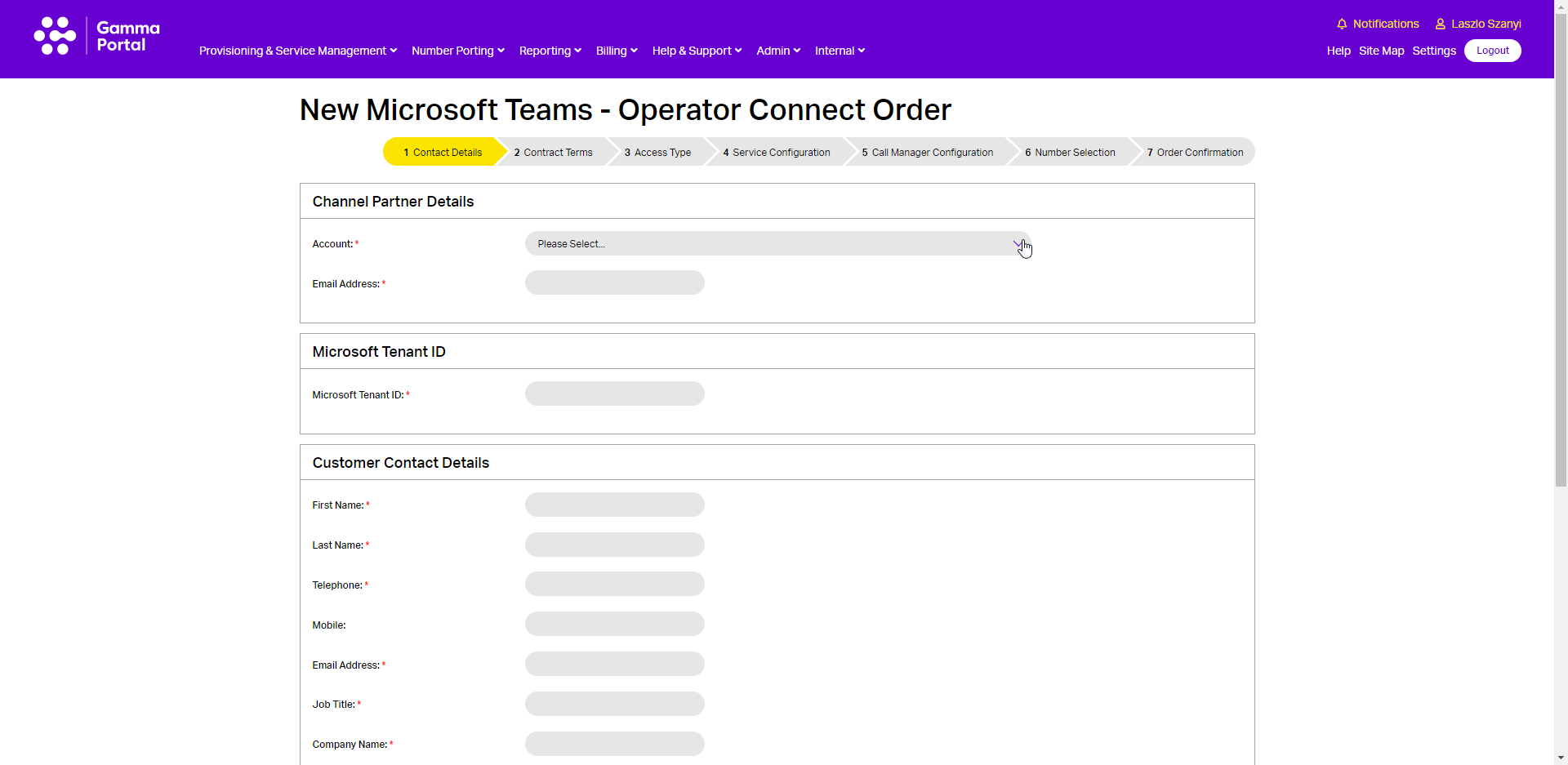
Select the account that you wish to provision the Gamma Microsoft Teams – Operator Connect on and then enter the following details:
- Your email address
- Enter the Tenant ID in the “Microsoft Tenant ID” table.
- Please note: The customer must give consent to Gamma via the Teams Admin Centre prior to you starting an Operator Connect order.
- Your customer details go in the “Customer Contact Details” table. The customer contact details must include the name of an individual at the site where calls are being delivered.
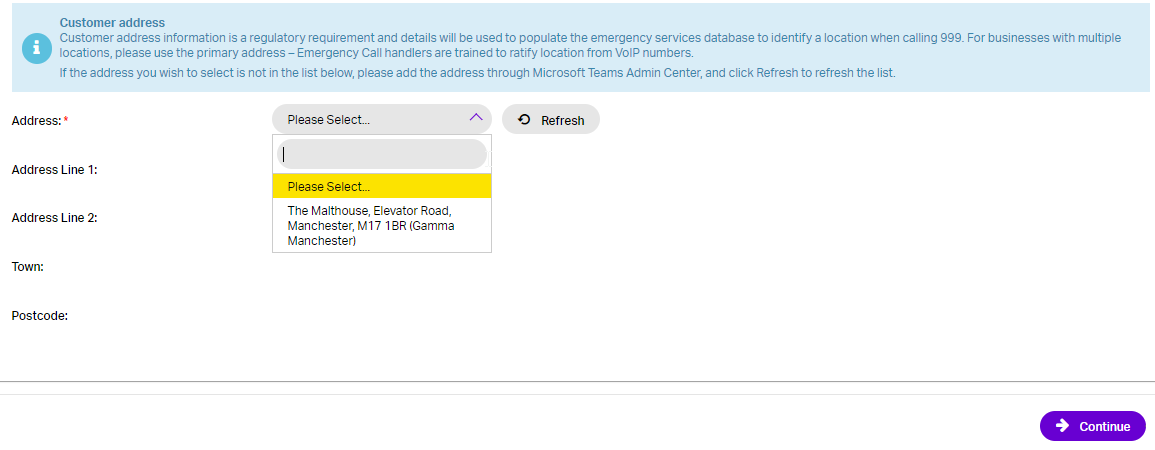
Please note: The address must be set up in the Customer’s Microsoft Tenant, cannot be added manually on Gamma Portal. If no address is available in the dropdown, the Customer must update Emergency address details via Teams Admin Centre. It may take up to 48 hours for the address details being registered by Microsoft.
Contract Terms #
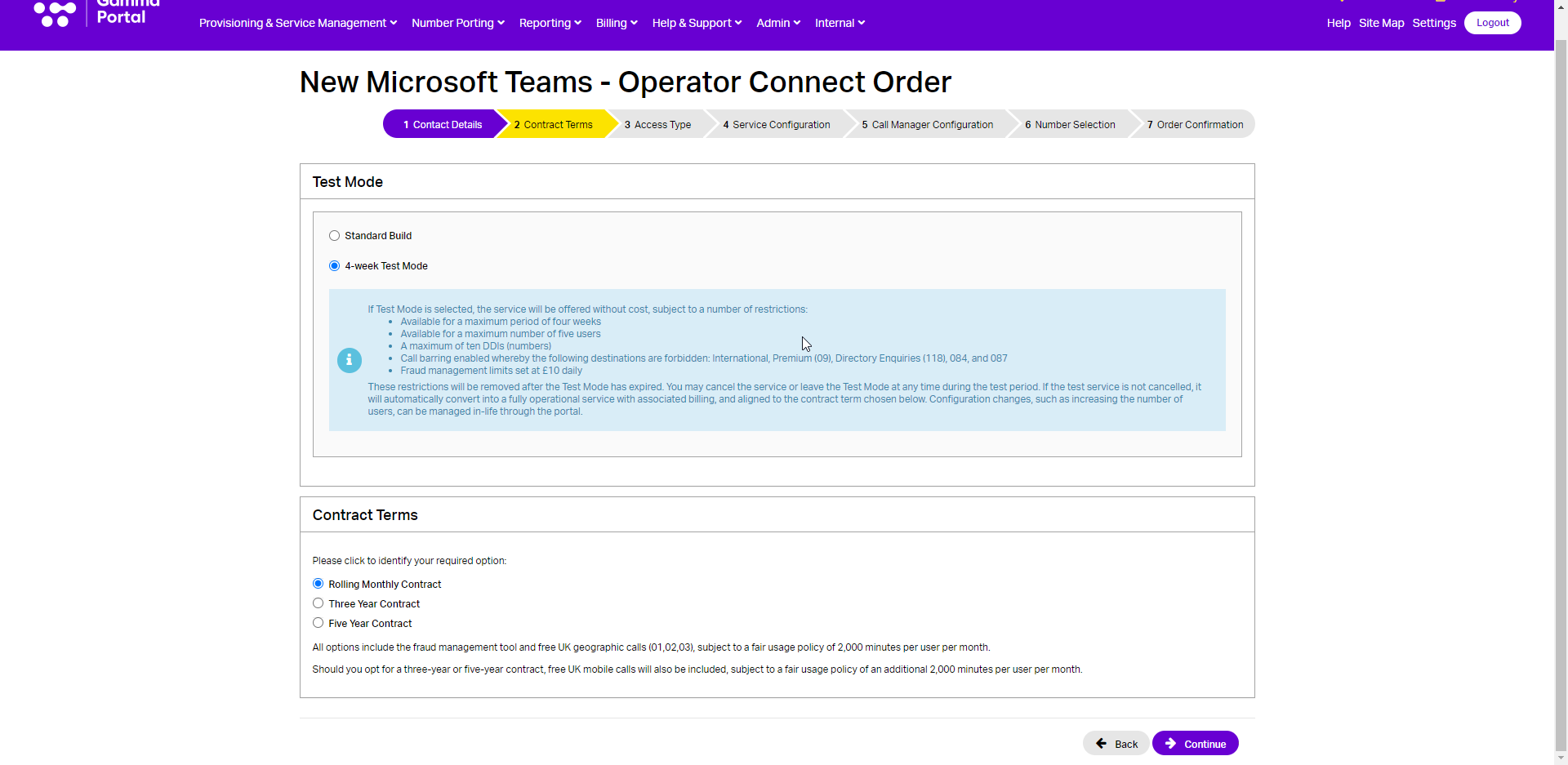
Select the contract terms you wish to apply. Check the service description and the price list.
There are three options available:
- One Month Rolling
- Three Year
- Five Years
Test Mode #
There is also a Test Mode option available. If a Test Mode is selected the service will be offered without cost, subject to a number of restrictions:
- Available for a maximum period of four weeks
- Available for a maximum number of five users
- Call barring enabled whereby the following destinations are forbidden: International, Premium (09), Directory Enquiries (118), 084 and 087
- Fraud Management limits set at £10 daily.
The restrictions will be removed after the Test Mode has expired. You may cancel the service or leave the Test Mode at any time during the test period (see In-Life changes section for details). If the test service is not cancelled, it will automatically convert into a fully operational service with associated billing and aligned to the contract term chosen. Configuration changes, such as increasing the number of users can be managed in-life through the Portal.
Access Type #
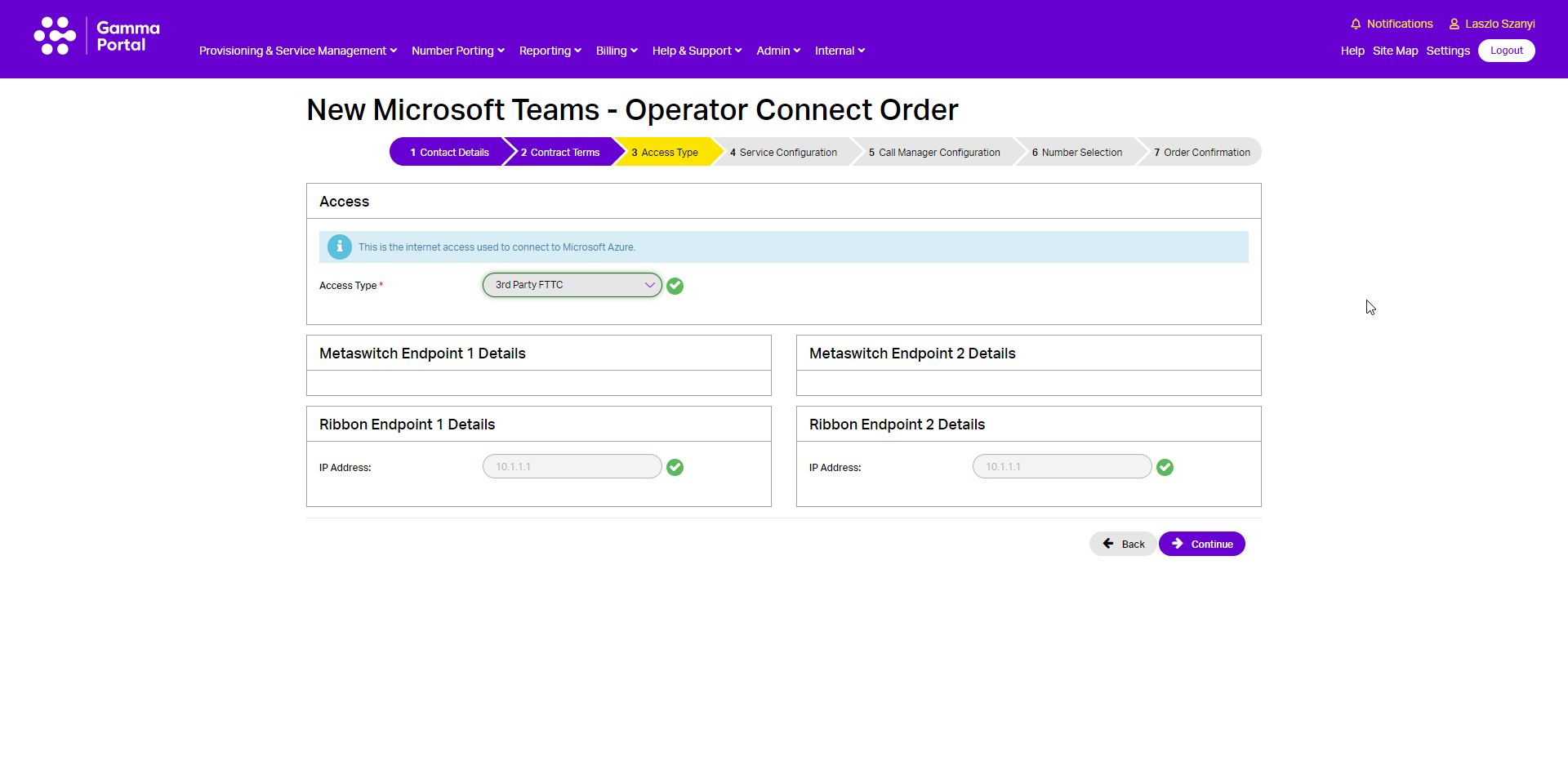
Select the Access Type used by the Customer to connect to Microsoft Azure.
Service configuration #
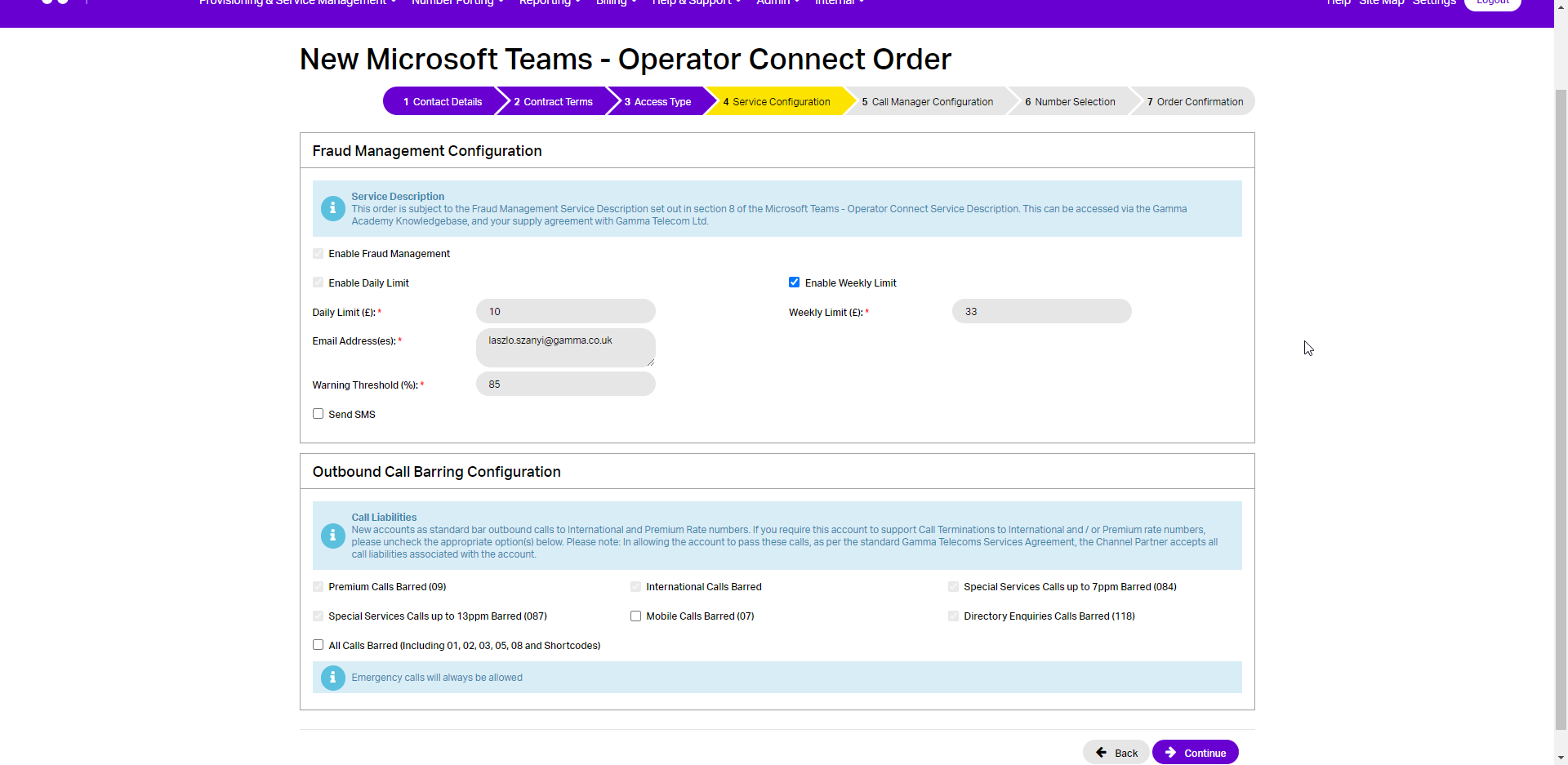
You can enable your Fraud Management settings here. If you want to set up Fraud Management and have notifications go to multiple email addresses, you can do this by separating the email addresses with a semi-colon. For example test.person1@gamma.co.uk; test.person3@gamma.co.uk
SIP Trunk Call Manager configuration #
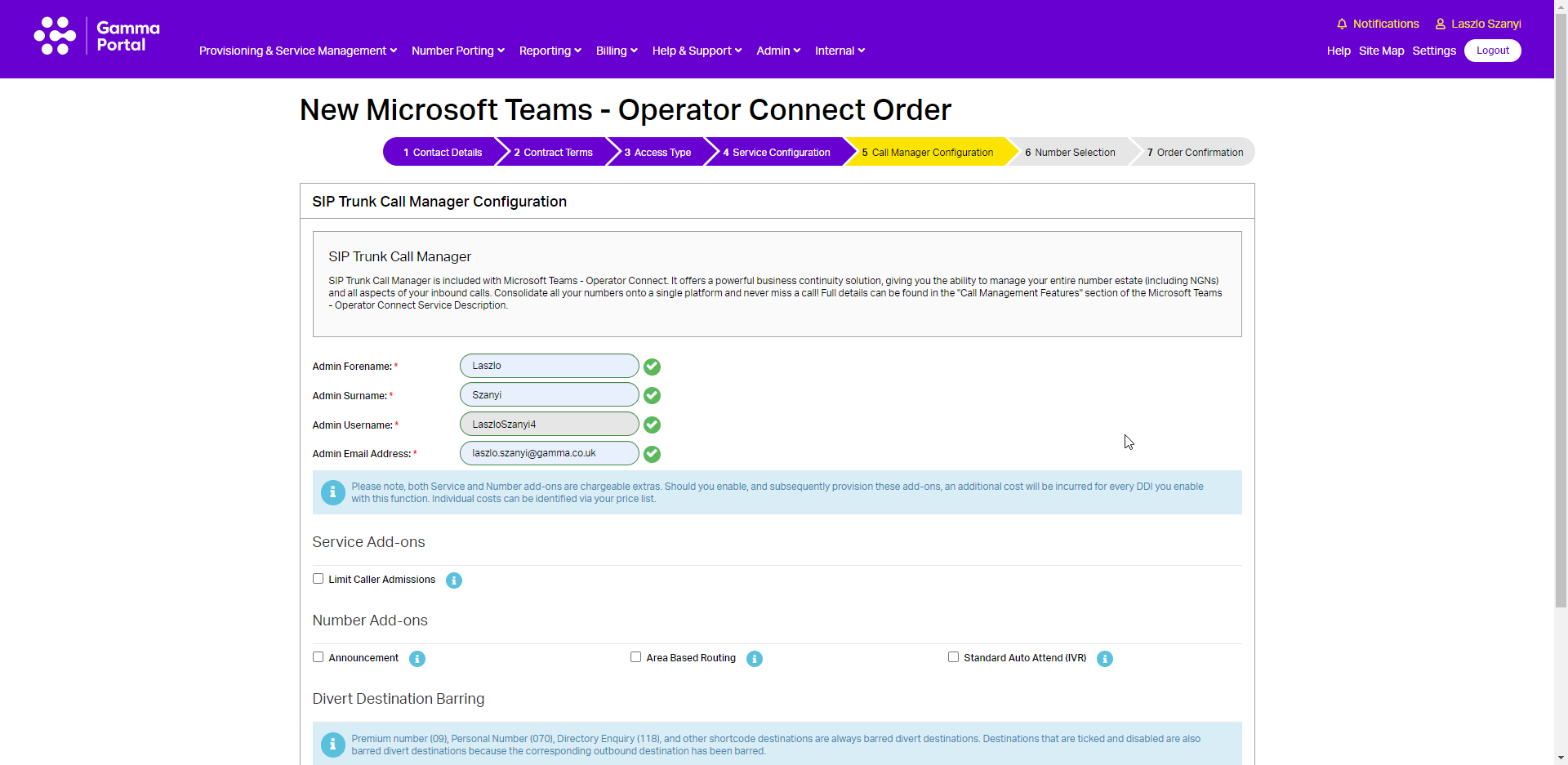
Enter an admin username and admin email address. If the admin username is already in use then you will be advised to enter another username.
You will also be presented with some new options which will help you configure your SIP Trunk Call Manager Service. These options are:
Announcement | Announcements can be combined with an underlying call plan to play a message to the caller prior to the call connecting or, alternatively, as a broadcast which plays an announcement, such as notifying the caller of a change of numbers, and then ends the call. |
Area Based Routing | Area nodes are used to define an underlying call routing planning based on the originating telephone number, for a predefined area name consisting of one or more area codes or CLIs. |
Standard Auto Attendant (IVR) | The Interactive Voice Response (IVR) control feature enables the creation of a personalised menu announcement with up to 10 options to be played to the caller, each leading to a defined call routing/action based on the caller’s key press on their keypad. |
Call Divert Barring | This allows you to bar diverts to certain destinations. These are: International Low Risk Destinations International Medium Risk Destinations International High Risk Destination Special Service Numbers (084) Mobile Destinations 01, 02, 03, 05 and 080 destinations For more information on International Destination Risks please see the Billing Home page on the Gamma Portal (Billing 🡪 Billing Home) |

Number selection #
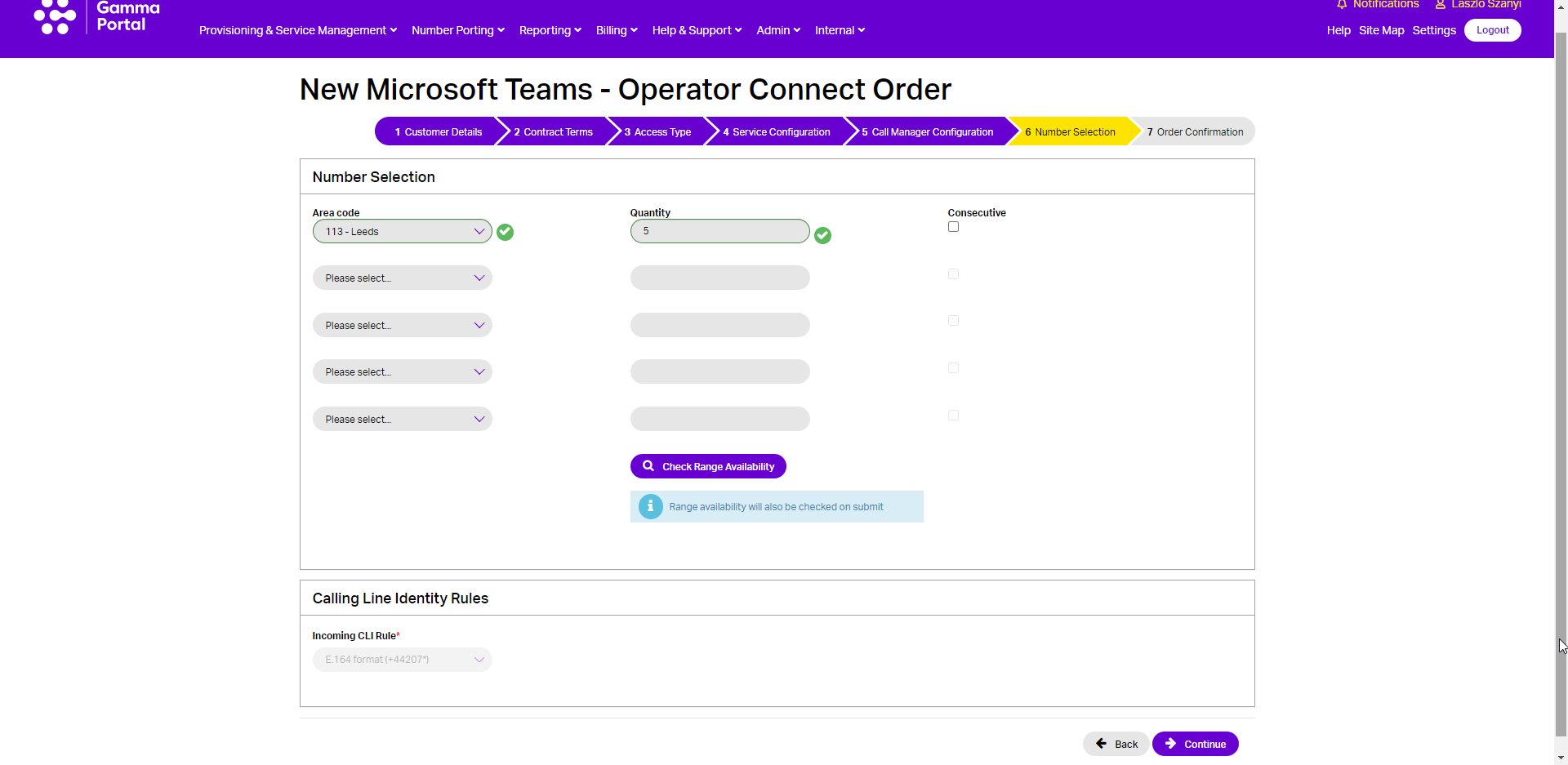
Now you can add Gamma ranged telephone numbers to your new Operator Connect Endpoint. Select up to 5 prefixes and the quantity of numbers required for each. Ticking consecutive will ensure you are provided with a consecutive range.
- You must check the availability of the range before proceeding with the order.
- The CLI rules will set the format of the CLI and DDI presented for incoming calls.
| If you require a specific number, you should use the Gamma Number Search under Help & Support to identify what numbers Gamma has available, and then use the web chat facility to get the number allocated to your account. |
If there are any unavailable area codes for your selection, you’ll be presented with a message that advises there aren’t enough available. To progress the order, you should select any available number (which can be used for testing) and when your order is complete then you can contact Number Management who can review number availability.
If you wish to port your number(s) to Gamma, then you still need to select one number from an area so that we can set the Endpoint up. Your endpoint also needs to be set up before you place your Geographic Port Order. For more information on porting please see our Gamma Numbers and Porting guide.
- The default format for both CLI and DDIs presented for incoming calls for Operator Connect is E.164 format (i.e. +441618703374).
You can change this to the following:
- Leading zero (i.e. 01618703374)
- No leading zero (i.e. 1618703374)
| Customers should be aware that modifications to the format of the B-number presented to the customer must align with the format currently defined in the applicable Microsoft calling plan in the customer tenant. If the two formats are not aligned, then calls will fail. |
Order confirmation #
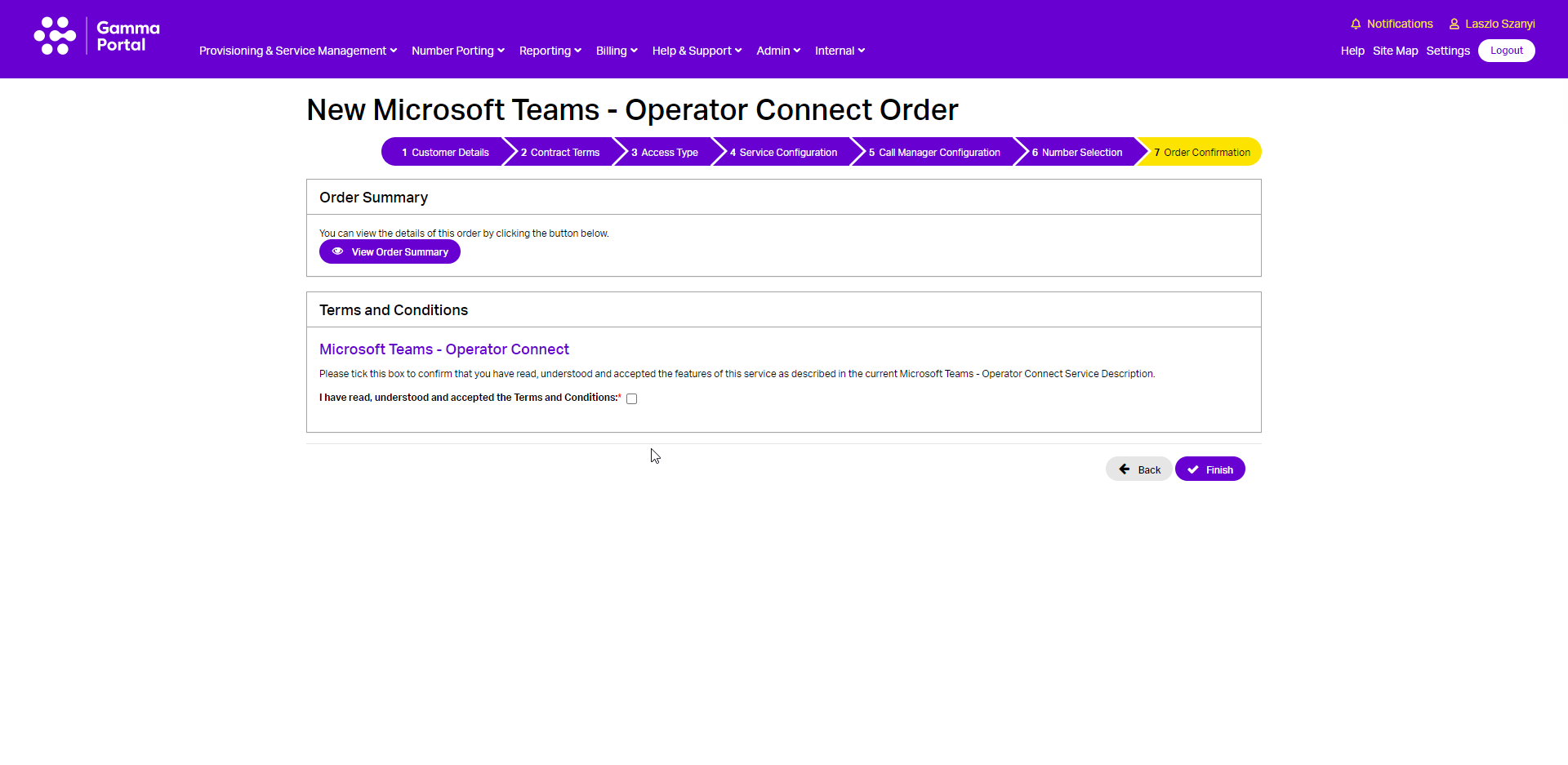
You should read and accept the terms and conditions and then click Submit. The Gamma portal will now start to build your endpoint and will send you an email when complete.
Order in progress #
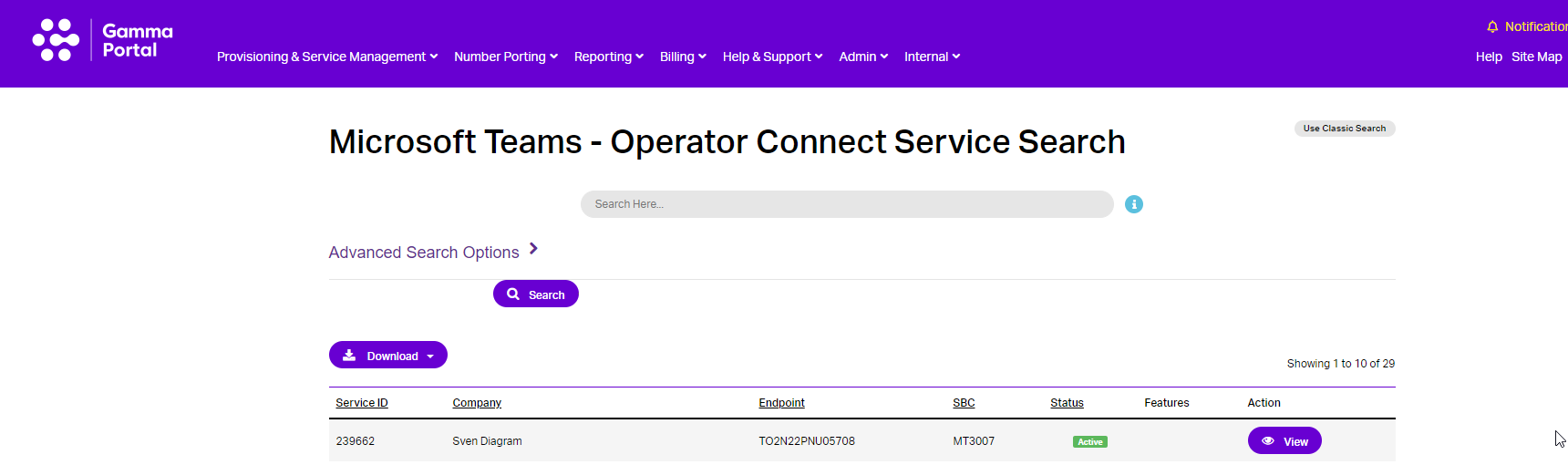
From the Gamma Portal, go to “Provisioning and Service Management”, “Voice Connectivity”, “Microsoft Teams – Operator Connect” and “Service Management” to see your order Status.