
Requirements #
Requirements to provision SIP trunk on Gamma Portal:
- Account on Gamma Portal enabled to provision a Gamma SIP trunk for Genesys Cloud
- AWS region for Organization
After the SIP Trunk has been provisioned, the user will have the following configuration information for the SIP Trunk:
- Gamma Endpoint reference
- Gamma Outbound SIP Termination FQDN
- Gamma signalling addresses
- Gamma SIP Trunk channel capacity
- Allocated numbers
Start a new order #
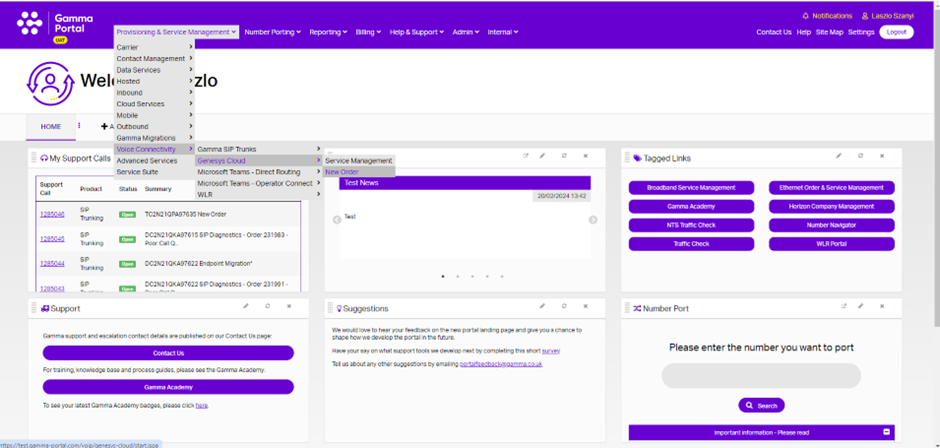
From the Gamma Portal, go to “Provisioning and Service Management”, “Voice Connectivity”, “Genesys Cloud” and “New Order”.
Partner and customer details #
Select the account that you wish to provision the Gamma SIP Trunks for Genesys Cloud order on and then complete the required details.
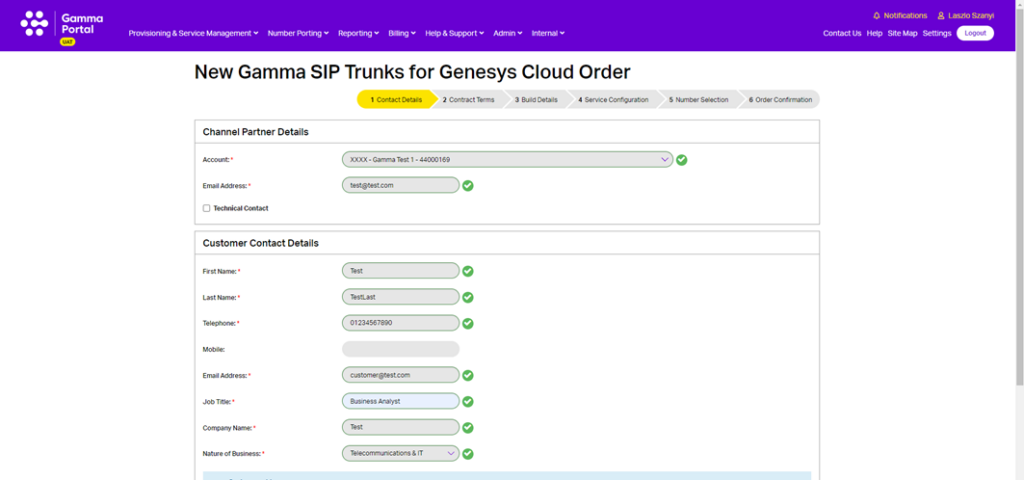
Your customer details go in the ‘Customer Contact Details’ table. The customer contact details must include the name of an individual at the site where calls are delivered.
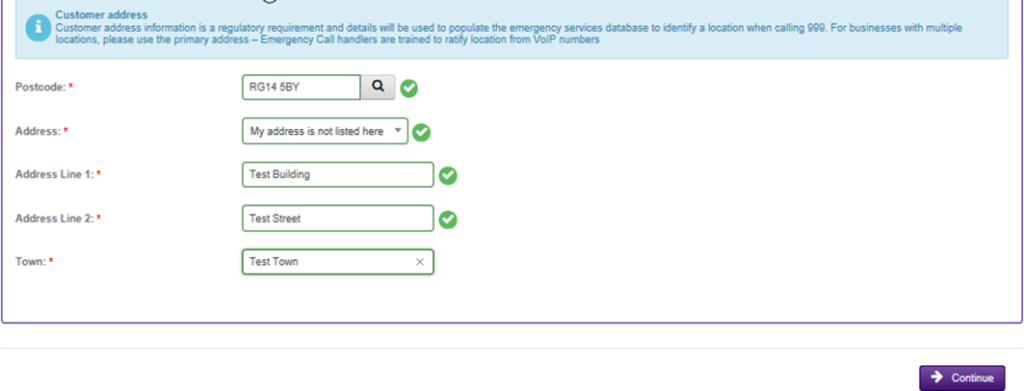
Enter your access type and then your postcode. Once you’ve entered the postcode, hit the magnifying glass. Select your customer’s address from the drop down menu. If your customer’s address is not listed here, select ‘My address is not listed’ and you’ll be able to free-type this in.
This will also be used to populate the Emergency Services database.
Contract terms #
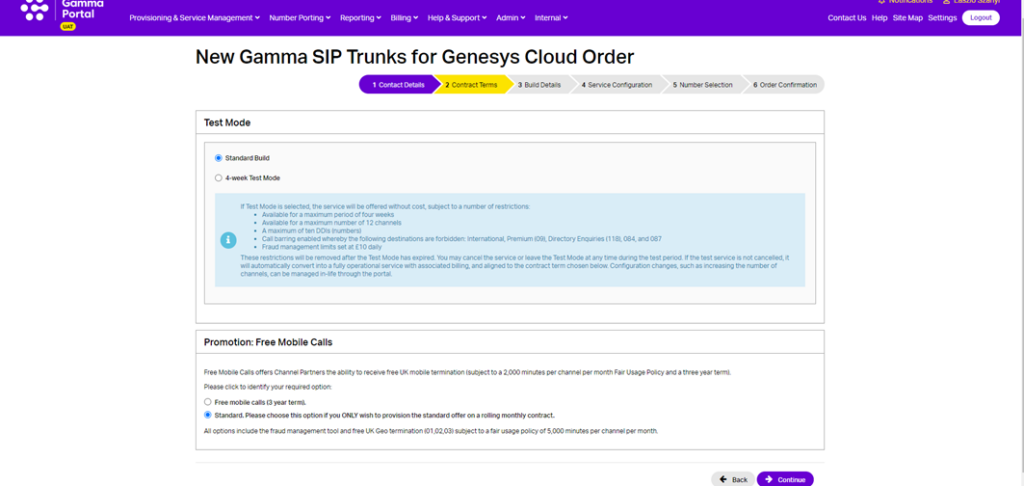
Select the contract terms you wish to apply. Check the service description and price list for further details. The options available are:
- Standard One Month Rolling
- Three Year
Test mode #
There is also a Test Mode option available. If Test Mode is selected, the service will be offered without cost, subject to a number of restrictions:
- Available for a maximum period of four weeks
- Available for a maximum number of twelve channels
- A maximum of ten DDIs
- Call barring enabled whereby the following destinations are forbidden: International, Premium (09), Directory Enquiries (118), 084 and 087
- Fraud management limits set at £10 daily.
The restrictions will be removed after the Test Mode has expired. You may cancel the service or leave the Test Mode at any time during the test period (see In-Life changes section for details). If the test service is not cancelled, it will automatically convert into a fully operational service with associated billing, and aligned to the contract term chosen. Configuration changes, such as increasing the number of users can be managed in-life through the Portal.
Build details #
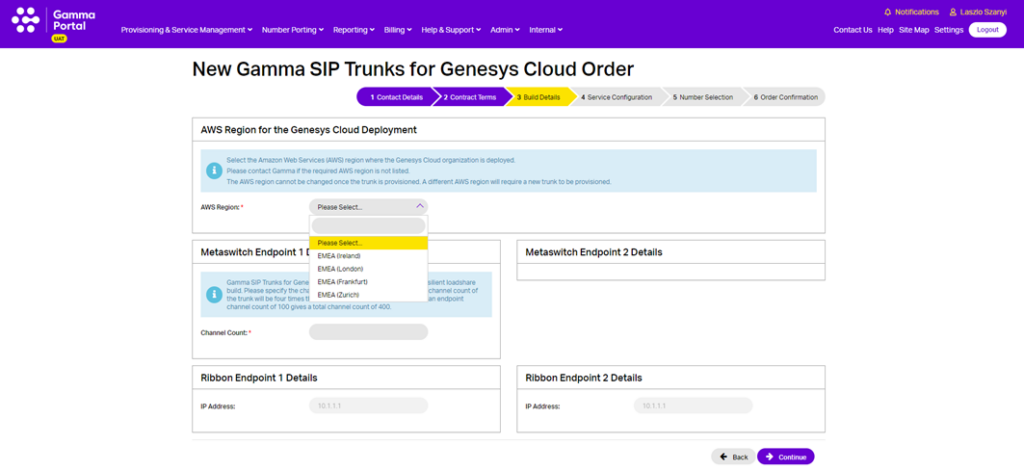
Select the AWS Region where your Customer’s Genesys Cloud organisation is deployed, then enter the Endpoint Channel Count figure.
Please note that the Gamma SIP trunk will be connected to the selected AWS region and cannot be changed once the trunk is provisioned.
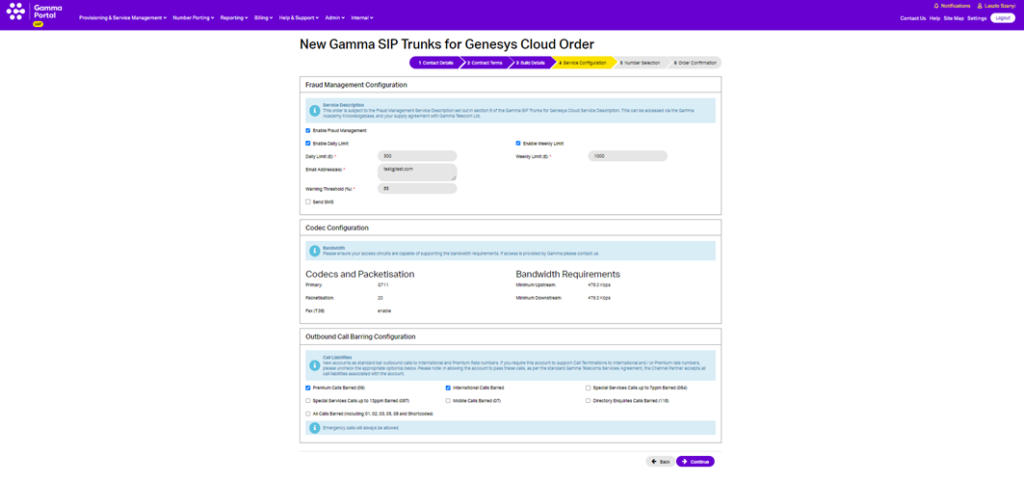
Fraud management and outbound call barring configuration #
You can enable your fraud management settings here. If you want to set up fraud management and have notifications be sent to multiple email addresses, you can do this by separating the email addresses with a semicolon. For example:
test.person1@gamma.co.uk; test.person2@gamma.co.uk
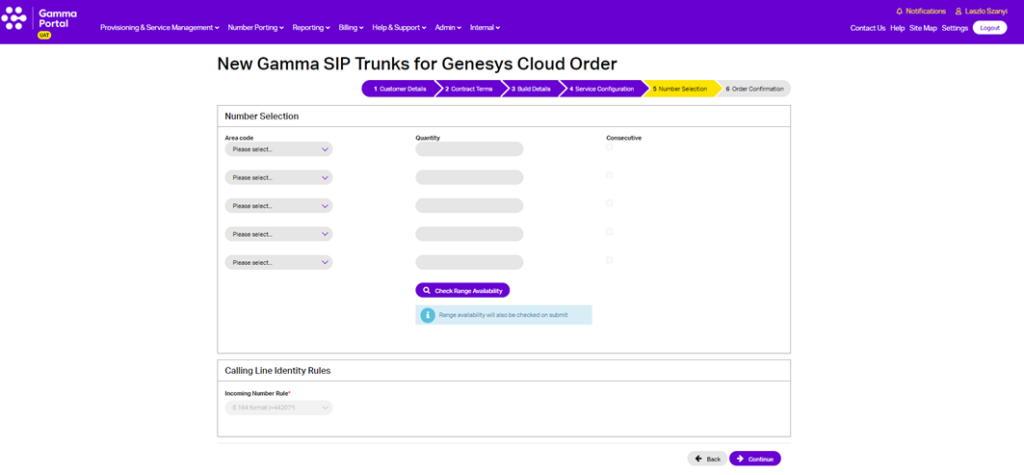
Number selection #
Now you can add Gamma ranged telephone numbers to your new SIP Trunk. Select up to 5 prefixes and the quantity of numbers required for each. Ticking consecutive will ensure you are provided with a consecutive range.
- You must check the availability of the range before proceeding with the order.
- The CLI rules will set the format of the CLI and DDI presented for incoming calls.
If you require a specific number, you should use the Gamma Number Search under Help and Support to identify what numbers Gamma has available and then use the Web Chat facility to get the number allocated to your account.
If there are any unavailable area codes for your selection, you’ll be presented with a message that advises there aren’t enough available. To progress the order, you should select any available number (which can be used for testing) and when your order is complete then you can contact Number Management who can review number availability.
If you are wishing to port your number(s) to Gamma, then you still need to select one number from an area so that we can set the endpoint up. Your endpoint also needs to be set up before you place your Geographic Port Order. For more information on porting please see our Gamma Numbers and Porting guide.
Please note the default format for both CLI and DDI represented for incoming calls on Genesys Cloud is E.164 format (i.e +441618703374) and cannot be changed.
Order summary and terms and conditions #
You should read and accept the terms and conditions and then click Submit. The Gamma portal will now start to build your endpoint and will send you an email when complete.
Order in progress #
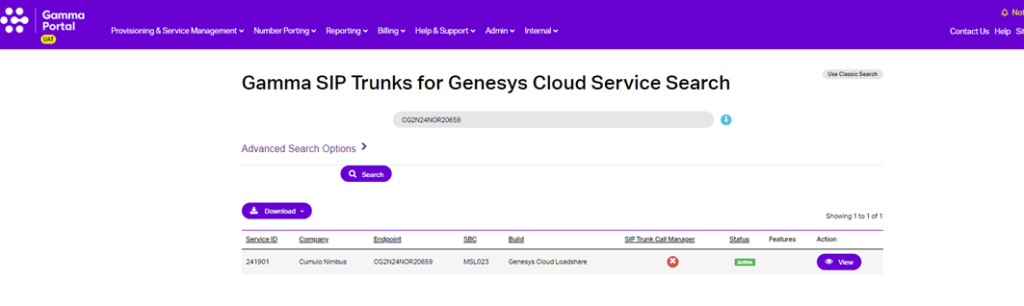
From the Gamma Portal, go to “Provisioning and Service Management”, “Voice Connectivity”, “Genesys Cloud” and “Service Management” to see your order status.
Continue on the Genesys Portal #
You should now continue the provisioning journey on the Genesys Portal. For further details please see this article.