
Requirements #
After the SIP Trunk has been provisioned on the Gamma Portal, you should have the following configuration information:
- Gamma endpoint reference
- Gamma outbound SIP termination FQDN
- Gamma signalling addresses
- Gamma SIP Trunk channel capactiy
- Allocated numbers
Provisioning on the Genesys Portal #
This article uses screenshots of the Genesys Portal to illustrate the provisioning process. Screenshots in this document may not be identical to the Genesys Portal as Genesys continue to evolve their product.
Please refer to the Genesys Cloud Resouce Centre for detailed instructions.
To begin, select Genesys PureCloud Admin –

Telephony – Sites #
Under the Telephony menu, select Sites and create the sites required for the organisation. Please refer to the Genesys Cloud Resource Centre for detailed instructions.
Telephony – Trunks #
Under the Telephony menu, select Trunks.
In the External Trunks tab, select Create New.

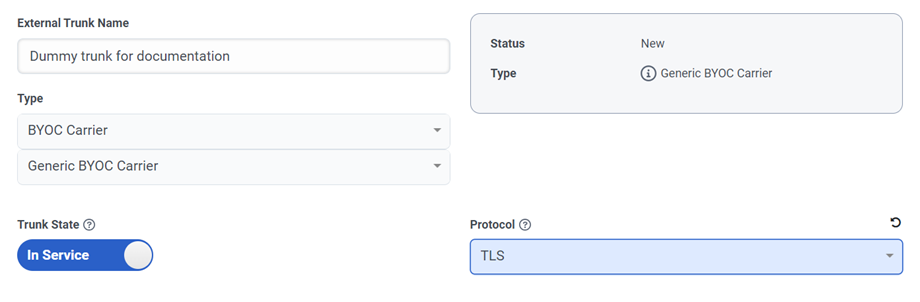
| Configuration Setting | Value | Notes |
|---|---|---|
| External Trunk Name | Enter a descriptive name for the trunk | |
| Type | Select BYOC Carrier and Generic BYOC Carrier | |
| Trunk State | This toggle is used to enable or disable the trunk. The default is In-Service | |
| Protocol | Select TLS | TLS is mandatory |
Inbound #
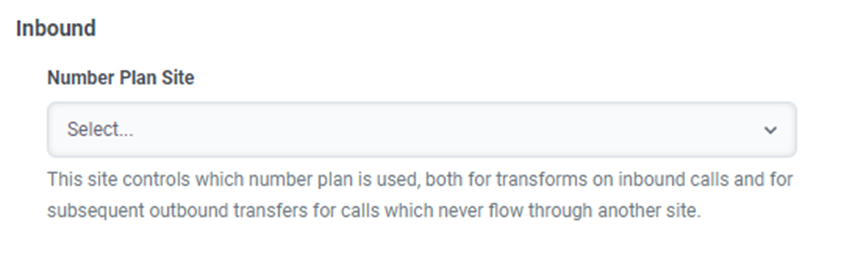
Numbering Plan Site #
Select the site which will use the trunk.
Inbound SIP Termination Identifier #
Genesys Purecloud provides three methods to identify traffic (TGRP, FQDN and DNIS).
Gamma SIP trunks only support the TGRP method. Each Gamma SIP trunk provisioned will have a unique identifier, referred to as the Gamma Endpoint Reference.
| Configuration Setting | Value | Notes |
|---|---|---|
| Inbound SIP Termination Identifier | Enter the Gamma Endpoint Reference provided when the SIP trunk was provisioned | The Gamma Endpoint Reference will be a 14-character alphanumeric identifier with prefix of CG. |
| Inbound SIP Termination Header | Leave blank | |
| DNIS | Select Disabled (default) |
Outbound #
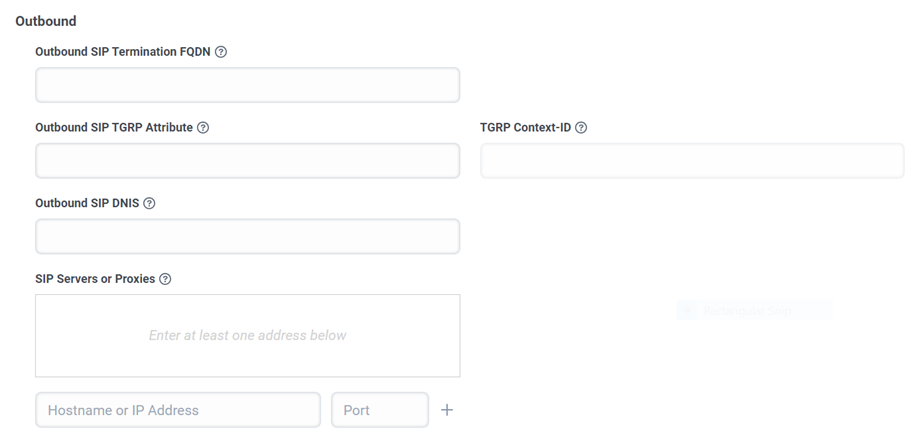
| Configuration Setting | Value | Notes |
|---|---|---|
| Outbound SIP Termination FQDN | Enter the Gamma outbound SIP Termination FQDN provided when the Gamma SIP trunk was provisioned | |
| Outbound SIP TGRP Attribute | Enter the Gamma Endpoint Reference provided when the Gamma SIP trunk was provisioned | |
| TRGRP Context-ID | Enter the Gamma Outbound SIP Termination FQDN provided when the Gamma SIP trunk was provisioned | |
| Outbound SIP DNIS | Leave blank | |
| SIP Servers or Proxies | Enter the Gamma Outbound SIP Termination FQDN provided when the Gamma SIP | |
| Hostname or IP Address | Enter the Gamma Outbound SIP Termination FQDN with no port specified then click on the + symbol | |
| Port | Leave blank |
Digest Authentication #

| Configuration Setting | Values | Notes |
|---|---|---|
| Digest Authentication | Select Disabled | Gamma SIP trunks do not support Digest Authentication |
| Realm | Leave blank | |
| Username | Leave blank | |
| Password | Leave blank | |
| Outbound SIP DNIS | Leave blank |
Caller ID #
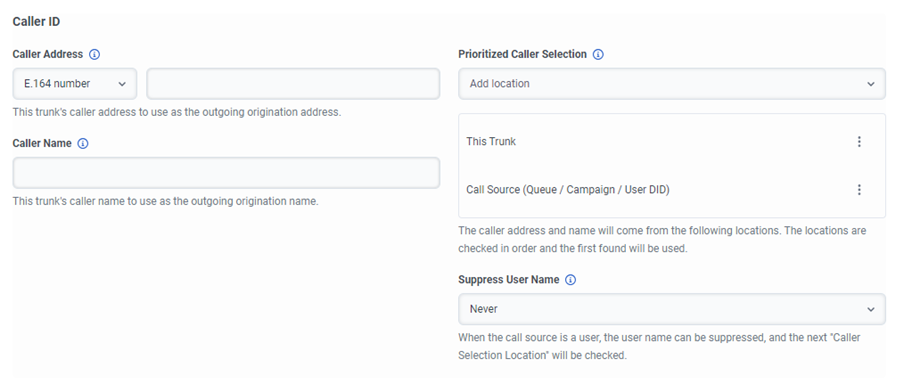
| Configuration Setting | Values | Notes |
|---|---|---|
| Caller Address | Select E.164 number | Gamma will only support numbers in E.164 format |
| Prioritized Caller Selection | Prioritised Called Selection allows configuration of Caller ID information for display to call recipients Gamma policy for Caller ID information may override this information |
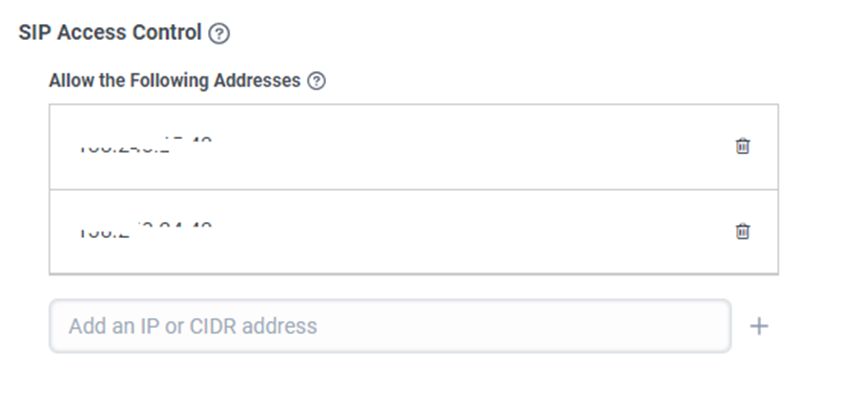
SIP Access Control #
| Configuration Setting | Values | Notes |
|---|---|---|
| Allow the Following Addresses | Enter the Gamma Signalling Addresses provided when the Gamma SIP trunk was provisioned | IP addresses used by Gamma must be whitelisted on Genesys to allow incoming signalling and media to Genesys from Gamma |
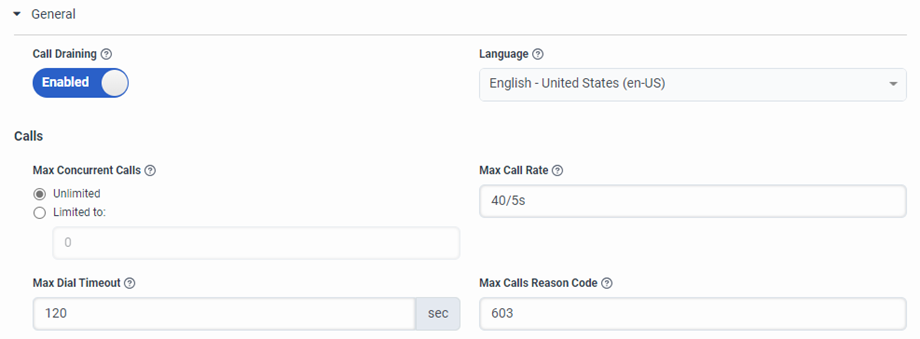
General #
| Configuration Setting | Values | Notes |
|---|---|---|
| Max Concurrent Calls | Select Limited to: Enter the Gamma SIP Trunk Channel Capacity provisioned for the trunk on the Gamma Portal | The Gamma SIP trunk channel capacity is specified when the trunk is provisioned on the Gamma Portal. This capacity can be changed on the Gamma Portal. |
| Max Call Rate | Please refer to Gamma SIP Trunk for Genesys Cloud BYOC Service Description for default calls per second threshold for the trunk. This threshold can be increased, subject to Gamma approval. |
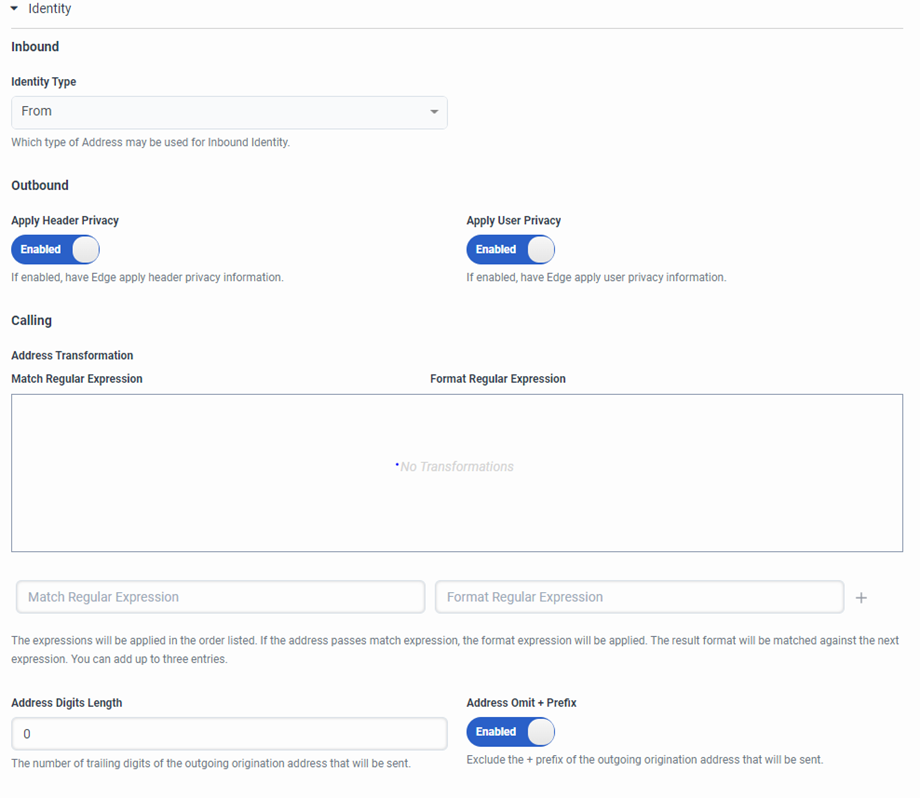
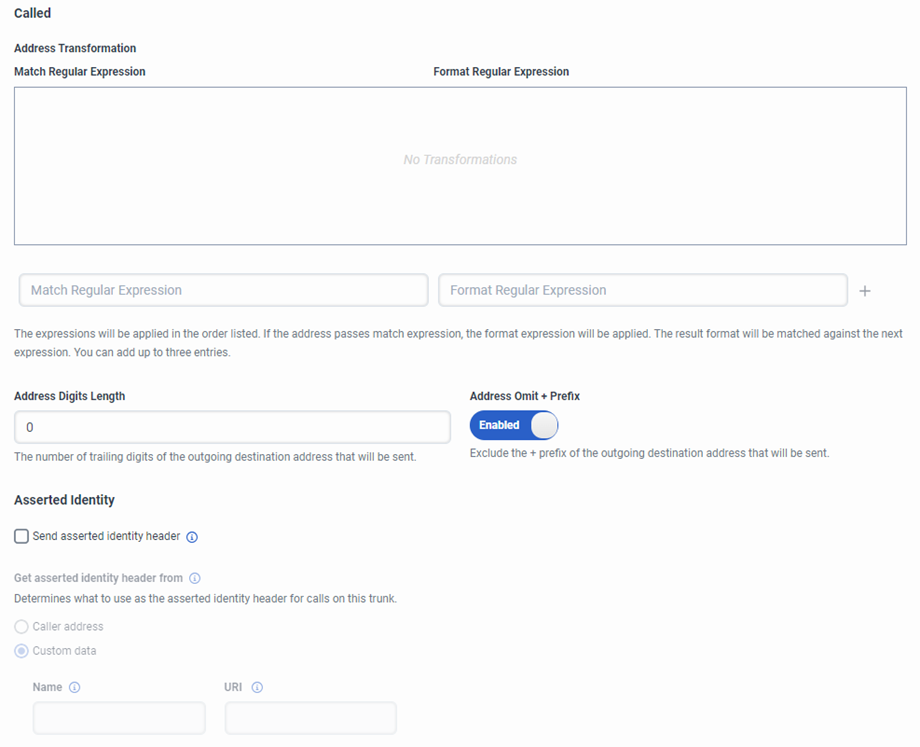
Identity #
| Configuration Setting | Values | Notes |
|---|---|---|
| Apply Header Privacy | Select Disabled | |
| Apply User Privacy | Select Disabled | |
| Calling – Address Omit + Prefix | Select Disabled | |
| Called – Address Omit + Prefix | Select Disabled | |
| Asserted Identity | Enter an allocated number provisioned on the Gamma SIP trunk |
Media #
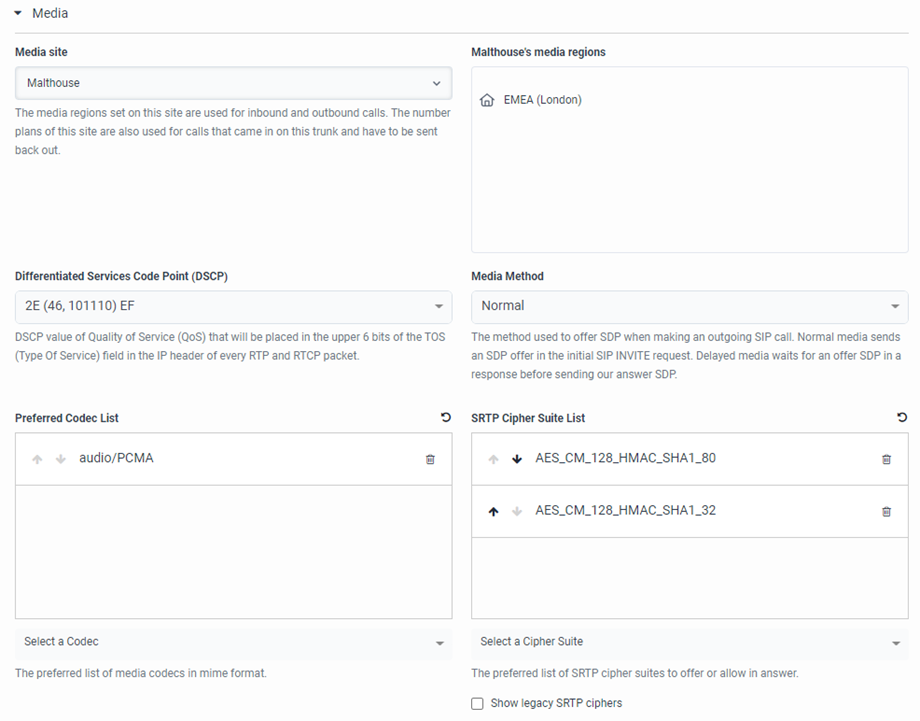
| Configuration Setting | Values | Notes |
|---|---|---|
| Preferred Codec List | Select audio/PCMA as the only preferred Codec and remove any others in the list by clicking on the bin symbol | |
| SRTP Cipher Suite List | Select AES_CM_128_HMAC_SHA1_32 |
Protocol #
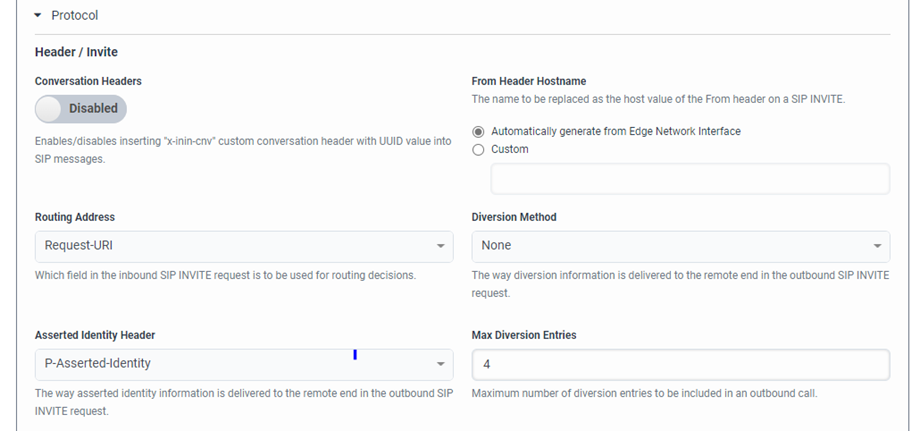
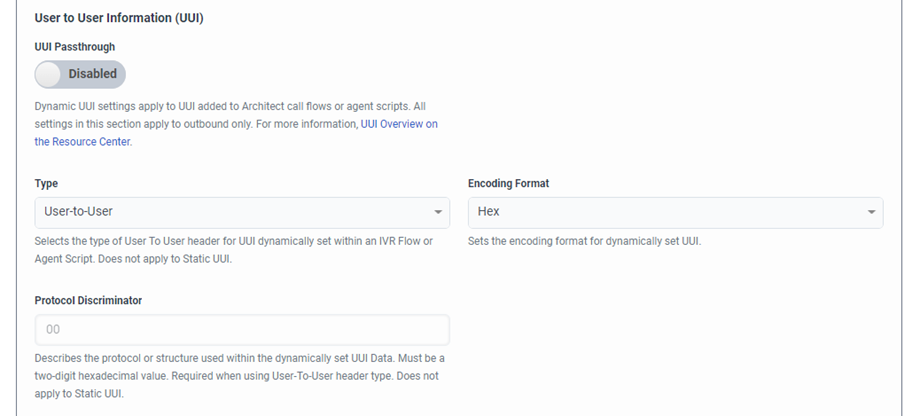
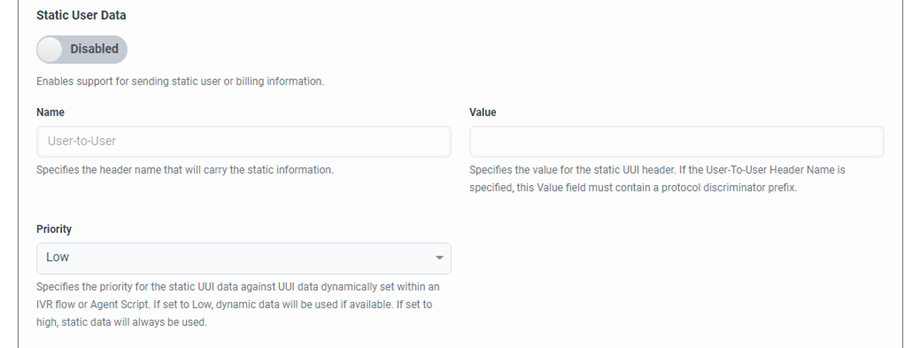
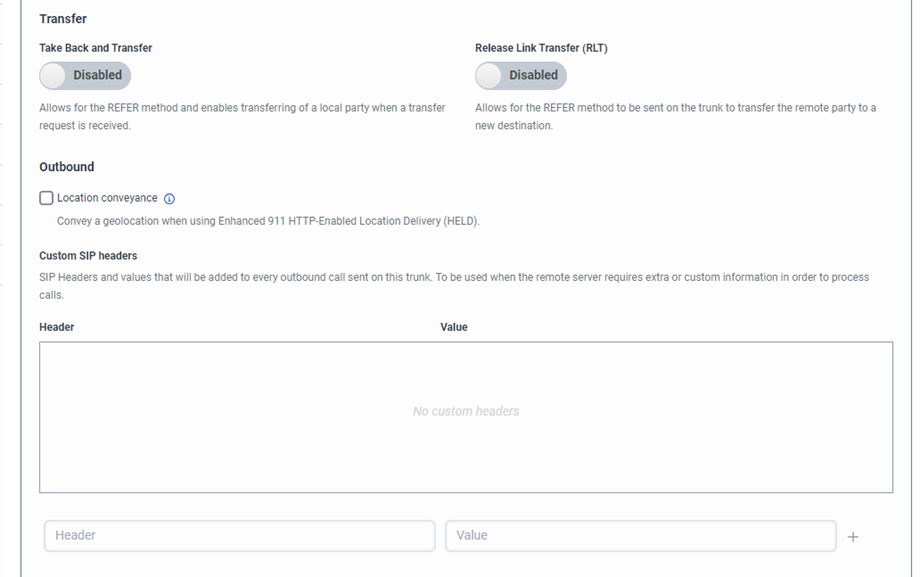
Diagnostics #
For collection of information to debug issues.
Custom #
Please refer to Genesys documentation.
Complete the process #
Select Save External Trunk to complete the process.
Telephony – DID Numbers #
Once the SIP trunk has been configured, it is necessary to allocate numbers in Genesys to agents, handsets, voice menus or other functions.
In the Genesys Purecloud Admin page, under Telephony, select DID Numbers.
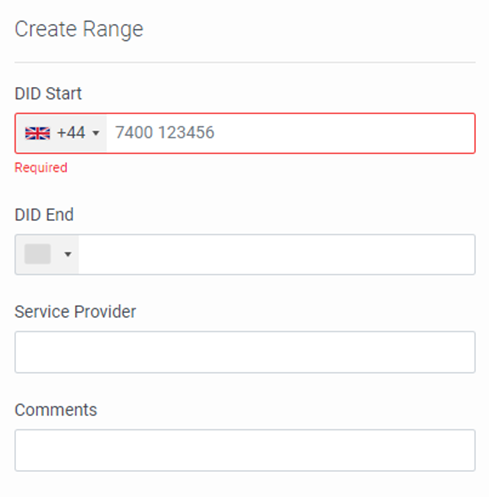
A range of numbers is defined using the DID Range tab, then Create Range, then enter the Start and End numbers of the range, and the Service Provider.
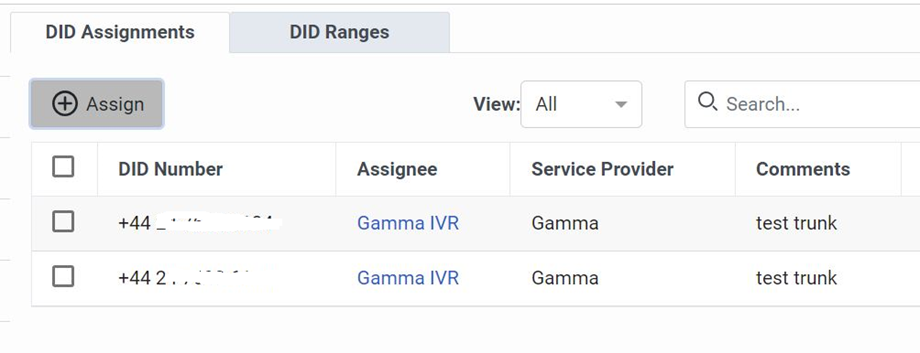
Numbers within a defined DID Range are assigned using the DID Assignments tab and can be assigned to a Person, Call Flow or Phone.
Once DID Ranges have been assigned, these numbers should be routed to the appropriate flows. Without any routing set-up, inbound calls will fail.
