A Gamma channel partner can provision Horizon Contact for a new company at any time by following these steps:
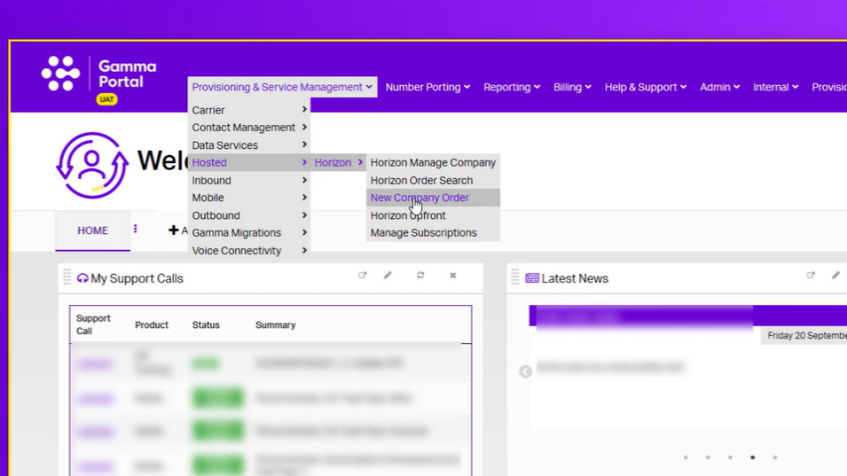
- Firstly, log in to the Gamma Portal and navigate to Provisioning & Service Management, followed by Hosted > Horizon > New Company Order.
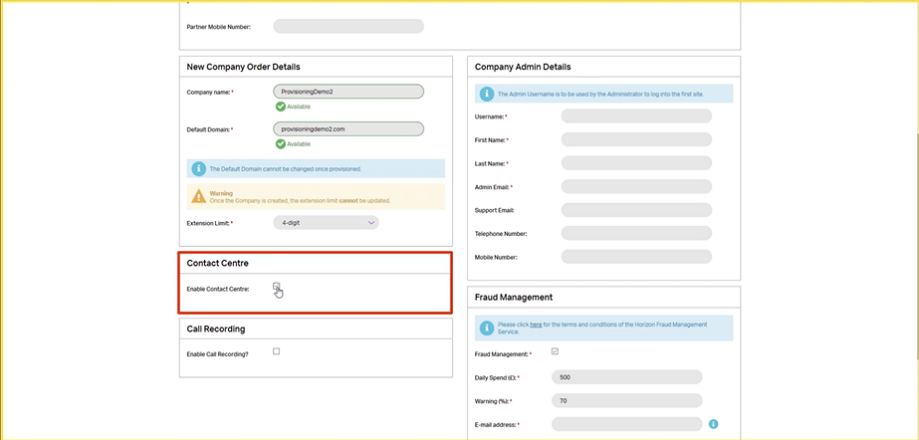
- Proceed with the new company order process for Horizon as normal, under partner details, click the Enable Contact Centre tick box.
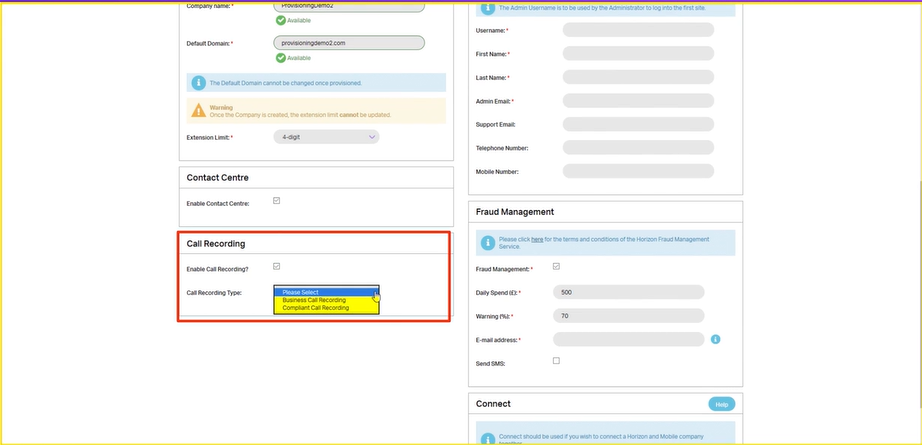
By doing this, you will no longer have the standard call recording option if you want to enable call recording. However, Business Call Recording and Compliant Call recording is still available.
- Proceed to fill out the new company order as normal. Click continue to proceed to the Site Details screen.
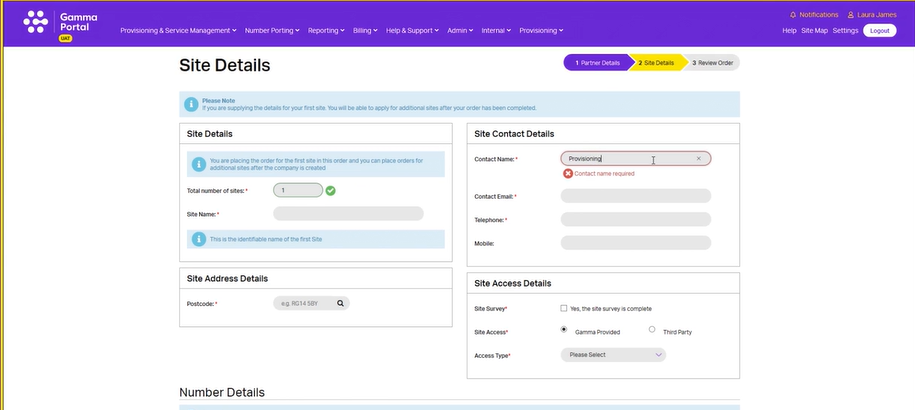
- On the site details screen you will need to complete all information about the new Company. Any field marked with a red asterisk must be completed to proceed with the order.
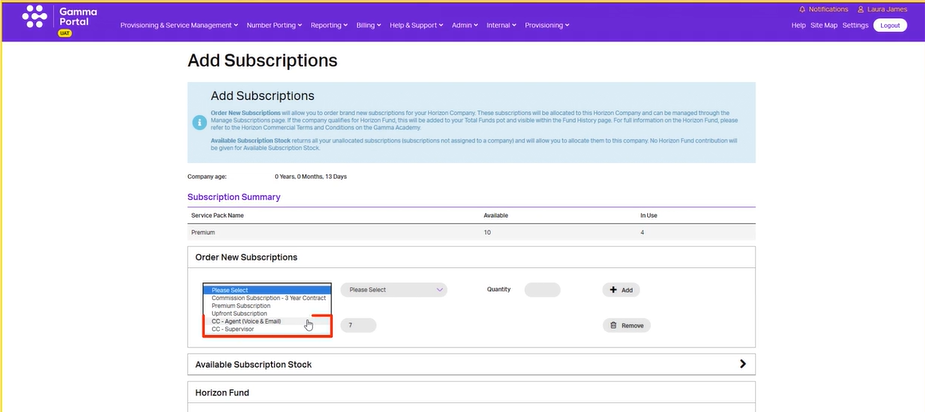
- You will need to add premium subscriptions to each of your users, even the users who do not use Horizon for anything other than the Horizon Contact feature. Click on Premium Subscription from the drop-down menu under Order New Subscriptions and choose the contract length. You will notice new drop-down options appear:
- HC Agent – Voice & Email
- HC Agent – Webchat
- HC Supervisor
By default, supervisors have the same access as both agents and so do not need an agent subscription as well.
- If call recording is required, you will need to order a call recording bolt-on for every user regardless of whether they use it.
It is important to note that if call recording is selected during the Horizon Contact provisioning process, then it will be enabled immediately.
Now that we have provisioned a new Horizon Contact company you will be able to search for it and make any amendments in the gamma portal.
- Log into the Gamma Portal and navigate to Provisioning & Service Management
- Followed by Hosted > Horizon > Manage Company.
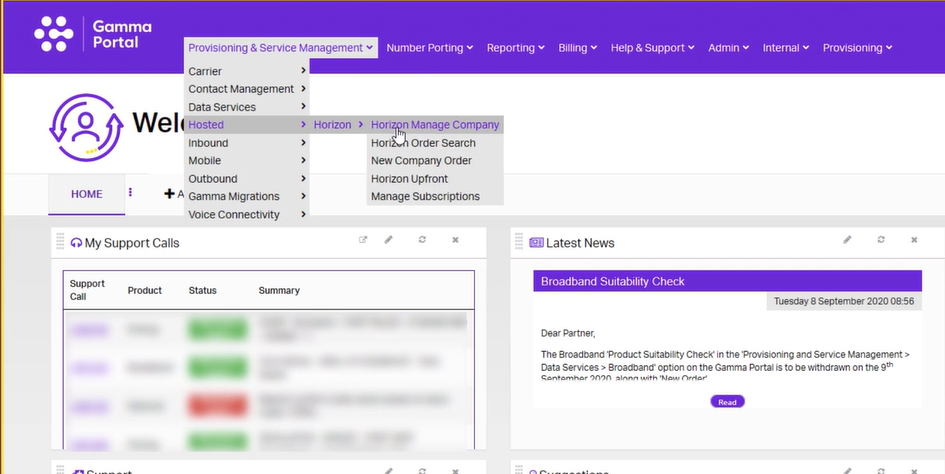
- Search for your company and click on the actions drop-down next to it.
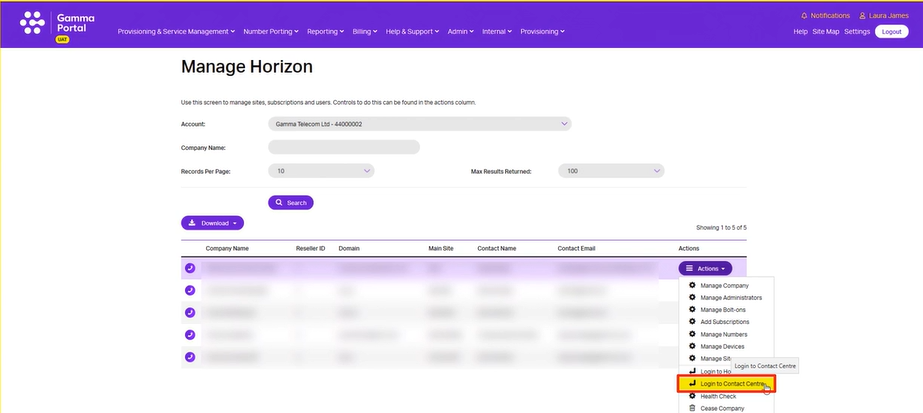
- You will see a new ‘log in to contact centre’ single sign-on option listed. This link will take you directly to the Horizon Contact platform, where as a channel partner you can change the settings and configuration for the Horizon Contact company.