
Now we have been able to enable the service on a new existing Horizon company. We will continue to set up Horizon Contact on the Horizon platform.

Normally when a channel partner provisions a New Horizon company, users are created and their numbers ordered, as outlined during the horizon provisioning process. Channel partners can also assign subscriptions and Bolt Ons, both when creating a new Horizon company, and later through Horizon – Manage Company.
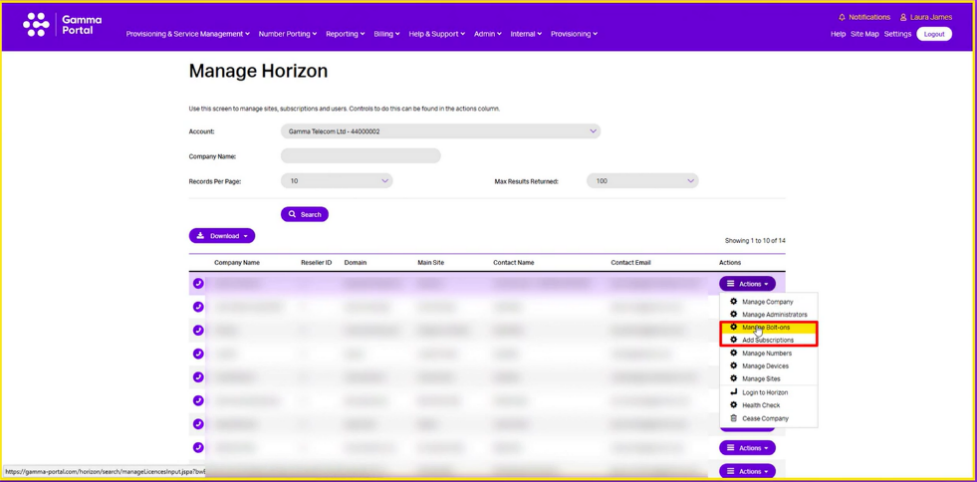
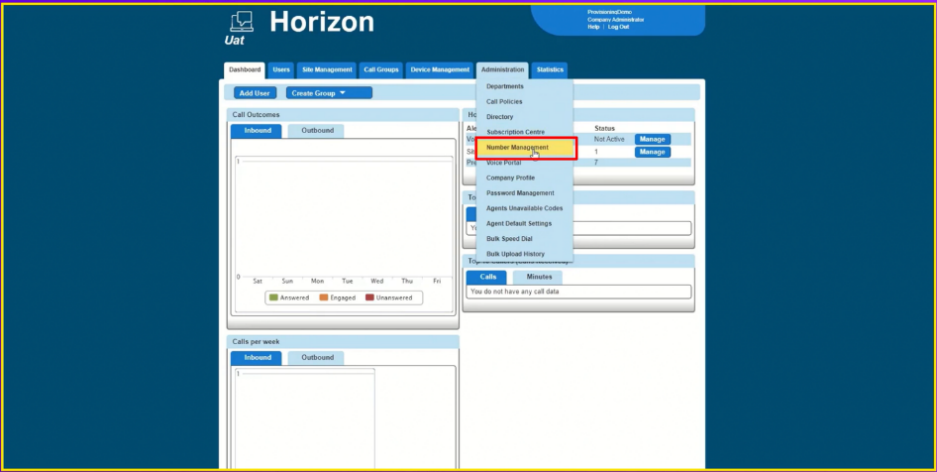
- Once you have enabled Horizon Contact during the process of provisioning a new company order. Click on administration, then manage numbers:
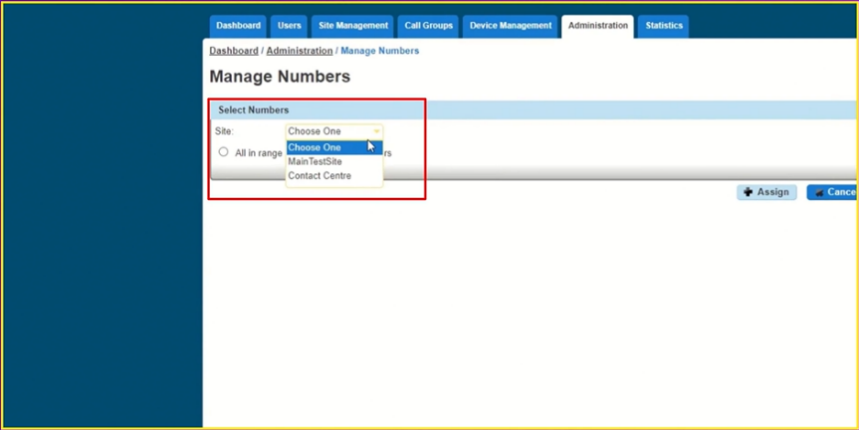
- Now when you select a number, you will see horizon contact as an option when you choose a site under select numbers.
- Click on select numbers then you can then tick individual numbers from the list below.
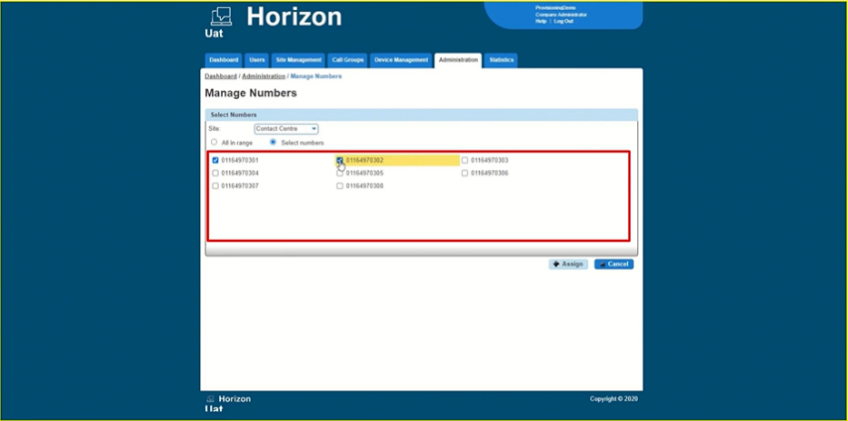
- These numbers can then be assigned to call flows and configured further in Horizon Contact later.
If you need to assign individual numbers to Horizon Contact users, then you should assign them to the Horizon site in the usual way.
To assign a company administrator, you will need to assign a permission which is added to an individual’s account and not an additional subscription.
- Navigate to the Users tab on the Horizon platform.
- Choose a user from the list and click on edit user.
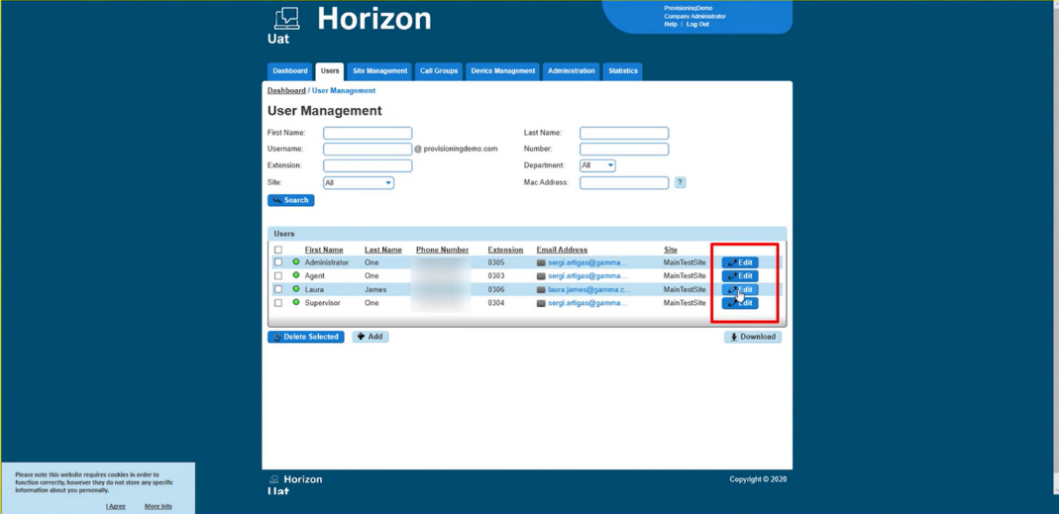
- Within the User’s settings choose Services. This is the same place where you’d assign a subscription to a Horizon contact user.
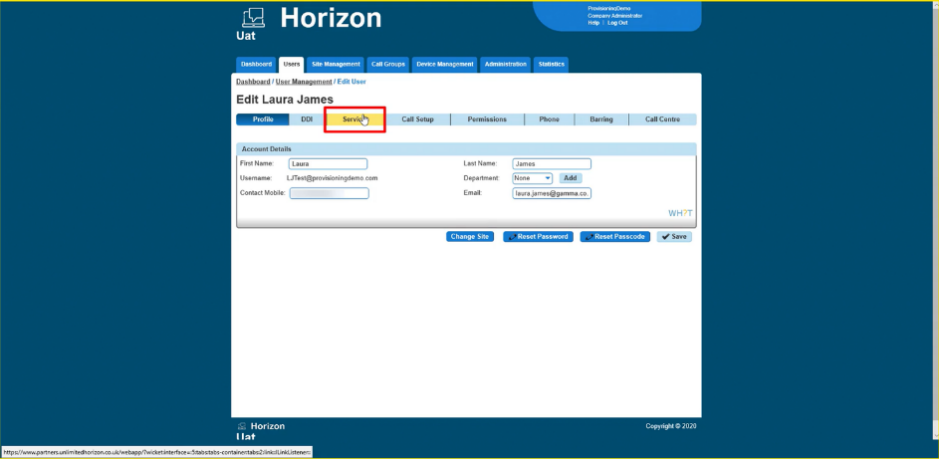
- All you need to do here is choose Yes from the drop-down menu next to contact centre administrator, then click on save and continue.
Channel partners can also create a Horizon Contact agent on the Horizon portal.
- To do this start the add user journey as normal and assign this user to Horizon company or site.
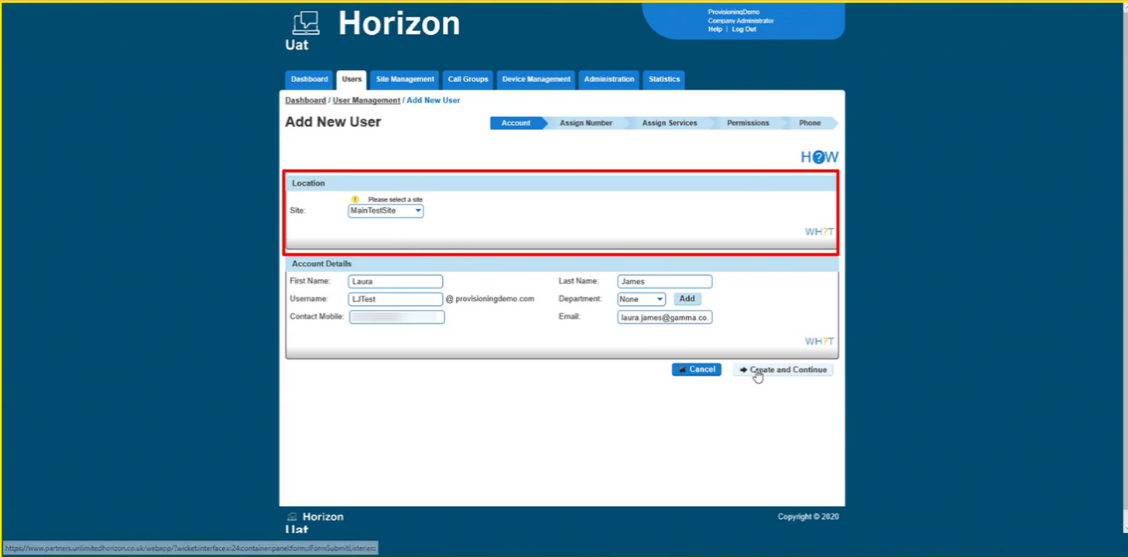
- Under assigned services, you will now see the option to add a Horizon company subscription.
- There are two options, Agent and Supervisor, alongside the number of subscriptions we have left for each.
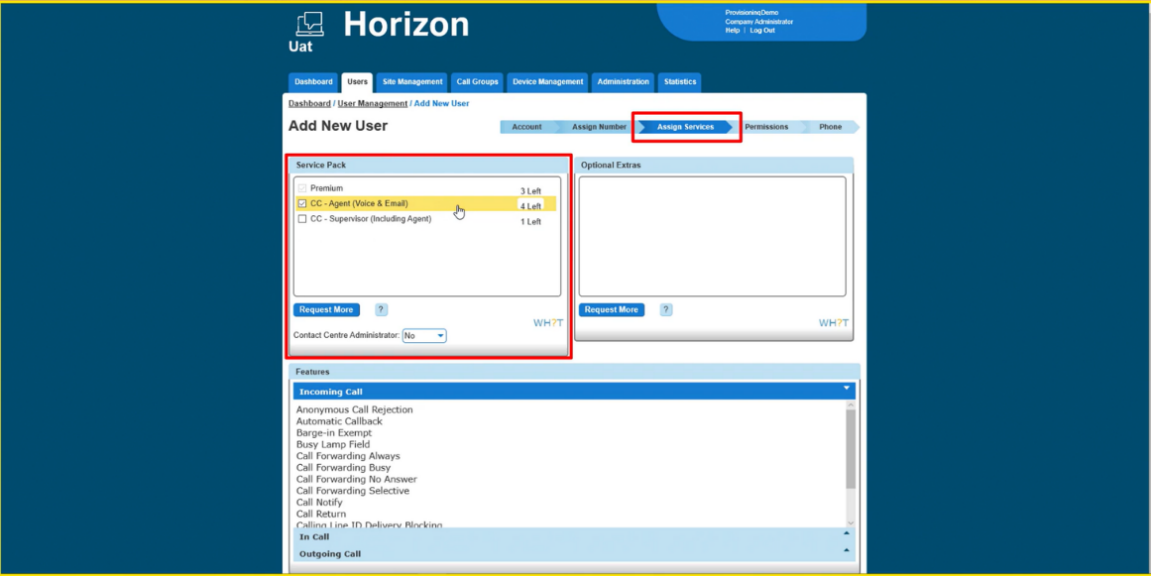
- Once the subscription has been attached to a user continue with any further configuration as normal.
- Once you have assigned a Horizon Contact subscription to end users. They will automatically receive an email prompt to change the password. This also gives users access to the Horizon Contact platform.
Remember that some emails can be filtered into folders such as junk mail and so on. Check all folders.
Now that you have service numbers available and end users have access to their own logins for the Horizon Contact platform. You can set up and assign flows to those numbers.