
Gamma offer the ability to extend the reach of a CES circuit via a connection through the Gamma Equinix hub to two Cloud Service Providers: MS Azure and Amazon Web Services. A quote can be created using the Ethernet Pricing Tool and ordered alongside the CES circuit in the usual way. Quoting and ordering can also be handled manually.
The pre-requisite to ordering a Cloud Service is that the customer has obtained an AWS Account ID or MS Azure S-Key prior to starting the quote journey.
After having obtained the S-Key/ Account ID, the steps to quote and order a Cloud Service alongside a CES circuit are:
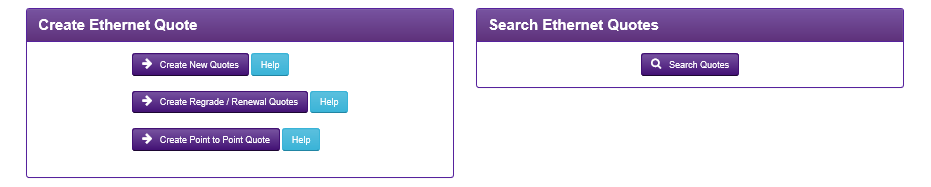
1. Access the Gamma Portal and navigate to Provisioning & Service Management > Data Services > Ethernet > Ethernet Pricing Tool and click on Create New Quote
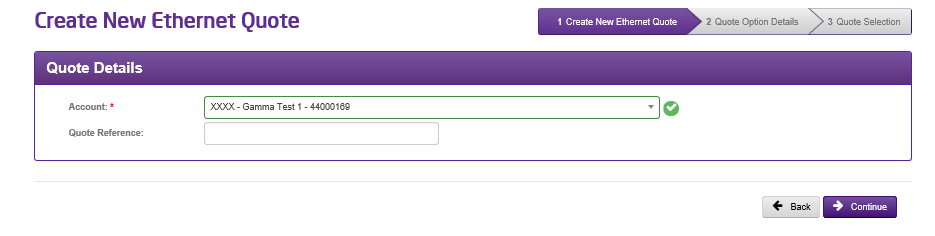
2. Add the Account Details and Quote Reference
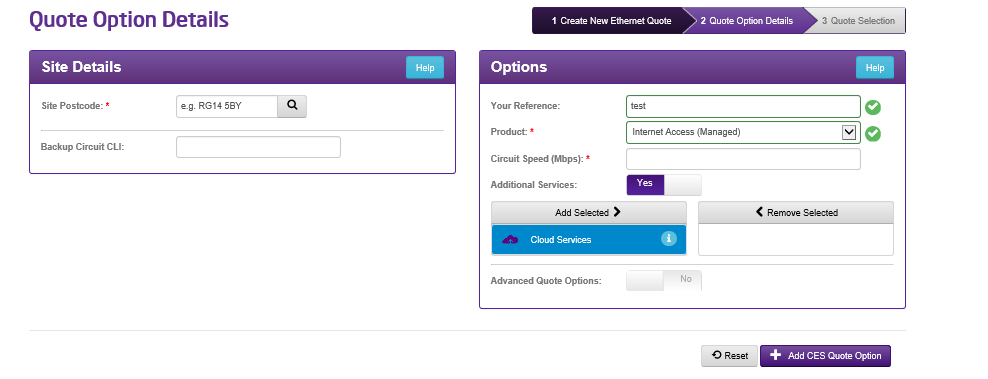
3. Add the product details in the usual way, then change the Additional Services slider to ‘Yes’. Click on Cloud Services and then Add Selected to add the Cloud Service to the quote
4. Complete the CXS Product and Bandwidth fields, click ‘Add CXS Quote Option’ and continue with the quote
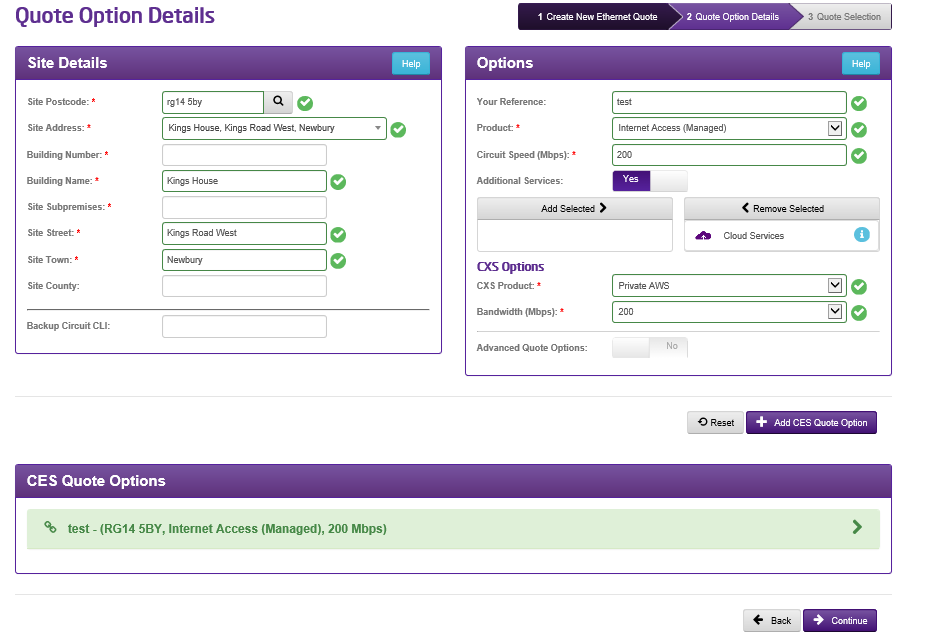
5. You can view the details of the quote by clicking in the Quote Options panel
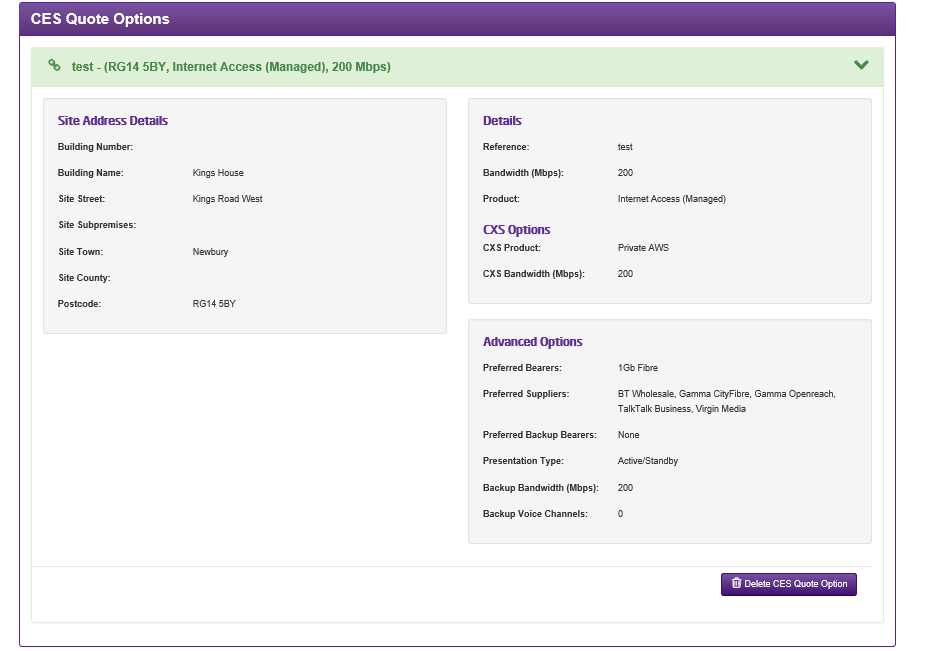
6. Then continue with the quote. You can see the CXS details summarised within the brackets of the Details table

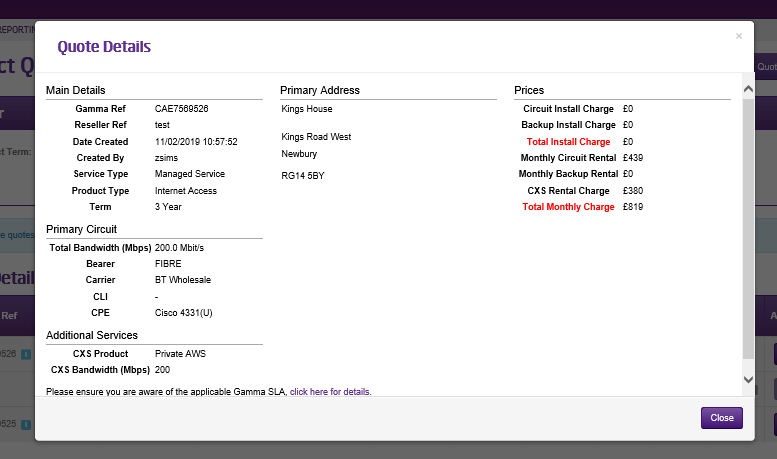
7. You can view the quote details or download in the usual way
8. And then create the Draft Order
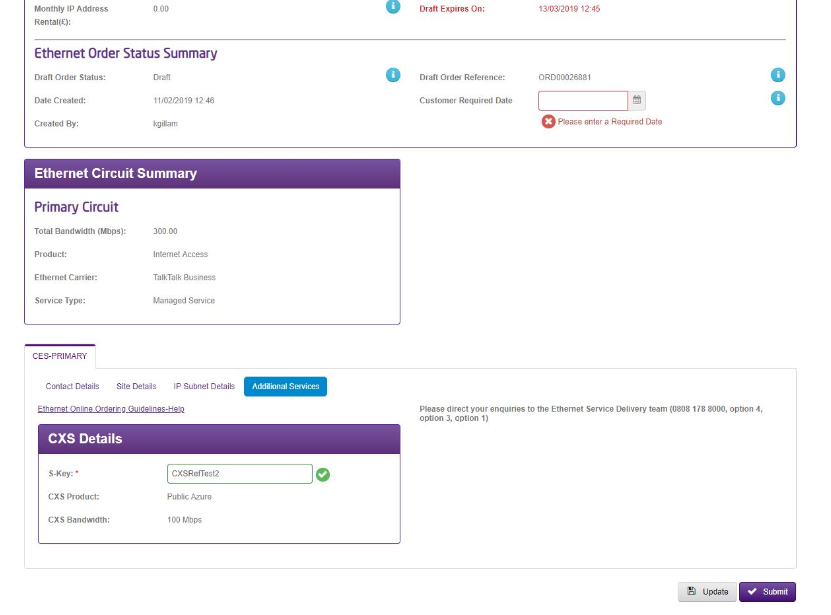
9. Add the S-Key/ Account ID to the CXS Details panel in the Draft Order from and then submit as usual
Once Gamma has completed the provisioning process and network build we will provide a handover form to Partners for completing the setup with Azure or AWS . The CXS link will be handed over as part of the CES handover.
Gamma will support you through the delivery of your Ethernet and CXS link, should require guidance around your cloud service please refer to your cloud service provider or contact data@Gamma.co.uk.
