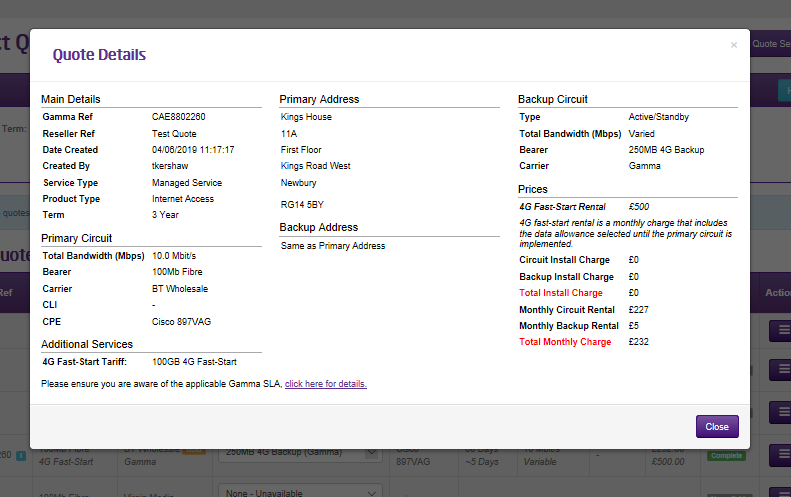
Gamma offer an option that uses a connection to the Gamma 4G network to provide data access with Ethernet Managed Internet Access. A quote can be created using the Ethernet Pricing Tool and ordered alongside the primary circuit in the usual way.
4G Fast Start provides data connectivity between placing the order and the Ethernet circuit installation.
4G Backup provides data only backup in the event of a total loss of the associated Ethernet service.
Please refer to the Ethernet Service Description for full details.
Step 1:
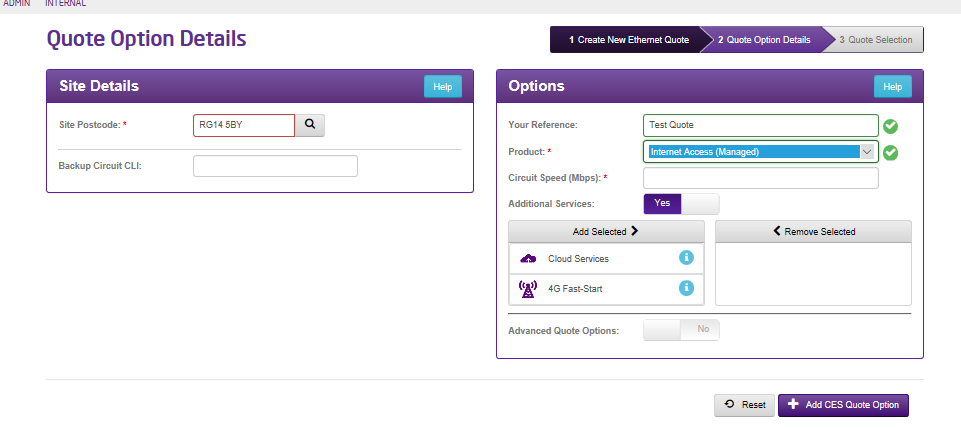
When specifying the quote is for Ethernet Managed Internet Access it will be possible to select 4G Fast Start as an Additional Service.
Step 2:
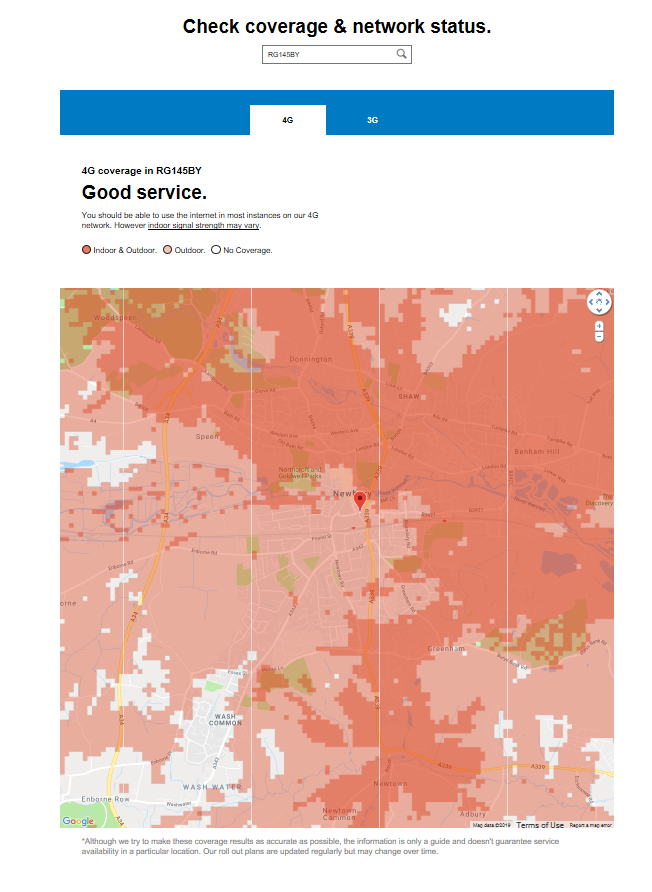
4G Fast Start and Backup require a good indoor signal on the 4G network to work properly. It is therefore essential to check for covergae at the loaction where the router is to be placed. A link to the coverage checker is provided if 4G is selected as an Additional Service.
Step 3:
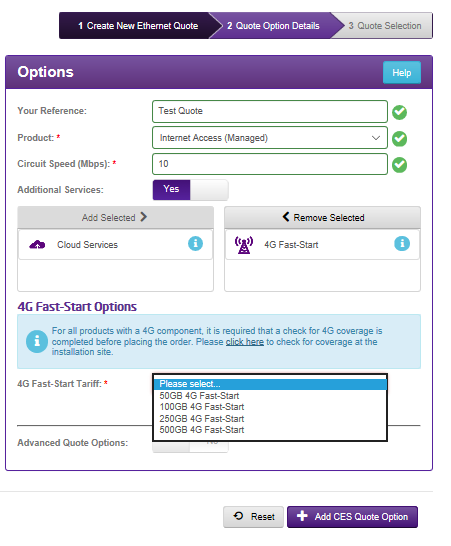
Please select the Fast Start tariff required – this sepcifies the amount of data that is included n the monthly rental charge while 4G
Step 4:
You have now created a quote with 4G Fast Start. Note for services with 4G fast start 4G back-up will be the only Backup options.
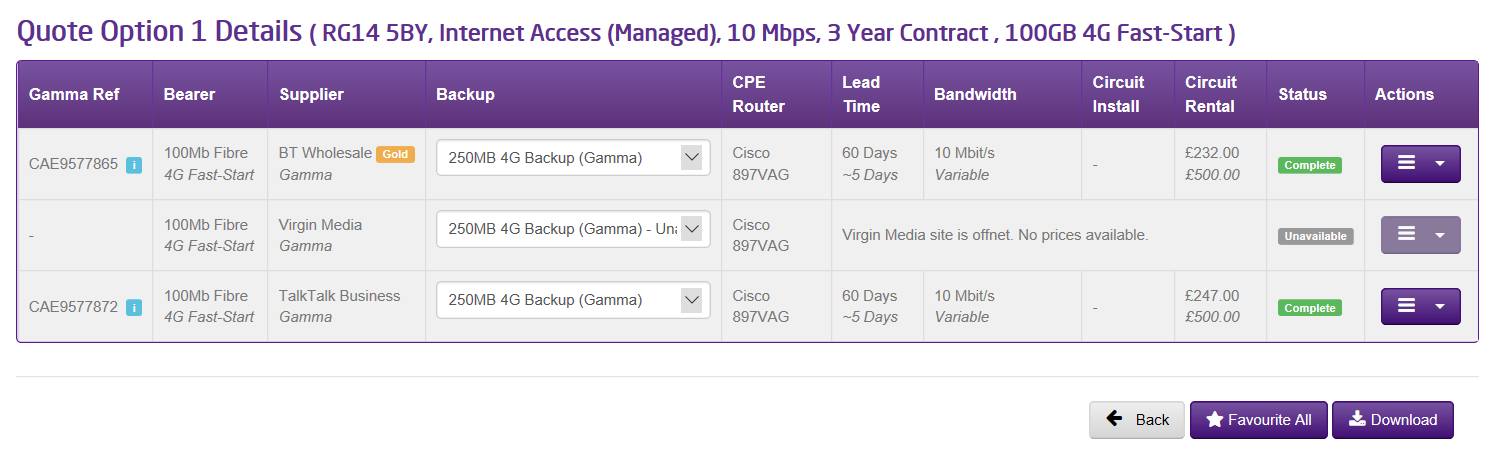
Step 5
Select Order from the Action drop by the order you wish to convert into a draft order. You will be prompted to complete a 4G coverage check.
You will need to provide details about how the 4G service is to be set up on the 4G Circuit tab:
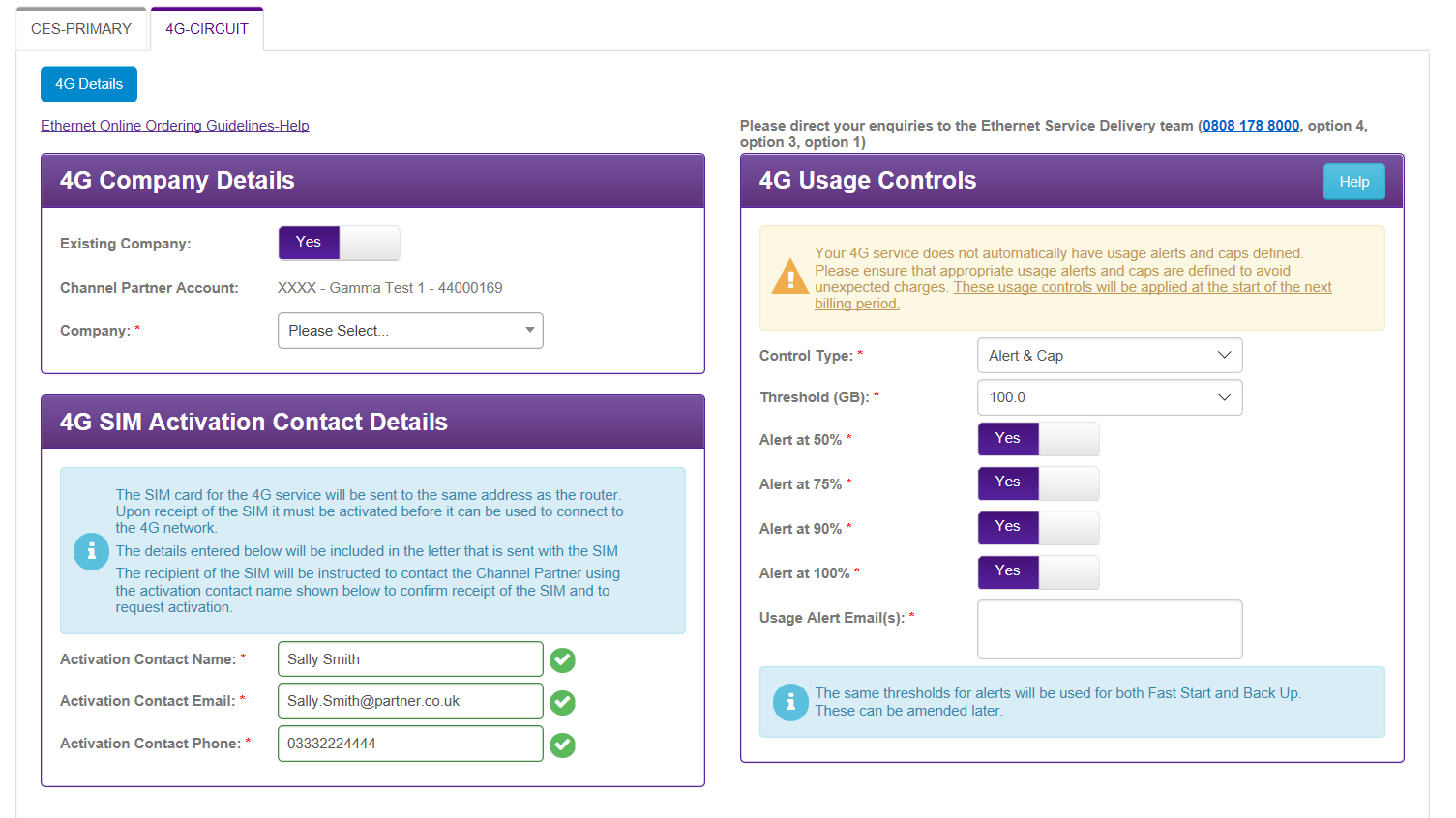
The SIM activation details are for the person who will be contacted once the SIM for the 4G service is recived. They will access the Gamma portal to activate the service.
It is recommended that usage controls are set as Alert And Cap. Alerts will keep you informed of how much data is being consumed, the cap will prevent unapproved data usage. The data cap can be removed if required in Service Management. The same settings will apply of Fast Start transitions into 4G Backup – these can also be changed in Service Management.
Step 6
Once you have completed all the details of the order you can see a summary before placing the order: