
Ordering Prerequisites #
This information is related to the Ethernet Ordering Only. If you require a SIP End Point or Horizon service, these are ordered seperately. The Ethernet orders and captured requirements ensure compatibility of the Ethernet Service with SIP or Horizon, if required.
Any order submitted must be accompanied by a valid quote reference relating to the address you wish to order a service for.
All quotes are valid for 30 days. You must be approved for the Ethernet Sales and fulfil the Credit requirements.
Your Portal account must also have the following permission modules:-
- Ethernet Ordering
- Ethernet ordering IPDC
- Ethernet ordering Horizon
If you do not have access to these, please speak to your company account administrator. If your company administrator doesn’t have access to these Global Permissions, they need to contact the Internal Account Management Team.
All other CES Varients – CRF #
All orders using a quote generated from the Pricing Tool must be ordered through the Gamma Portal.
None standard orders and quotes must be ordered by CRF. To obtain the latest CRF, please email ethernetorders@gamma.co.uk
None standard orders cover the following scenarios:-
- Quotes created outside of the Pricing Tool
- Data Centre Connectivity
- Fibre Resilience & HSRP
- Requirement for /25 public IP Subnet
- Addition of xDSL back up to an existing Ethernet Service
- Other deployments which do not conform to the Service Definition
Portal Ordering Overview #
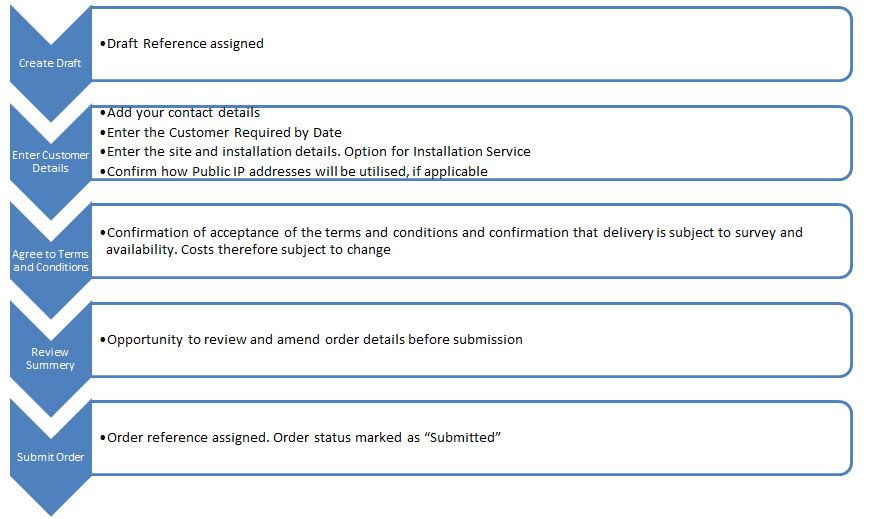
There are 5 phases to creating your order through the Gamma Portal
Creating your order #
Step 1
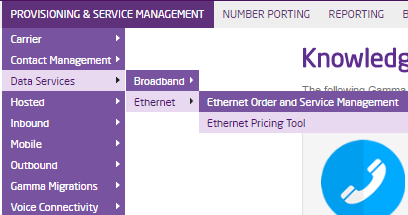
To create a draft you need to select the Quote you wish to order against. You do this by starting in the Pricing Tool.
Step 2
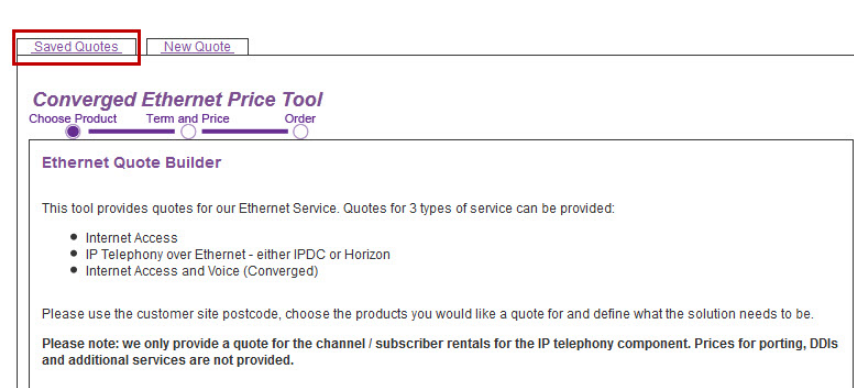
After you’ve entered the tool and accepted the terms you can access your quotes in two ways. Firstly you can press the Saved Quote Tab.
Step 3
Or you can press the saved quotes button at the bottom of the page.

Step 4
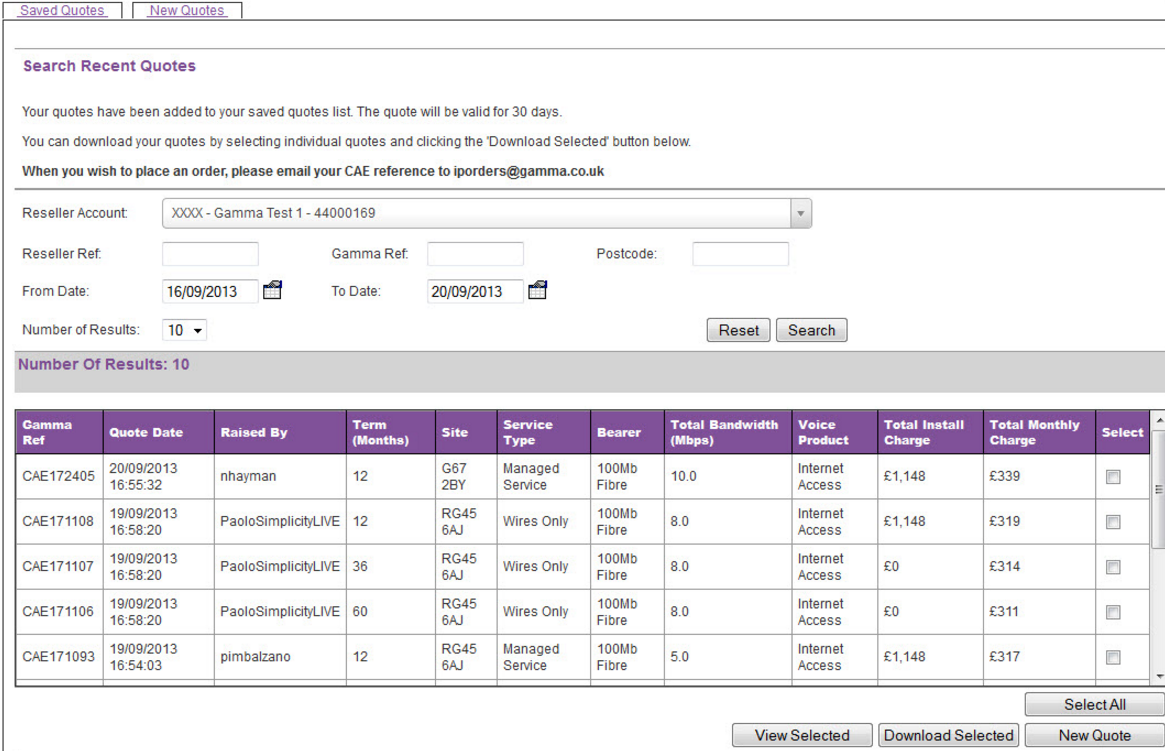
You can search for quotes using your own reference, our reference, the postcode or from a date range.
Step 5
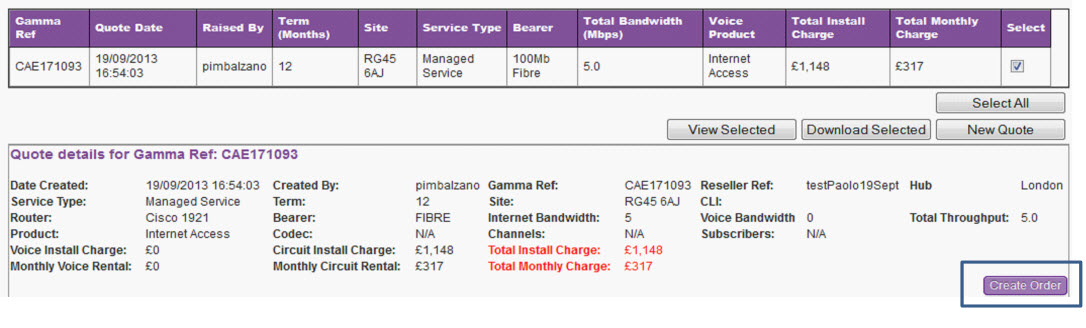
Select the quote you wish to order against and press view selected. You will be presented with further detail of the quote, including the option to “Create Order”
Step 6
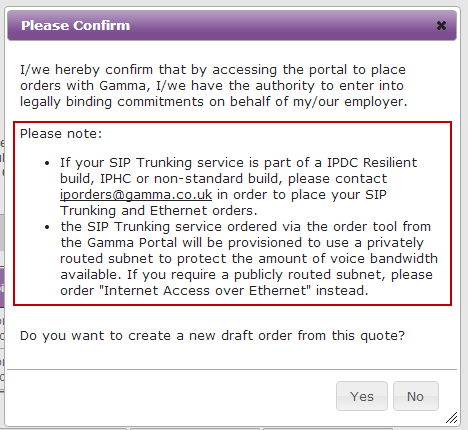
Upon pressing “Create Order”, you are presented with the following statement.
To proceed you must press “Yes”. This will start the DRAFT ORDER process. Upon pressing yes, you will receive a notice telling you a draft has been created, providing you with the unique draft reference.
Draft Order Structure #
The Draft screen presents you with 3 key areas:
- The order summary
- The quote reference and associated service requirements
- The specific order details.
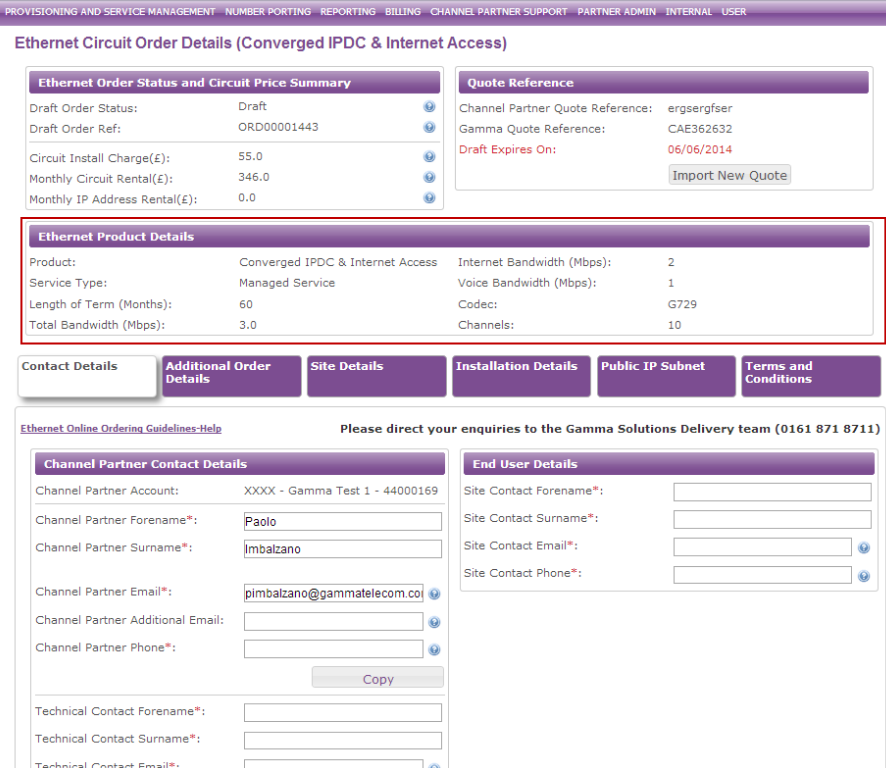
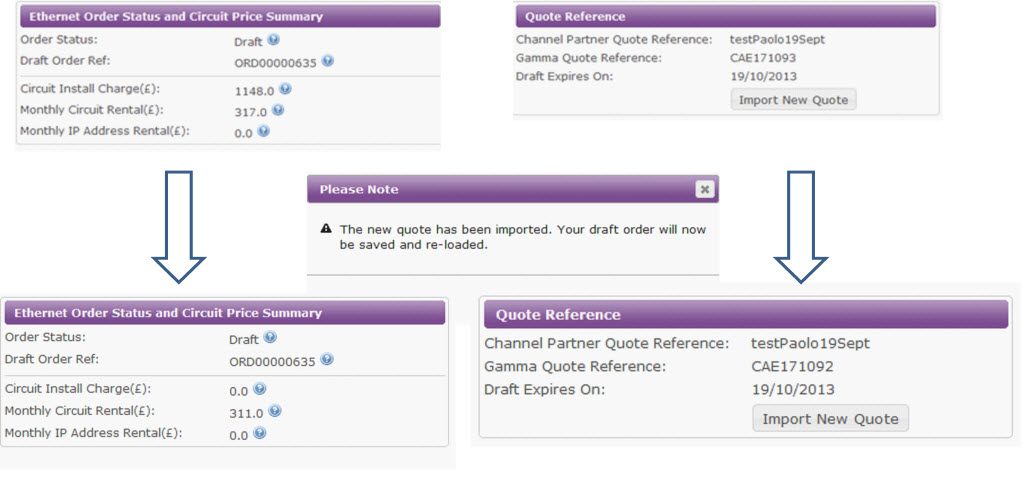
If required, you can update your quote with a new quote reference should you customer requirements change. To do this, press “Import new quote”. A box taking you through this process will be overlaid on your browser.
You must include the “CAE” prefix.
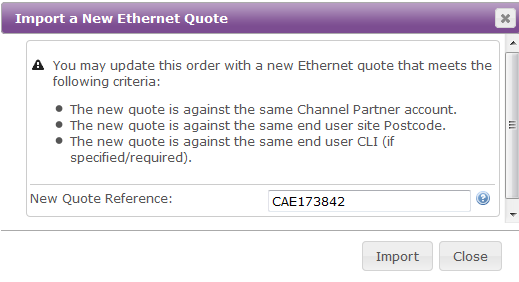
Press import. You will see the Draft updates
Enter Contact Details #
Within this section you must enter the Channel Partner contact (the primary person to contact during the delivery), the Technical contact, Business hours contact, Out of hours contact and end user details. The contact details must be from within your own organisation and NOT the end customer.
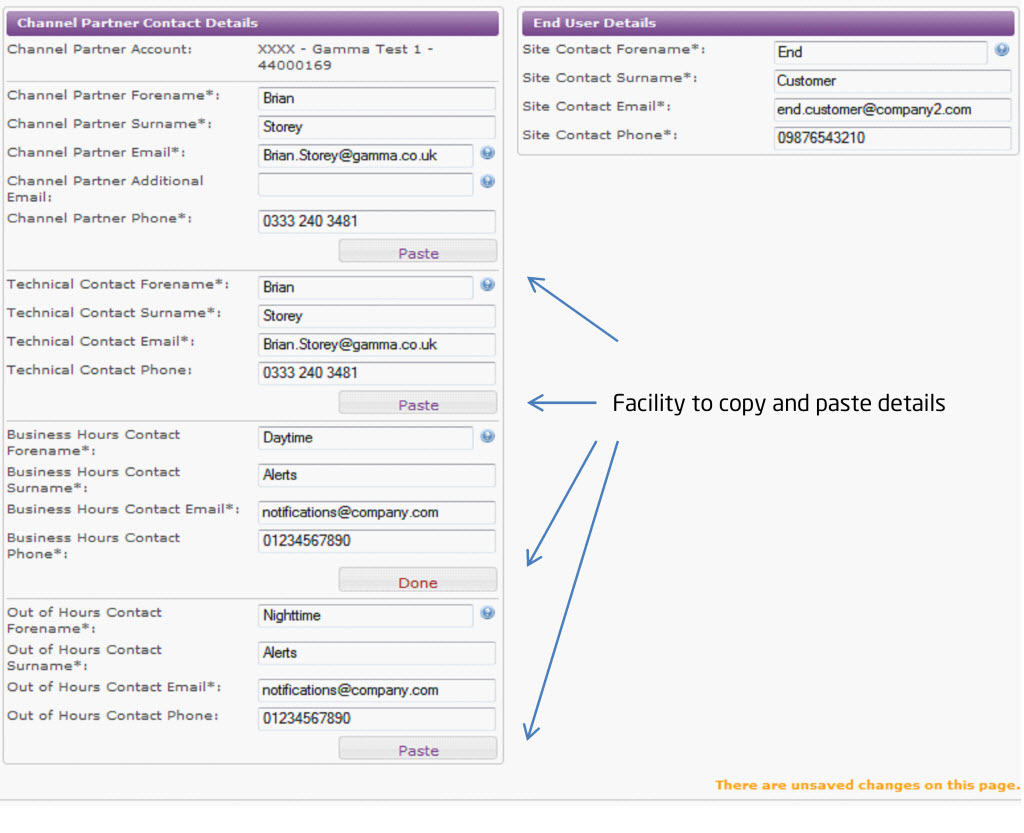
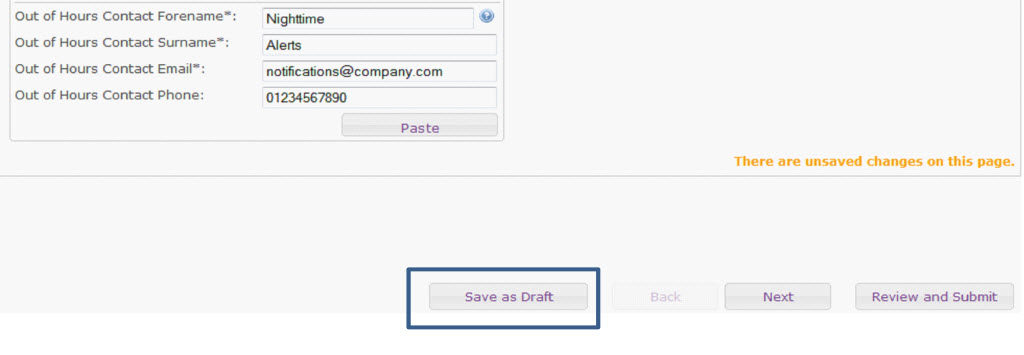
As you progress you can save the modifications you make to the draft so if you need to, you can come back to the draft at a later time.
Additional Order Details #
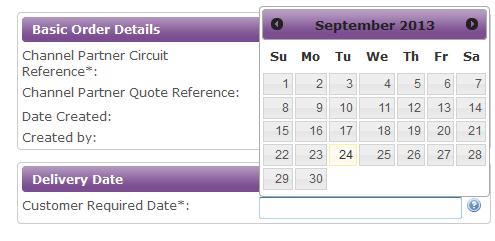
You can add a new internal reference for your order which differs from your Internal Quote reference. You can also specify your desired delivery date.
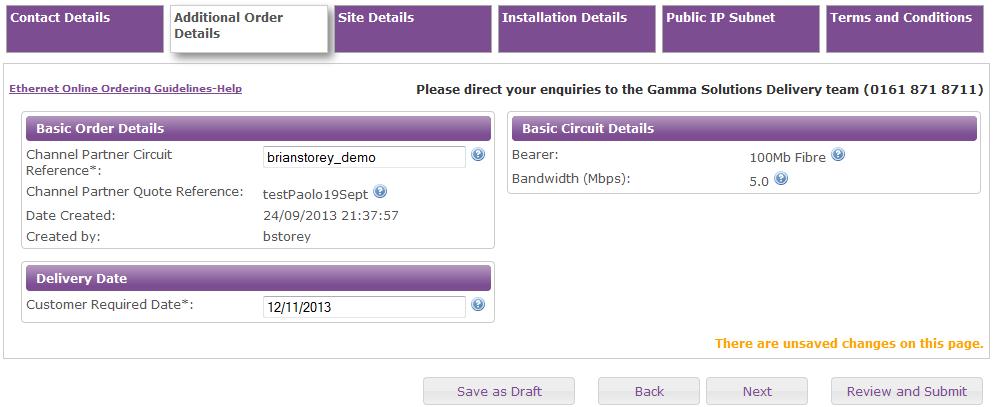
To enter you’re required by date, just click in the field. A calendar will pop up allowing you to select a date. Note, the minimum lead times apply. Any date submitted here isn’t a guarantee of delivery to this time
Site Details #
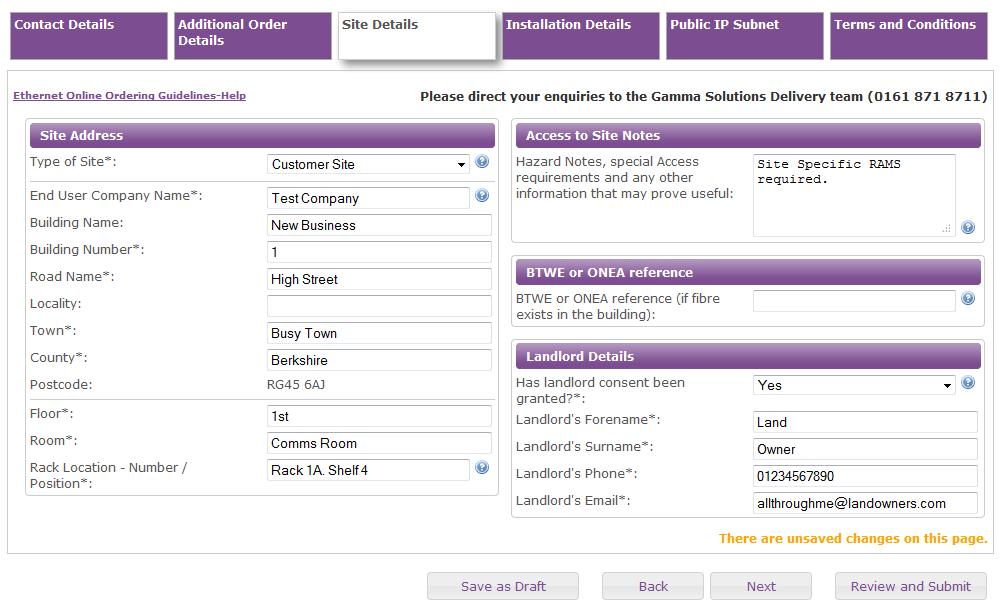
Any ambiguity or information saying “TBC” means we cannot proceed. The termination details must be explicit. For example:- 1st Floor, Comms Room. Cabinet 2. Shelf / position 5
This section captures crucial information about where precisely the service must terminate to at the end customer site. It is essential you are explicit here as this information directly affects the survey, availability and ultimately the point where the service is physically installed.
You must also specify any particular requirements which may prohibit engineers or planners carrying out their work. For example if there is a Landlord or requirement for Generic or Site Specific Risk and Method Statements
Horizon Specific Questions #
If you have ordered your Ethernet Service as either Horizon Over Ethernet or Converged Horizon and Internet Access, we need to know how you want the horizon traffic to be presented in to your network.
We have two configurations:-
- Routed
- NAT
If you are unsure about how you wish for the service to be presented, please consult the technical teams who will be implementing the Horizon service in to your customer network before ordering.
If your requirements change after we’ve configured and shipped your router, we will only be able to apply the changes once the router is connected and a modification charge may apply.
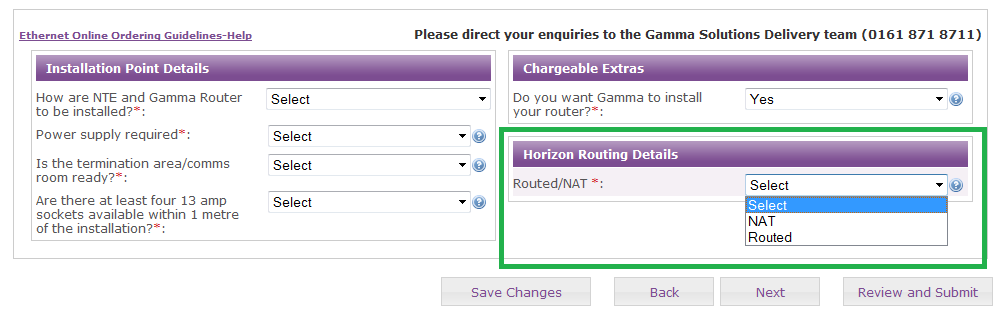
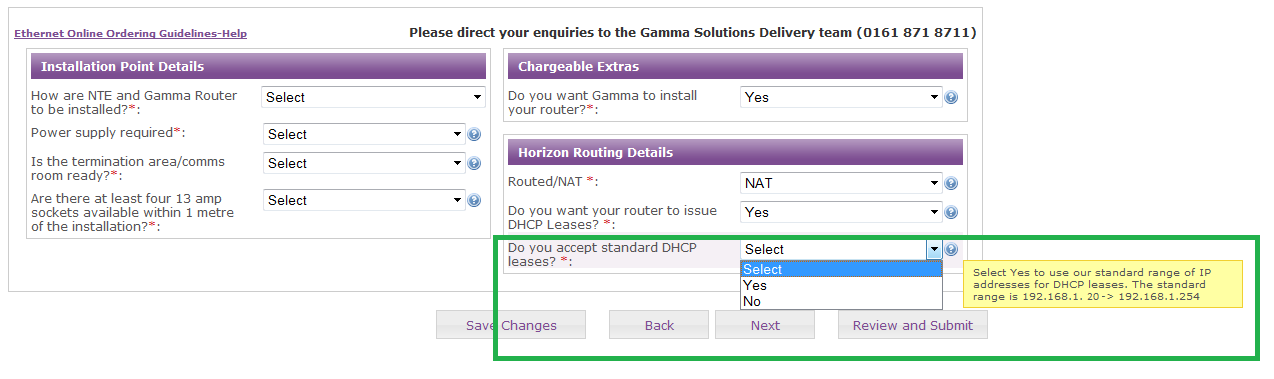
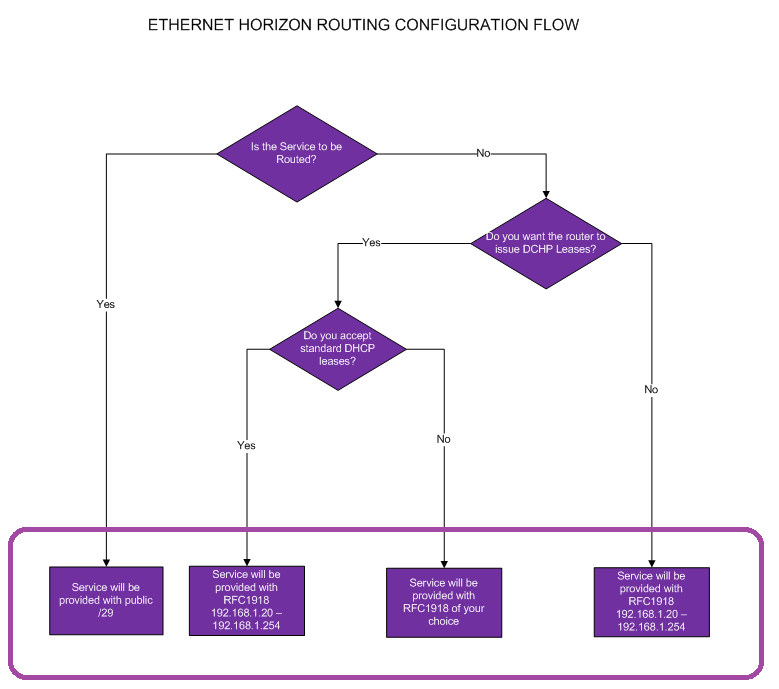
If you select NAT, you will then be asked if you want our router to act as the DHCP server and,
manage the IP Leasing for the handset.
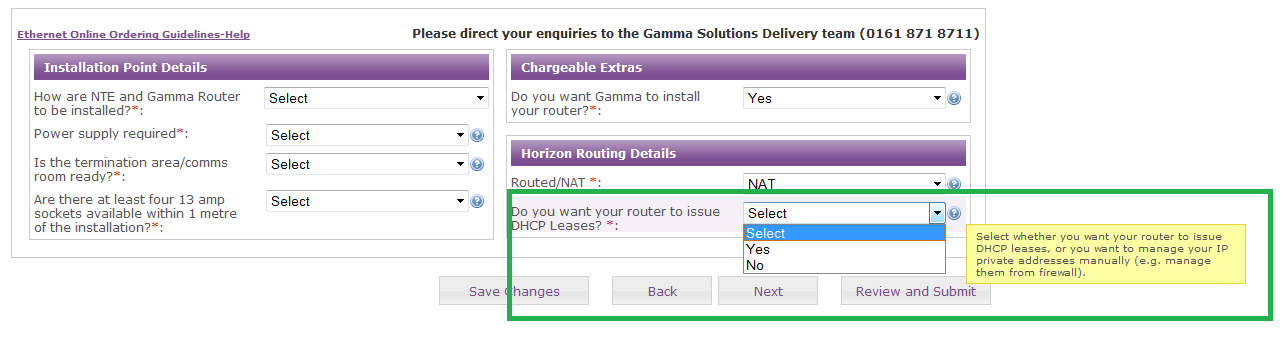
If your answer is “YES”, you are then asked if you will accept the standard addresses we will configure on our router. The standard range is 192.168.1.20 -> to 192.168.1.254
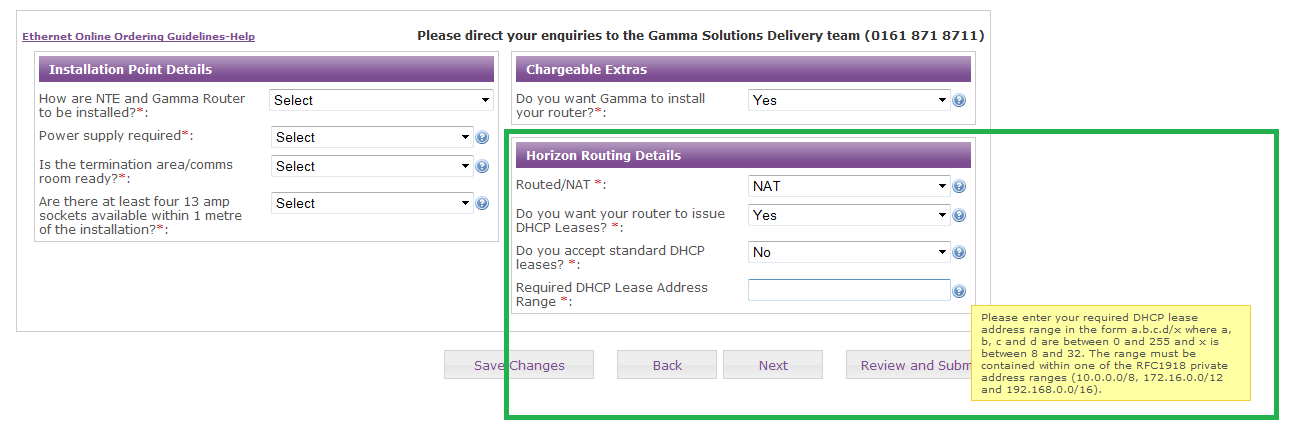
If your answer is “No”, you are asked to specify which address range you would like from. It must comply with RFC1918. I.E. Addresses from within 10.0.0.0/8, 172.16.0.0/12 or 192.168.0.0/16.
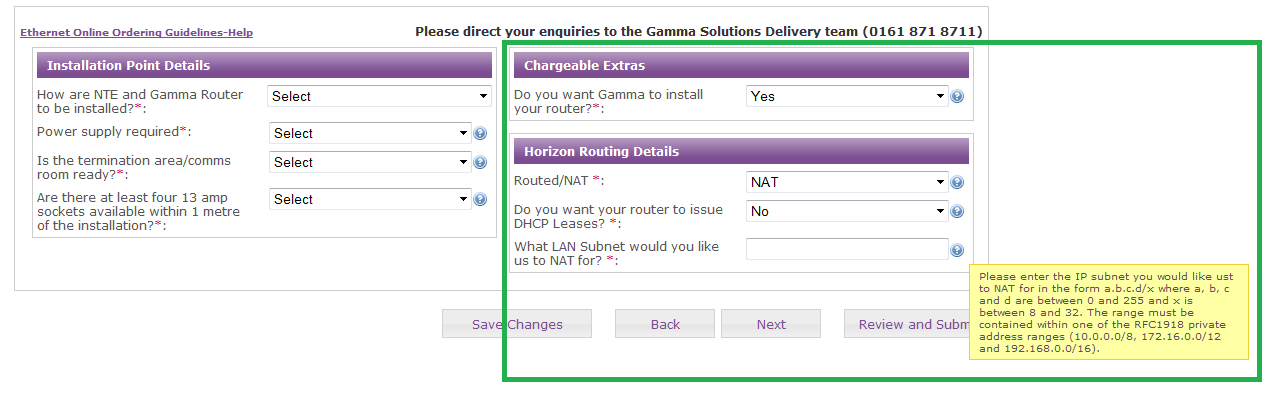
If you opt to not have our router issue the DCHP Leases, you are asked which RFC1918 subnet you would like.
Process Flow:-
Installation Details #
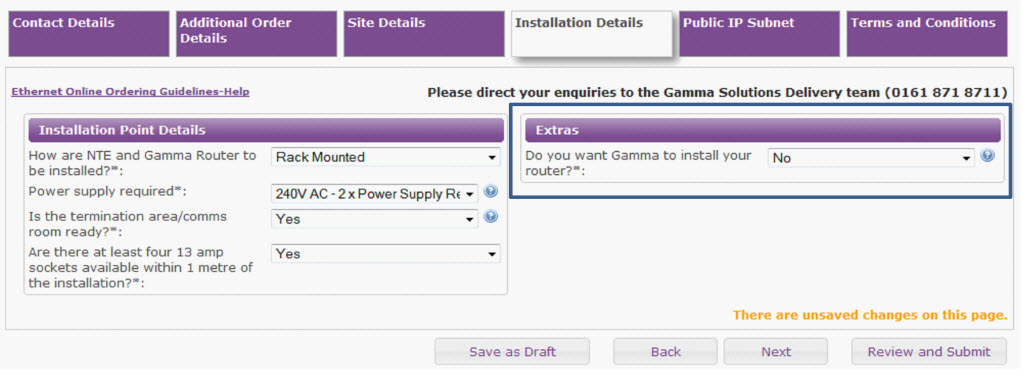
This area captures how the service is to be installed and prompts for confirmation of essential requirements for an installation to take place. If the site isn’t ready, it is important we know so we can plan accordingly.
Here you also have the opportunity to add the optional (chargeable) Router Installation Service.
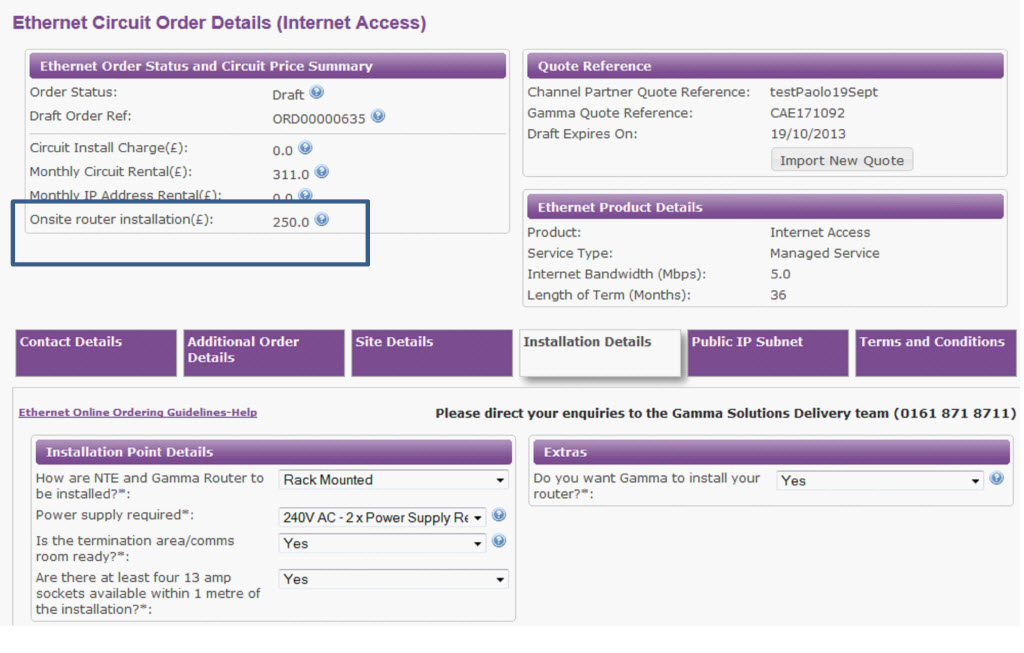
Should you select the Router Installation Service, the additional charge will be added to the Order Summary section.
Public IP Subnet #
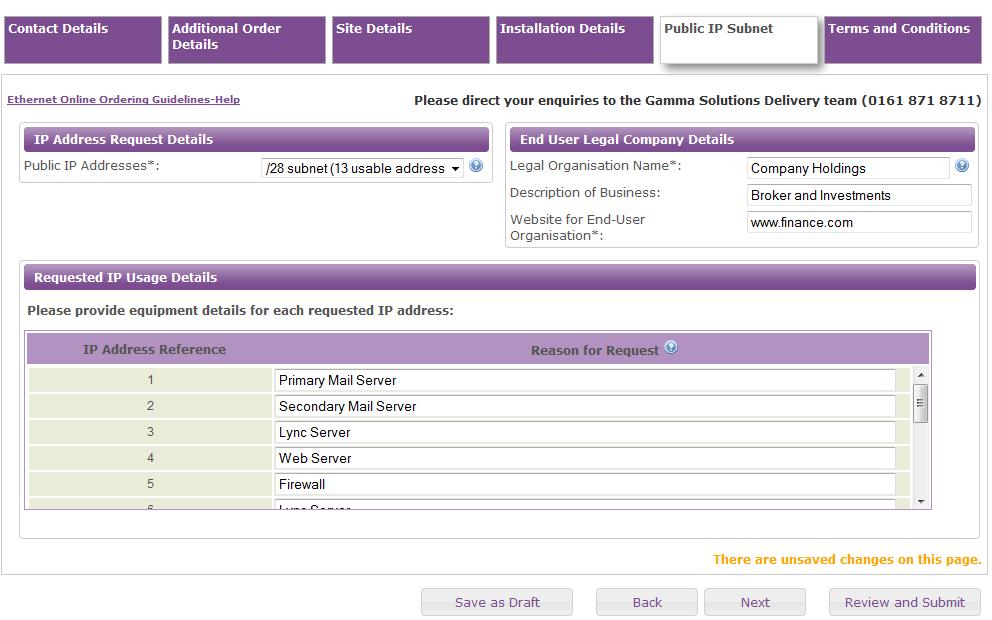
Within this section you can specify your Public LAN requirements.
/29 and greater requires justification.
Orders requiring /25 & /24 must be ordered outside of the portal.
A /28 and greater comes with an additional monthly rental cost
The justification provided is not a guarantee the allocation will be provided. All justification and requests are subject to internal review.
Terms and Conditions #
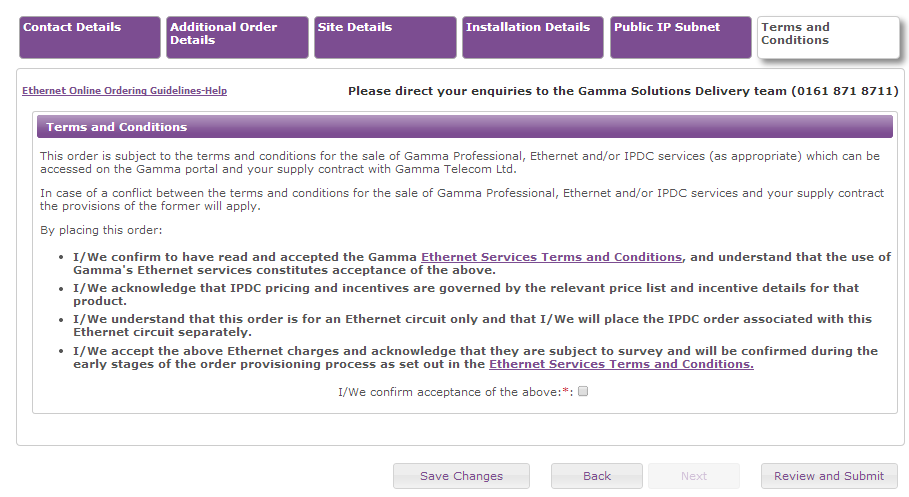
Before you can proceed with order submission, the terms and conditions must be reviewed and agreed to.
Order Review #
Before submitting your order you are presented with a single page which illustrates everything you have submitted. This reflects the information that will be submitted to Gamma.
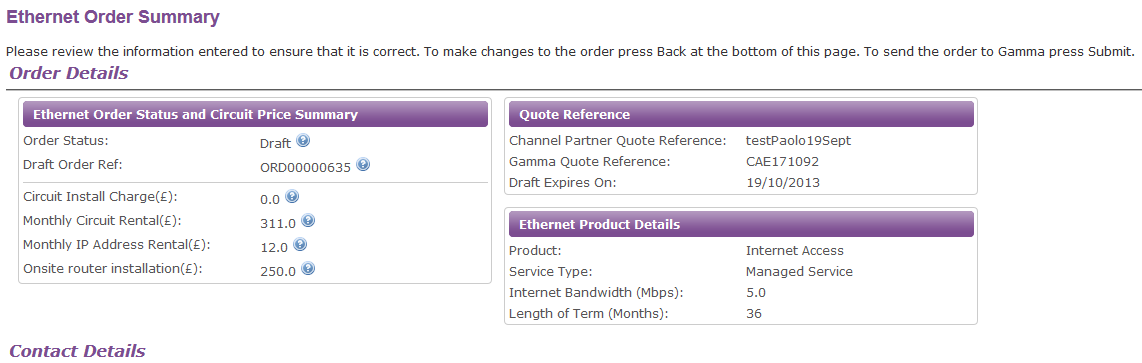
You will receive one final prompt before you order is submitted
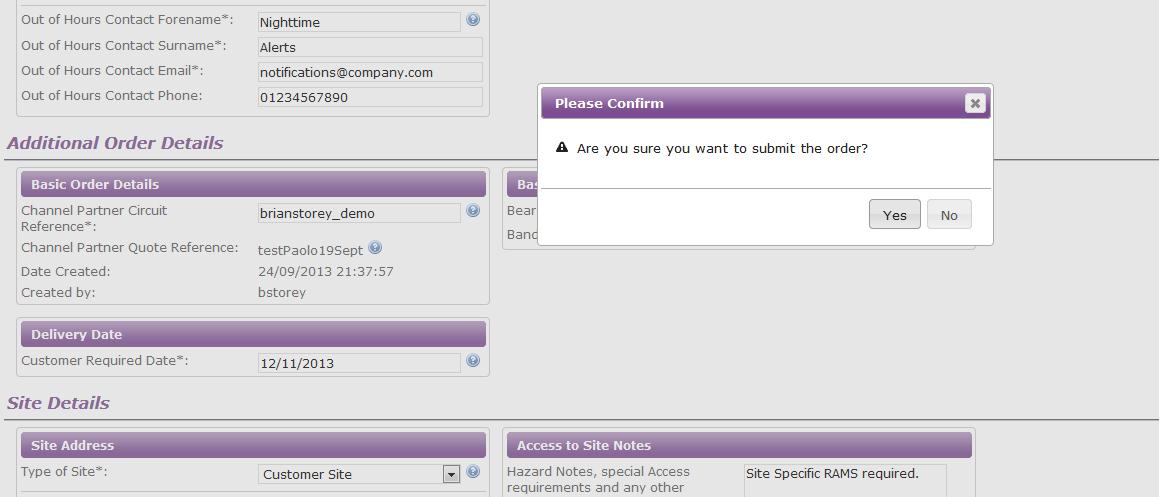
Submit order #
After confirming you wish to submit your order, you will receive a new notice providing essential information including the Order reference and a summary of the next steps.
The order reference is unique and will also become your service reference once your order has been delivered. It will be prefixed with the text “CES” followed by a series of numbers.
Upon order submission, your order will be passed to the Solutions Order Administration team to validate and progress your order.
They will either advise of our formal acceptance of your order or contact you with any queries we have within a 48 hour period.
You can track the high level progression of your order from within the Gamma Portal. Guidance on how to do this can be found on our Track an Existing Order section of the guide.
If you have any changes to make after your order has been submitted, you must contact us immediately. A failure to do so could result in delays, even cancellation charges if a new order needs to be placed with our supplier.
