
This section is related to the provision of audio conferencing services via a non-geographic number (NGN). A unique NGN is provided (the customer can choose from a variety of options) along with a host and participant PIN in order for the service to be accessed 24/7 on a reservation-less service.
The service is an audio service only. Gamma do not currently offer video conferencing services.
Outline process #
The following diagram is intended to give you a 1-page snapshot of the basic flow of events associated with audio conferencing activities.
Where relevant, key lead-times are included on the process diagram and it is colour-coded to denote responsibility.
Audio conferencing process stage 1 – preparation #
The audio-conferencing provisioning process is relatively straight-forward compared to other number management activities. However, there is still some preparation to be done before submitting your order as follows.
Number type #
The Gamma audio conferencing service is currently offered on a non-geographic numbering basis and there are several options available which will all have different cost implications for the host and participants of the conference calls.
The numbering options are listed below along with a high-level description of the number type. You should check your own Gamma tariff information for specific ppm costs for the host. Specific ppm rates for the participants are wholly dependent on their own network call provider tariff.
The following is provided for basic guidance only:
Number Type | Basic Description |
033 | Non-geographic equivalent of a landline number |
0808 | Free-phone (free to participants, host bears total cost of call) |
0843 | Non-geographic (Service numbers) |
0870 | Non-geographic (national rate) |
Volume requests #
There are no restrictions on the volume of conferencing numbers you can request at a time, largely because in our experience customers tend not to require large batches.
If you do require an exceptionally large batch of conferencing numbers though, it is advisable to discuss with your Gamma Business Development Manager who will be able to make some preliminary enquiries with the business on your behalf before you submit the order.
The Gamma management team may decide to levy administration charges for exceptionally high-volume orders or request a business case from you.
Audio conferencing process stage 2 – order process #
Once you know the number type required and your customer is comfortable with the costs, you can order your service by completing the online ‘Audio Conference Requests’ form by following the questions on the numbering navigator.
Numbering Navigator #
Following is a collection of screenshots to assist you in using the Numbering Navigator in order to request an audio conferencing service although hopefully you find the tool to be intuitive.
Access the Numbering Navigator by entering the following address in to your browser:
https://www.gamma-portal.com/numberManagement/decisionTreeInput.jspa
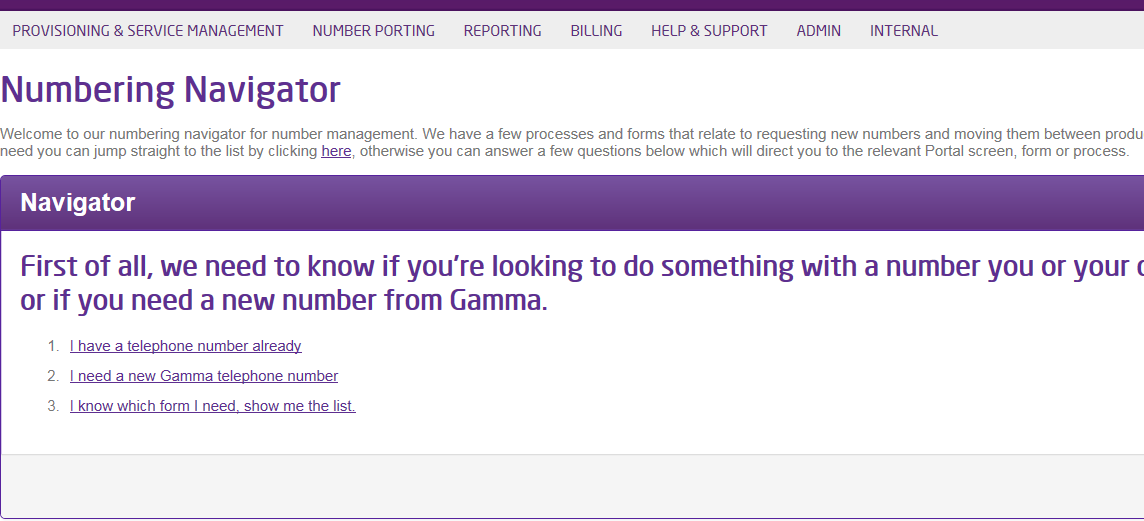
You will be directed to the Numbering Navigator home-screen where you should click to confirm you need a new Gamma number:
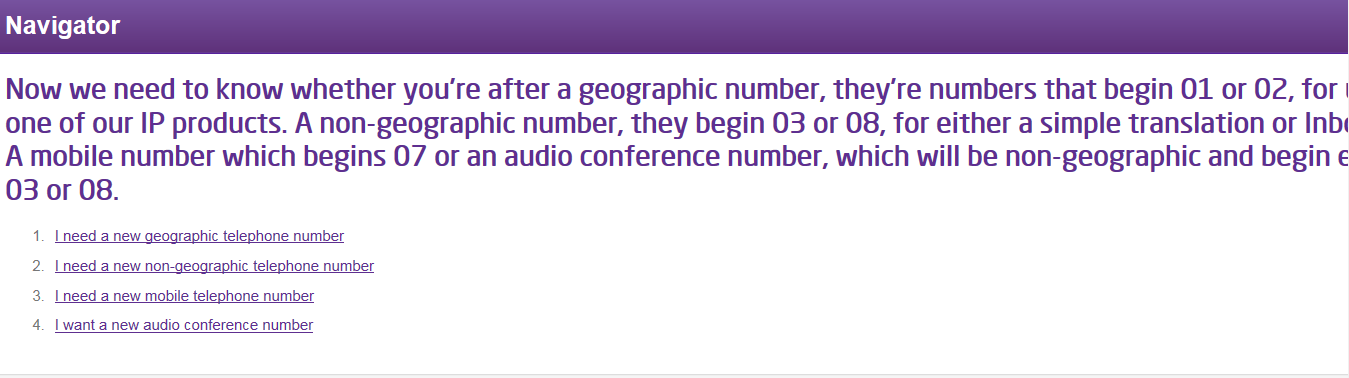
You will now be asked to select which number type you require and you should select option 4 for audio conferencing:
You will now be directed to the audio conference request form where you need to populate your account details:
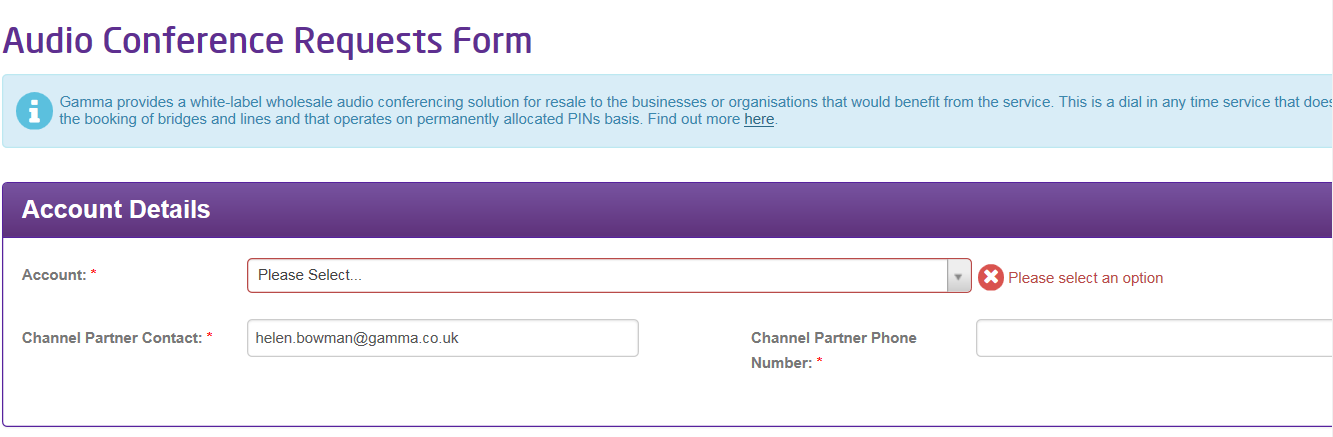
Enter your contact number
Select your account from the drop-down list
This field should auto-populate with your email address
…and your requirement details:

Type the volume of conferencing numbers required
Select your required number type from the drop-down list
When the form is complete, scroll to the right of your screen. Locate and click the ‘submit’ button to send your request to the Gamma Number Management team:
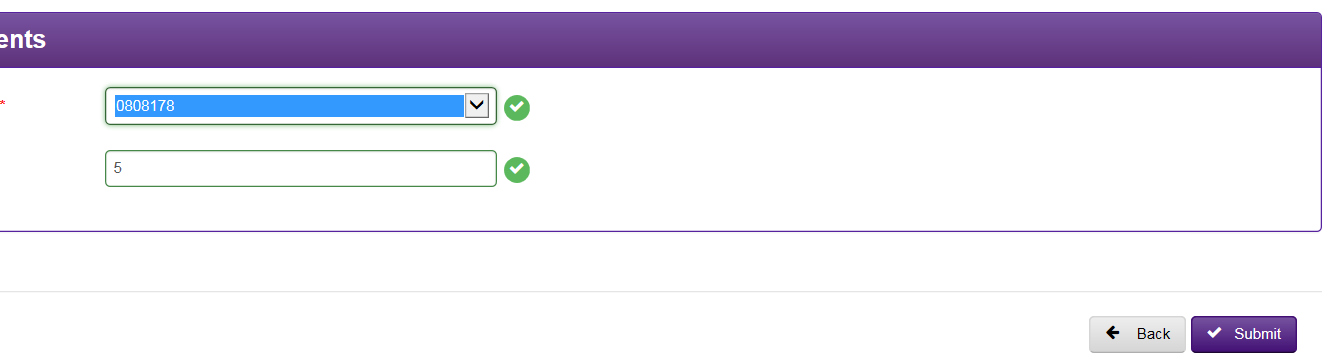
Click ‘submit’ to send your order
Once you press ‘submit’, you will be provided with an acknowledgement notification on screen along with a unique order reference number. Be sure to make a note of this reference number which should be used in any correspondence with the Gamma Number Management Team regarding your request.
Your order will now be sent to the Gamma Number Management Team for processing.
Audio conferencing process stage 3 – Completion #
The audio-conferencing service is fairly simple to administer and the lead-time to completion is therefore relatively short.
The Number Management team will review your order within 1 working day of submission and in most cases, you should expect to receive a completion notification email within a further 1 working day.
The completion notification will include the following:
- The full dial string for the conference access number
- Host PIN
- Participant PIN
Once the completion email has been received, your service is ready for use. As it is a reservation-less service, you can arrange a conference call at any time by sharing the access number and participant PIN with the required delegates at the appropriate time.
A white-labelled service user guide can be downloaded from the Gamma Portal if required: http://knowledgebase.gamma-portal.com/display/NUM/Home
Customer communication plan #
The Number Management team will proactively communicate with you at the following project milestones:
Ref | Description | When? | How? |
01. | Acknowledgement of order & reference number | Upon ordering | On screen |
02. | Confirmation of service completion | Within 2 w/ds of ordering |
Example Project Plan #
For clarity and to help you organise the order of events for your own audio conferencing orders, we have included below an example of what a theoretical plan may look like.

Checklist #
A summary table showing all items comprising the end-to-end number allocation process is shown below. Critical path items are highlighted in orange:
Task Ref | Stage Name | Task Name | Est. Duration |
2 | Preparation | Ascertain number type & volume | 0.25 w/ds |
3 | Preparation | Customer proposal / sign off | 1 w/d |
5 | Order Process | Place order on Numbering Navigator | 0.25 w/ds |
6 | Order Process | Acknowledgement received | 0 w/ds |
8 | Completion | Completion email received | 2 w/ds |
9 | Completion | Service live & ready for use | 0 w/ds |