
Geographic Number Port (GNP) Date Change #
Once a port order is accepted you can place a request to change this date using the Gamma Portal in the majority of cases. Scenarios where you will need to contact the porting desk for a date change are:
- All out of hour port requests
- If you are wanting to change your port time type.
- If your port is:
- 24 hours to go before a single line port order’s port date
- 48 hours to go before a multi line port order’s port date
In the above scenarios you should contact the porting desk with your requirements and they will be able to help.
In all other scenarios you can use the Gamma Portal.
Step 1
From the Gamma Portal, go to “Number Porting”, “Geographic Number Porting”, “Geographic Port Order Search”.
If you don’t have this option, contact your Portal Administrator (Help and Support and Portal Administrators) or contact your Internal Account Manager.
Step 2
Search for your port order and then using the Actions dropdown click “View Request”
Step 3
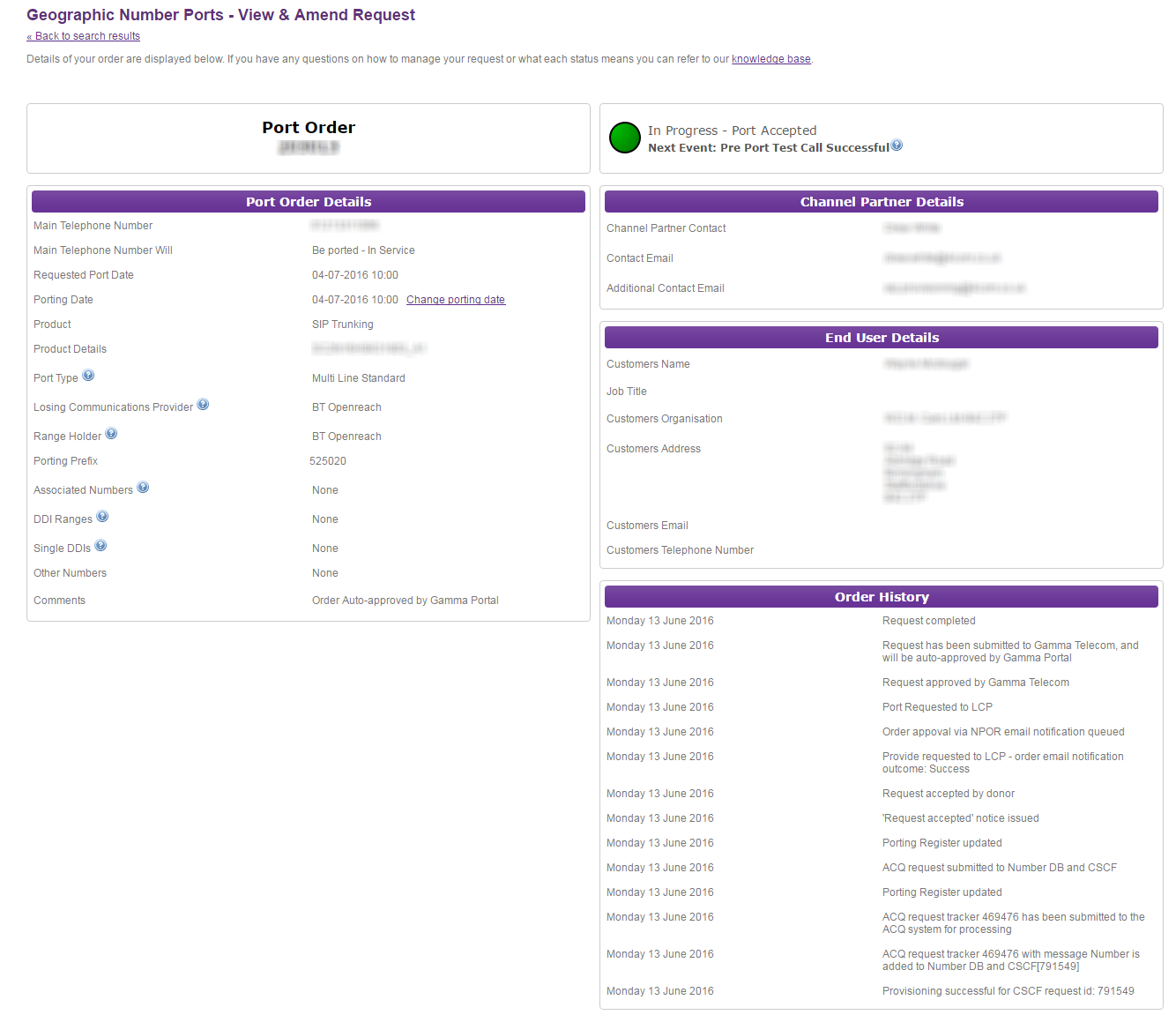
Click the “Change porting date” link
Step 4
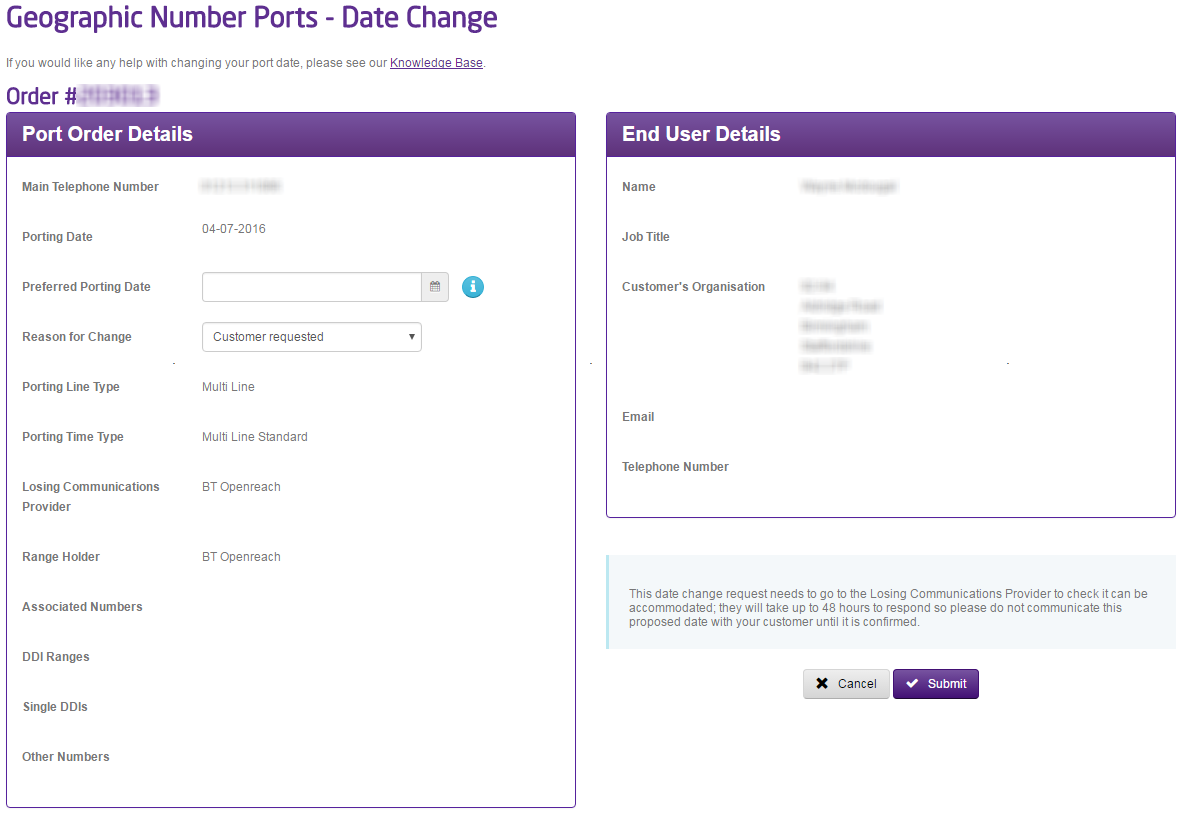
From here you can select a new preferred porting date. The calendar works out the earliest port date you can select based on your port and line type and Gamma availability.
Click Submit and this will send an order to the Losing Communications Provider to confirm a new date. This will then re-enter the process at Losing Communications Provider / Range Holder Validation.
If a date change is rejected, then the order will stay at the current confirmed port date.
Manual Port Order Date Change #
To request a date change for a Manual Port Order you can do this once an order is ‘Accepted to Port’ by using the Gamma Portal.
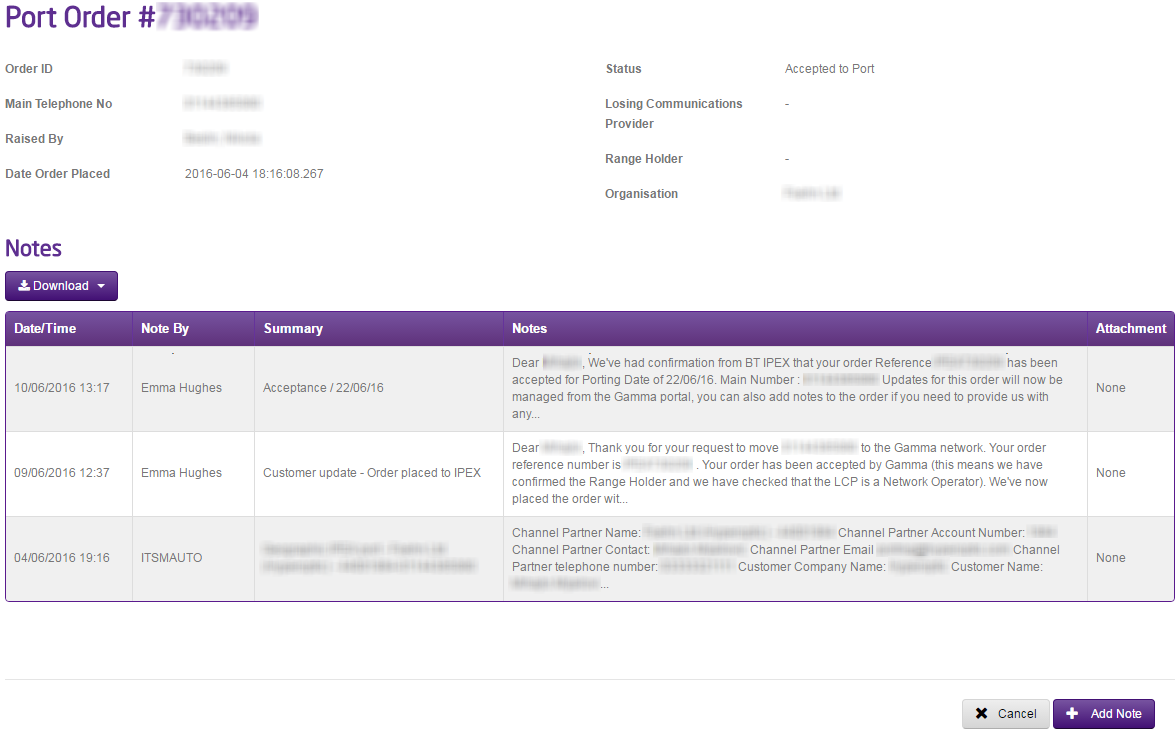
You should simply go to Number Porting and select “IPEX and Manual Port Search”. Search for your port order and open the port order up. Once you have the order click the “Add Note” button and type in the new date you wish. This will go to the owner of your port order who will pick up your request.
If your port is due to happen within the next 48 hours please call the Porting Desk once you’ve made this request to ensure that we can call the Range Holder as well.
Mixed Operator Port Order Date Change #
For a mixed operator port, due to the complexities involved, we’d strongly recommend against changing the date of an accepted port order.
Geographic IPEX Port Order Date Change #
To request a date change for a Manual Port Order you can do this once an order is ‘Accepted to Port’ by using the Gamma Portal.
You should simply go to Number Porting and select “IPEX and Manual Port Search”. Search for your port order and open the port order up. Once you have the order click the “Add Note” button and type in the new date you wish. This will go to the owner of your port order who will pick up your request.
If your port is due to happen within the next 48 hours please call the Porting Desk once you’ve made this request to ensure that we can call the Range Holder as well.
