
Locate the STCM Service #
On the Gamma portal, go to: Provisioning & Service Management > Voice Connectivity > Gamma SIP Trunks > Service Management.

Search for the SIP Trunk service. *Tip the Endpoint will be the quickest method, but you can also use the customer name or a DDI.
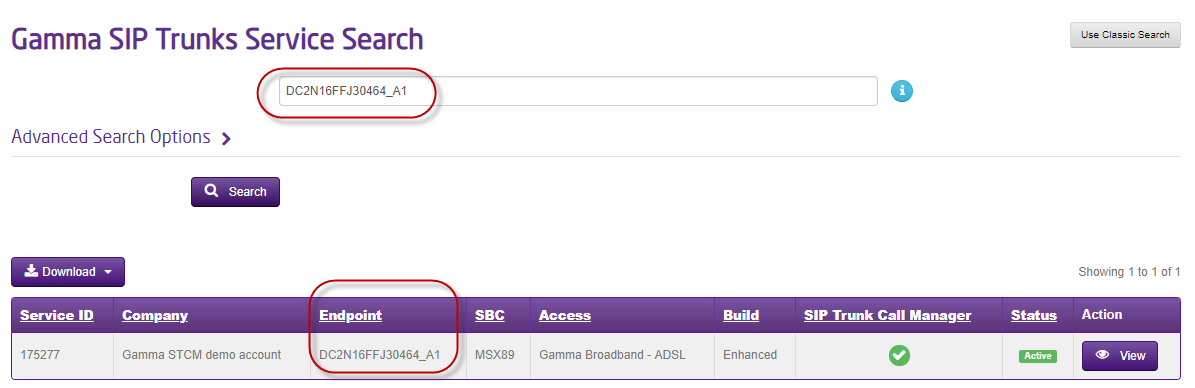
View the Service #
Select View, scroll down to Service Details and select SIP Trunk Call Manager
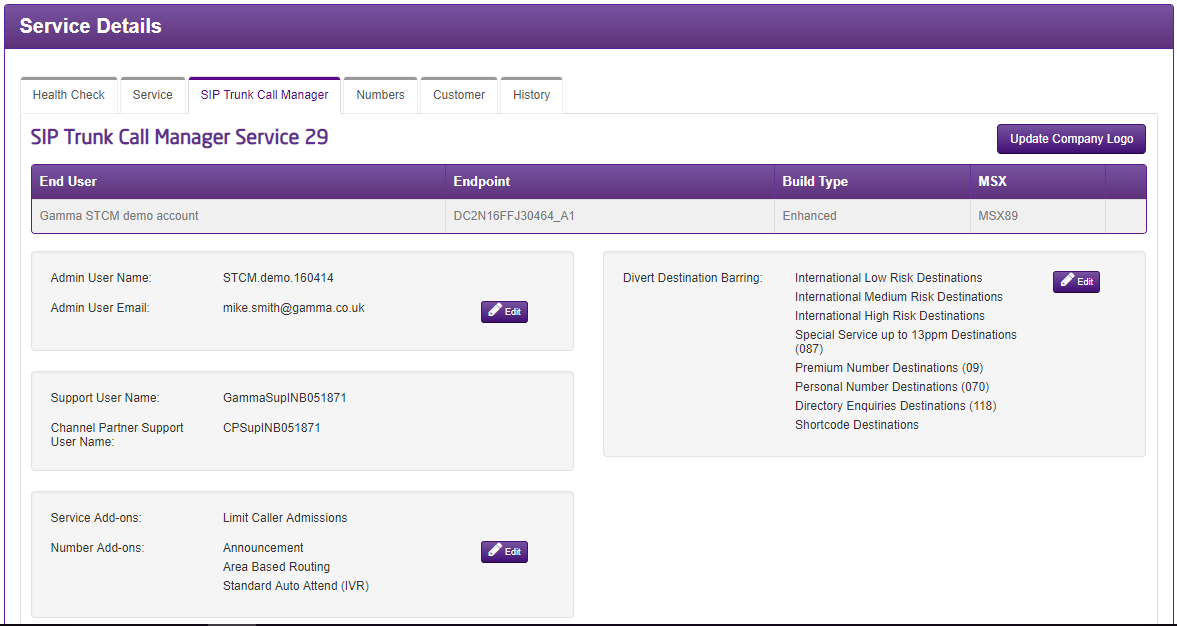
View or Edit the Add-Ons #
In the Service Add-ons section, select Edit.
Note: the below account already has add-ons.
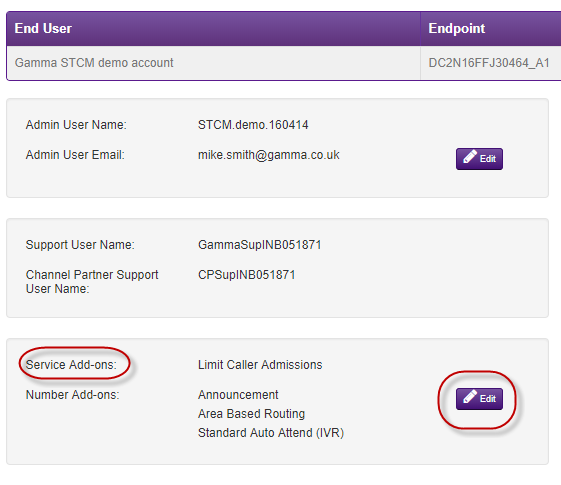
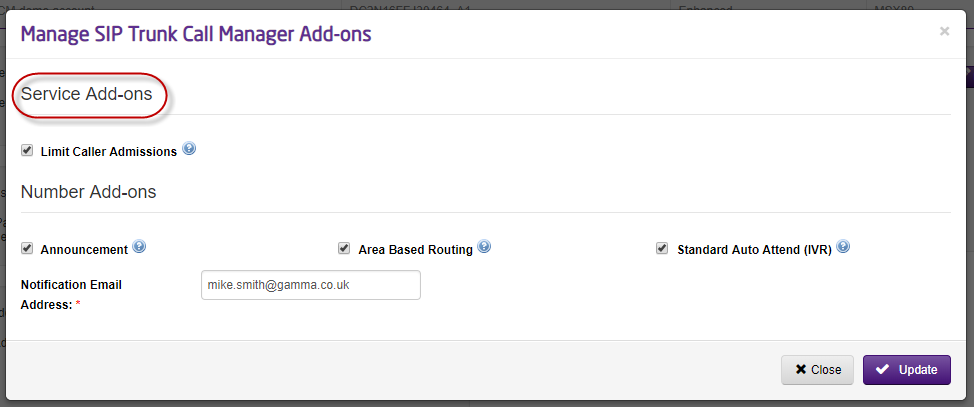
You can now select any required add-ons.
Receive Notifications of Added or Removed Add-Ons #
*Note the email address field, allows you to be notified of changes to the add-ons. It doesn’t however tell you when the end customer uses them in a call plan and they therefore begin to incur rental charges. For that see the next chapter.
Receive Notifications of Used/Activated Chargeable Options #
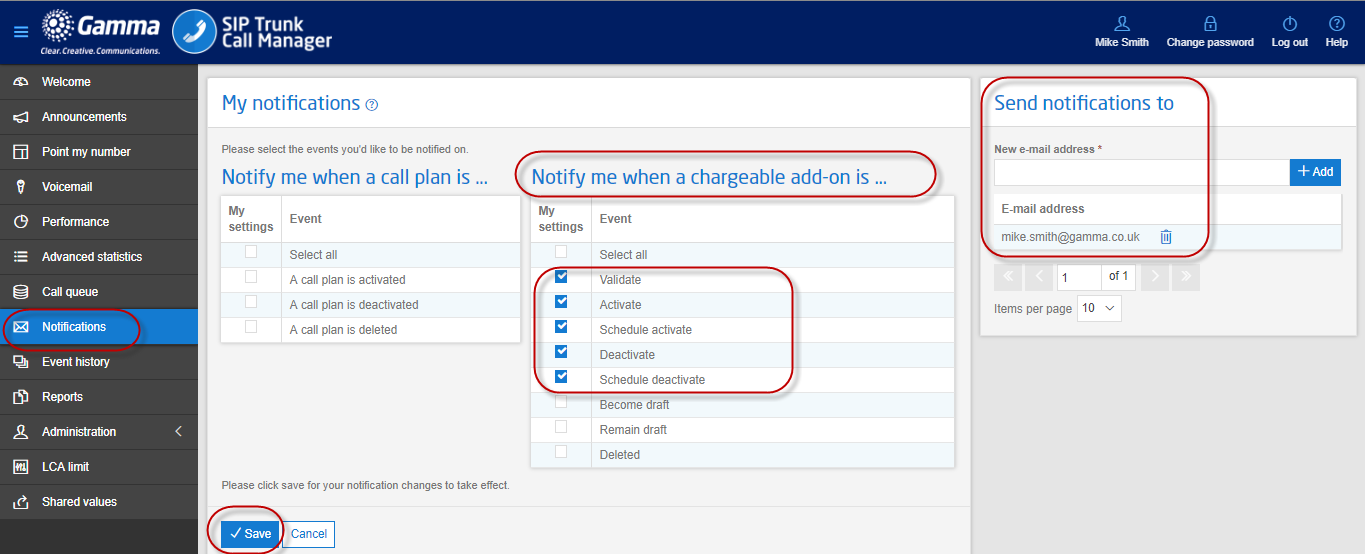
To set these notifications up, you will need to log into the STCM portal.

Go to the Notifications tab and select the options you require.
Tip: the below are the minimum recommended.
Example Notification #
—–Original Message—–
From: noreply [mailto:noreply@siptrunkcallmanager.co.uk]
Sent: 15 March 2019 14:51
To: Mike Smith <Mike.Smith@gamma.co.uk>
Subject: Successful validation of a call plan
Dear Customer,
Mike Smith validated call plan Media on Friday, March 15, 2019 at 02:49:13 PM for the following inbound number(s): 01145537483 This call plan includes chargeable add-on(s) Announcement, Area control, Standard Auto Attend and so a billing event has been generated for each add-on.
Kind Regards,
siptrunkcallmanager.co.uk