
If all is OK with the above then you should use the Advanced Diagnostics tool and select the Telephone Number is not presenting as expected journey.
This journey will ask you for call examples. The reason for this is that we will return the calls and the SIP release reason of the call, as well as checking how the number has been dialled and if that works with the privacy settings that you have set on the Endpoint.
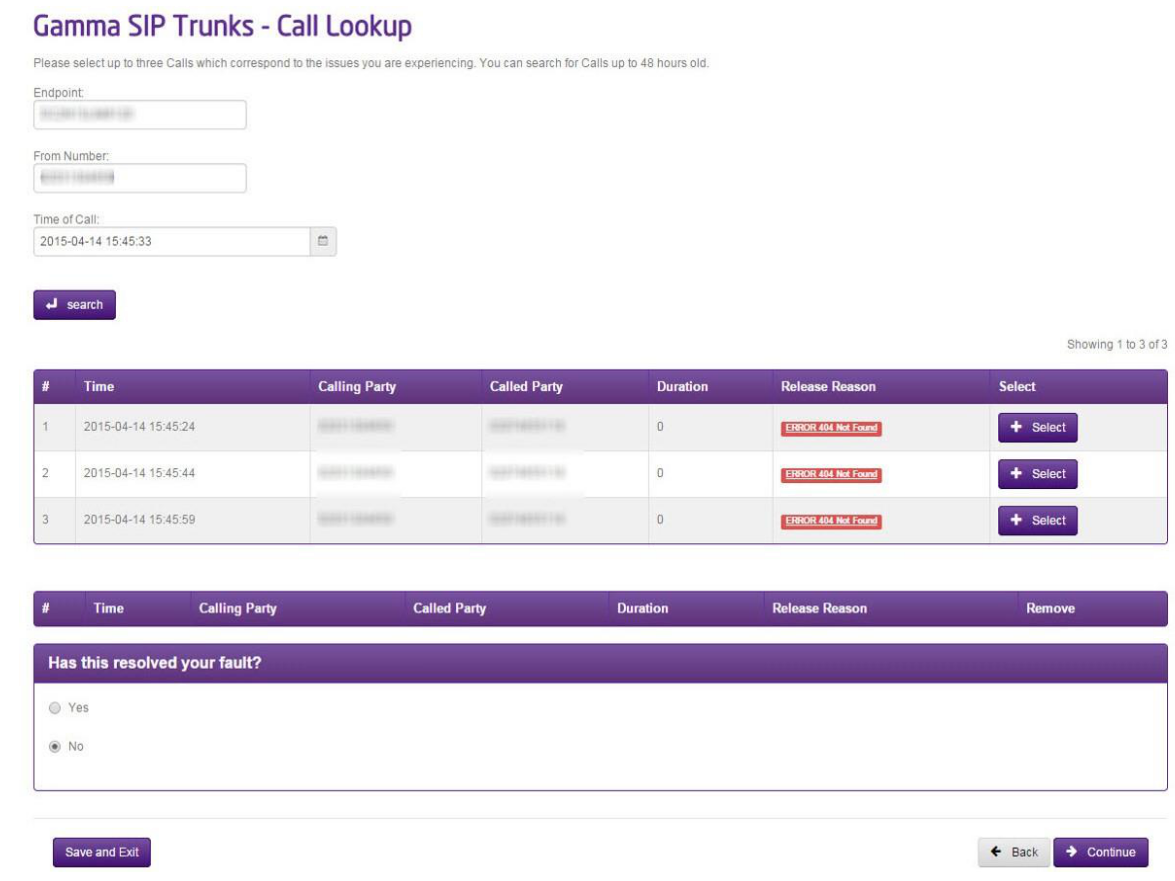
Remember to click on the SIP Release Reason which will give you full information on what the release reason means, and what you should do next.
If you are unable to resolve your fault with this information, you can continue the journey by selecting a minimum of three calls and will be presented with a series of questions that are applicable to a CLI Presentation fault. This will then raise a ticket to the Service Desk with all the information that they need to start their diagnostic work and they will be in touch shortly.