
You are able to change the incoming CLI presentation rules to one of the following options:
- Leading Zero (0207…)
- No Leading Zero (207…)
- E.164 Format (+44207…)
This determines how the Gamma network will present the “From” field to the CPE. Whenever you make a change, these are recorded in the Endpoint history.
Step 1
From the Gamma Portal, go to “Provisioning and Service Management”, “Voice Connectivity”, “Gamma SIP Trunks” and “Service Management”.
If you don’t have this option contact your Portal Administrator (Help and Support and Portal Administrators) or contact your Internal Account Manager.
Step 2
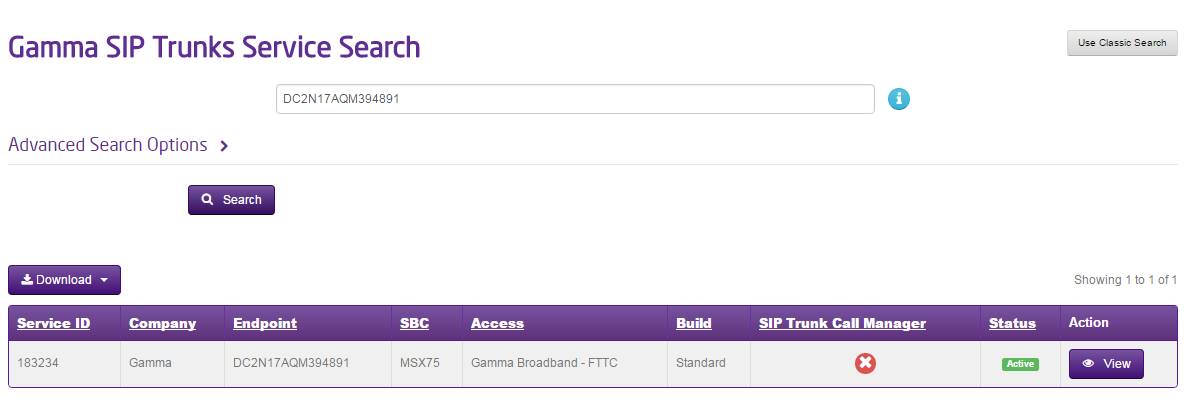
Select the account that has the endpoint you wish to change the CLI Rules for and click “View”.
Step 3
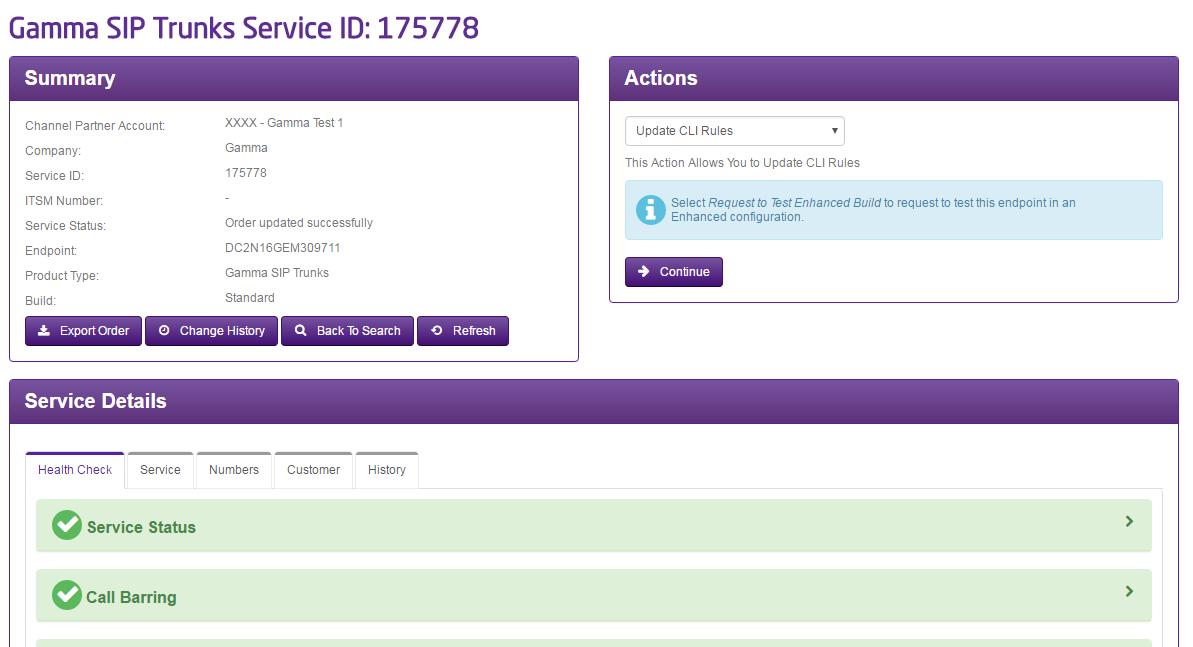
Click on the “Update CLI Rules” option in the Actions drop-down and click Continue
Step 4
From here, you can select what the Incoming CLI Rule is to be set as. The options you have are:
- Leading Zero (0207…)
- No Leading Zero (207…)
- E.164 Format (+44207…)
The incoming CLI rule refers to the way the FROM header on the PBX is configured for inbound calls. The incoming DDI rule relates to the TO header again which is only applicable to incoming calls.
