
Logging into the STCM account #
Once you have created an STCM account, you can now create the customer end users.
You can do this by accessing the STCM account in the following way:
You can log into the customers STCM account from the Gamma (purple) portal as per the sceen shot below
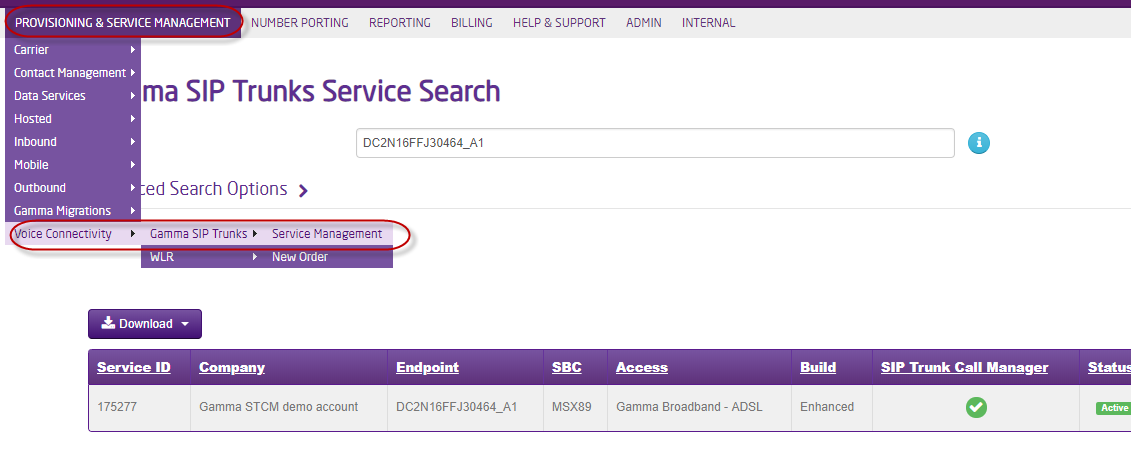
Search for the SIP Trunk service.
Tip: The endpoint will be the quickest method, but you can also use the customer name or a DDI. 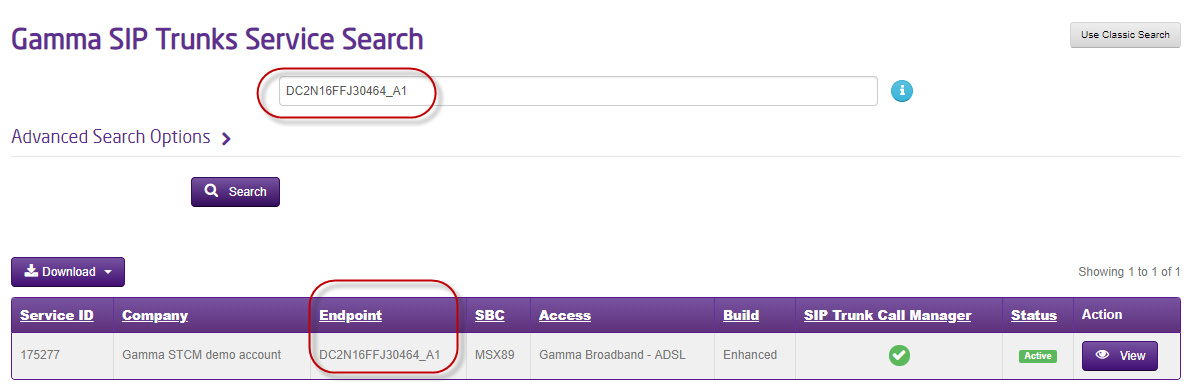
View the service #
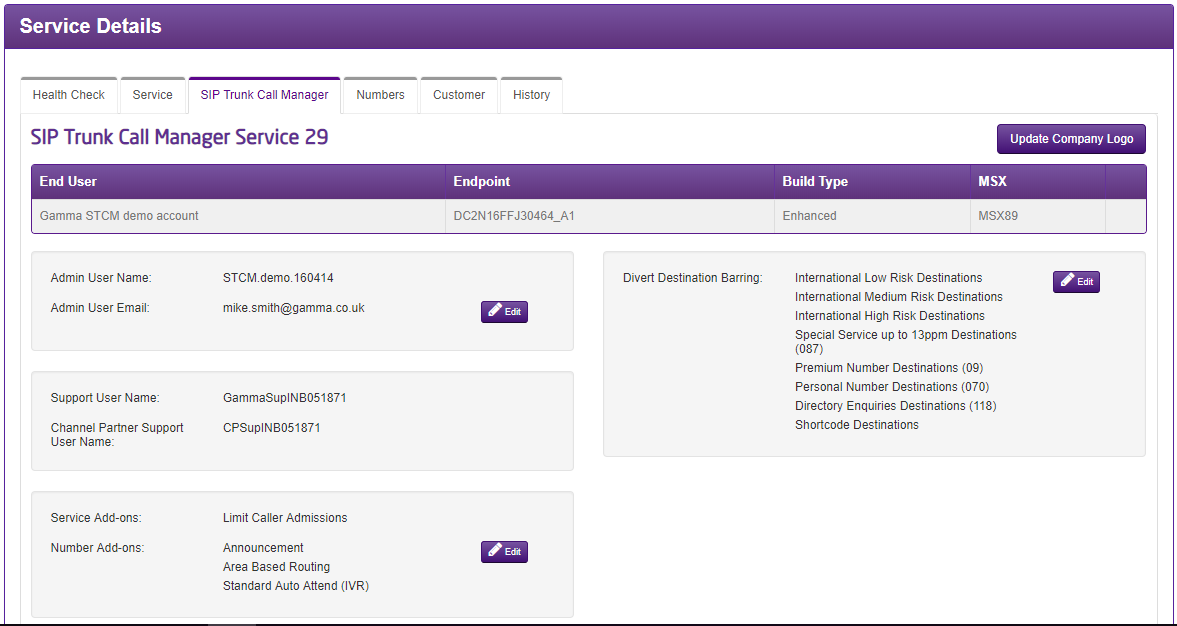
Select View, scroll down to Service Details and select SIP Trunk Call Manager
Log into the STCM account (as per below)
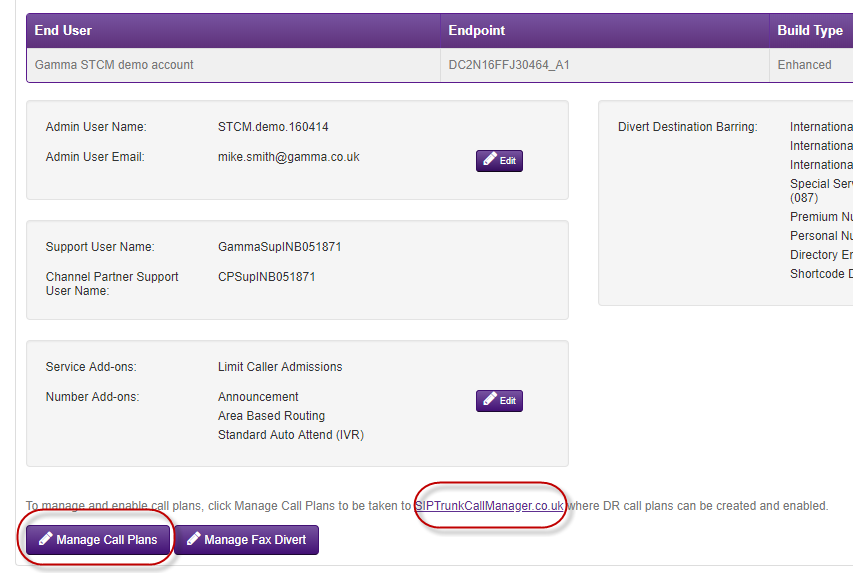
Once logged in, navigate to: Administration > User
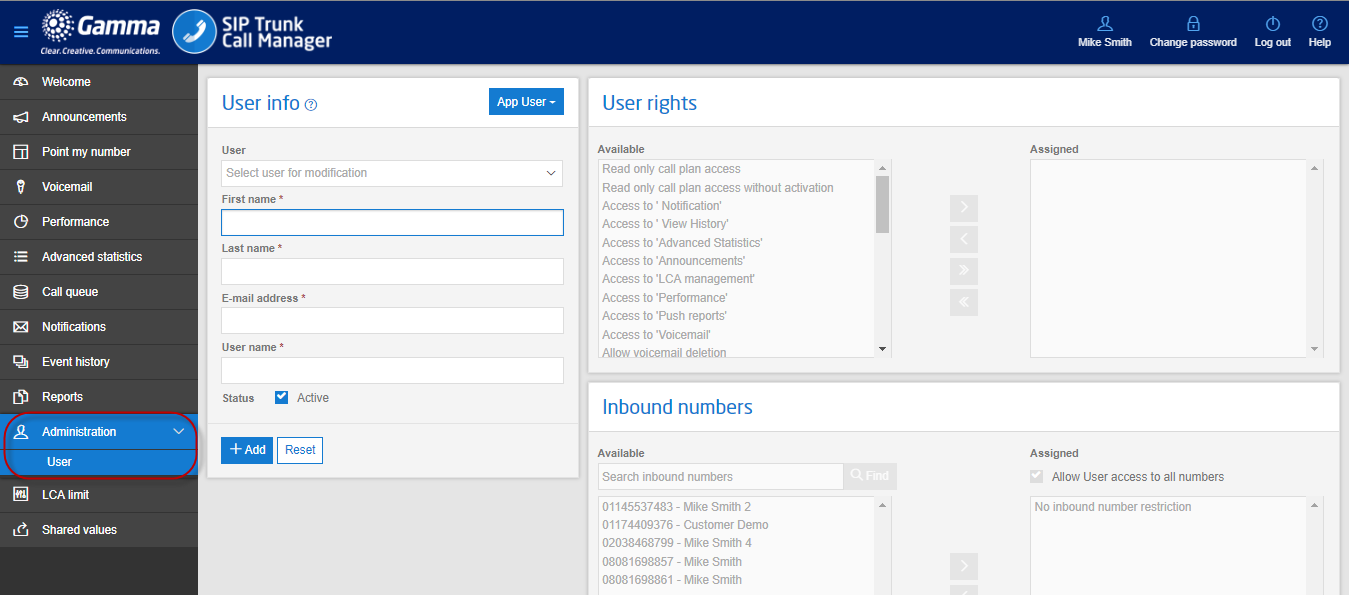
Creating a User #
Populate the required user details.
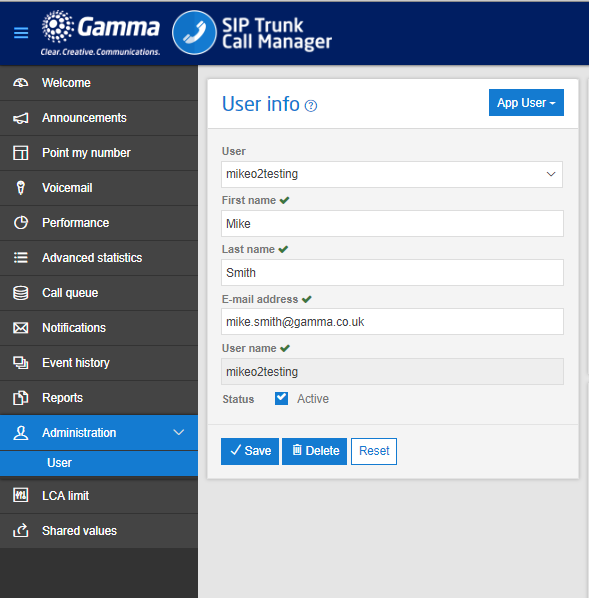
Assigning User Rights #
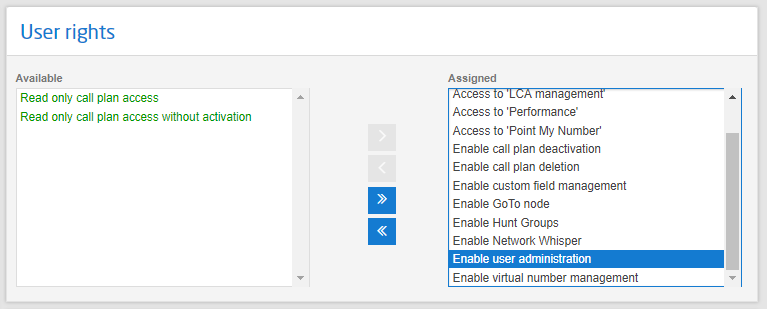
Assign the required user rights.
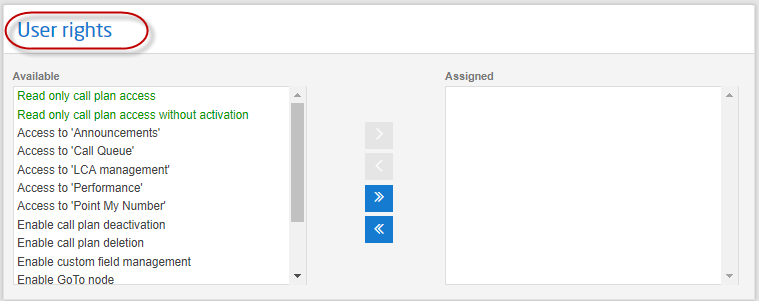
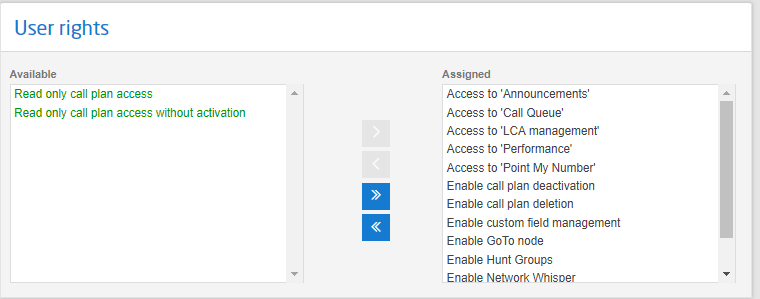
If you want the user to be able to create and manage other users then include the ‘Enable user administration’ right.
Allocating Inbound Numbers to the User #
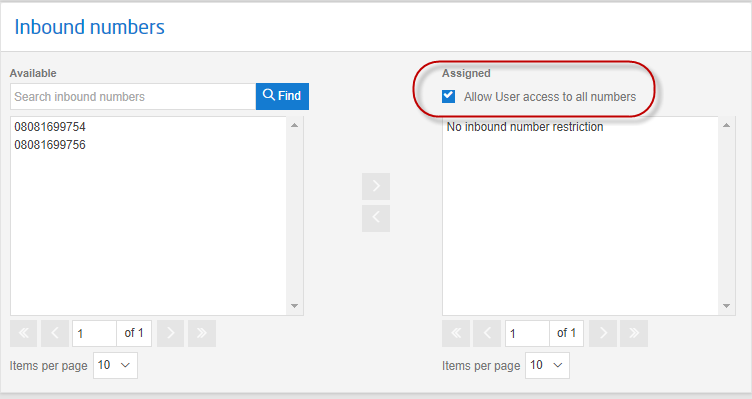
As a default the user will have access to all the numbers on the account.
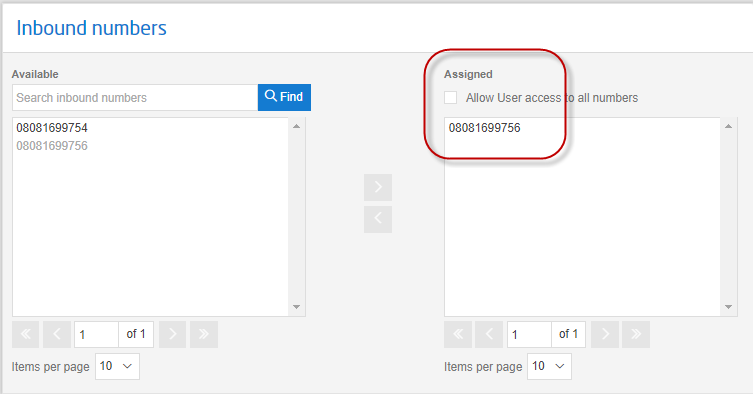
Or you can select which numbers the user should have access to.
Once complete, click Add.
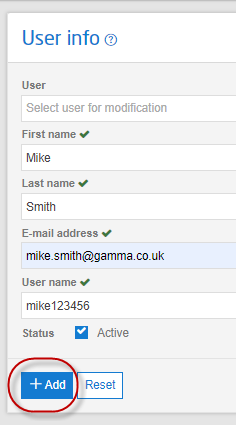
The user will now receive an email with their login credentials.
User Profile Matrix for STCM User (Including All Optional Features) #
No. | User Right | What does it provide access to? | What does it allow the user to do? |
|---|---|---|---|
Read only call plan access | Welcome, Performance, Notifications, Event History, Shared Values | View only, except set up Notifications. If ‘Point my number’ is included user can only view and copy plans. Cannot make any edits. | |
Read only call plan access without activation | As above | As above except the user will also not be able to make a copied plan active. | |
Access to Notification | Add/remove the Notification tab to the profile | Allow the user to set up notifications for change events on the STCM account | |
Access to View History | Add/remove the Event History tab to the profile | Allow the user to view change events on the account | |
Access to Advanced Statistics | Adds/removes the Advanced Statistics tab to the profile | Run and download reports | |
Access to Announcements | Adds/removes the Announcements tab to the profile | View, edit, delete, download or listen to announcements | |
Access to LCA Management | Adds/removes the LCA Management tab to the profile | View, create, edit, delete LCA settings | |
Access to Performance | Adds/removes the Performance tab to the profile | View performance wall board | |
Access to Push Reports | Adds/removes the Reports tab to the profile | Subscribe to Push Reports or change current subscribed users, or options. | |
Access to Voicemail | Adds/removes the Voicemail tab to the profile | Search & visibility of received Voicemails, but no other options including cannot playback, download or delete voicemails. | |
Allow Voicemail Deletion | See Access to Voicemail | Search, view, or delete voicemails. View current voicemail storage | |
Allow Voicemail Downloads | See Access to Voicemail | Search, view, listen, or download, voicemails. View current voicemail storage | |
Access via an STCM GUI | Allow/Restrict access via the online portal | Enable the user to access the account via the Web | |
Enable access via an STCM Mobile App | Allows the user to access the service via the mobile app | In line with portal profile: View numbers, Performance Statistics, change to another pre-built call plan, create single number destination call plans, and manage BC | |
Enable Announcement Node | Add/Remove the option to configure this feature in a call plan | Configure Announcements in call plans | |
Enable Area Based Routing Node | Add/Remove the option to configure this feature in a call plan | Configure Area Based Routing in call plans | |
Enable Call Plan Deletion | See Point my Number | Delete non-active call plans | |
Enable Custom Field Management | Adds/removes the Custom Field button to the Point my Number page | Add, remove, edit Custom Fields | |
Enable Hunt Groups | Not in use/no impact, configuration of the voicemail node is added as a default | NA | |
Enable Standard Auto Attend IVR | Add/Remove the option to configure this feature in a call plan | Configure IVR/Auto Attend/Welcome Message in call plans | |
Enable STCM Number Upload | Not in use/no impact | NA | |
Enable termination to 01 Numbers | Add/Remove the rights to use 01 numbers as destination numbers | Allows the user to terminate calls to an 01 number | |
Enable termination to 02 Numbers | Add/Remove the rights to use 02 numbers as destination numbers | Allows the user to terminate calls to an 02 number | |
Enable termination to 03 Numbers | Add/Remove the rights to use 03 numbers as destination numbers | Allows the user to terminate calls to an 03 number | |
Enable termination to 05 Numbers | Add/Remove the rights to use 05 numbers as destination numbers | Allows the user to terminate calls to an 05 number | |
Enable termination to 07 Numbers | Add/Remove the rights to use 07 numbers as destination numbers | Allows the user to terminate calls to an 07 number | |
Enable termination to 080 Numbers | Add/Remove the rights to use 080 numbers as destination numbers | Allows the user to terminate calls to an 080 number | |
Enable termination to 084 Service Numbers | Add/Remove the rights to use 084 numbers as destination numbers | Allows the user to terminate calls to an 084 number | |
Enable termination to International Numbers | Add/Remove the rights to use 08 &03 numbers as destination numbers | Allows the user to terminate calls to an 08 or 03 number | |
Enable User Administration | Add/Remove the admin tab to the profile | Allows the user to view, add, remove, suspend and edit users | |
Enable Voicemail to-Email | Not in use/no impact, configuration of the voicemail node is added as a default | NA | |
Enable Voicemail to Email Node | Not in use/no impact, configuration of the voicemail node is added as a default | NA |