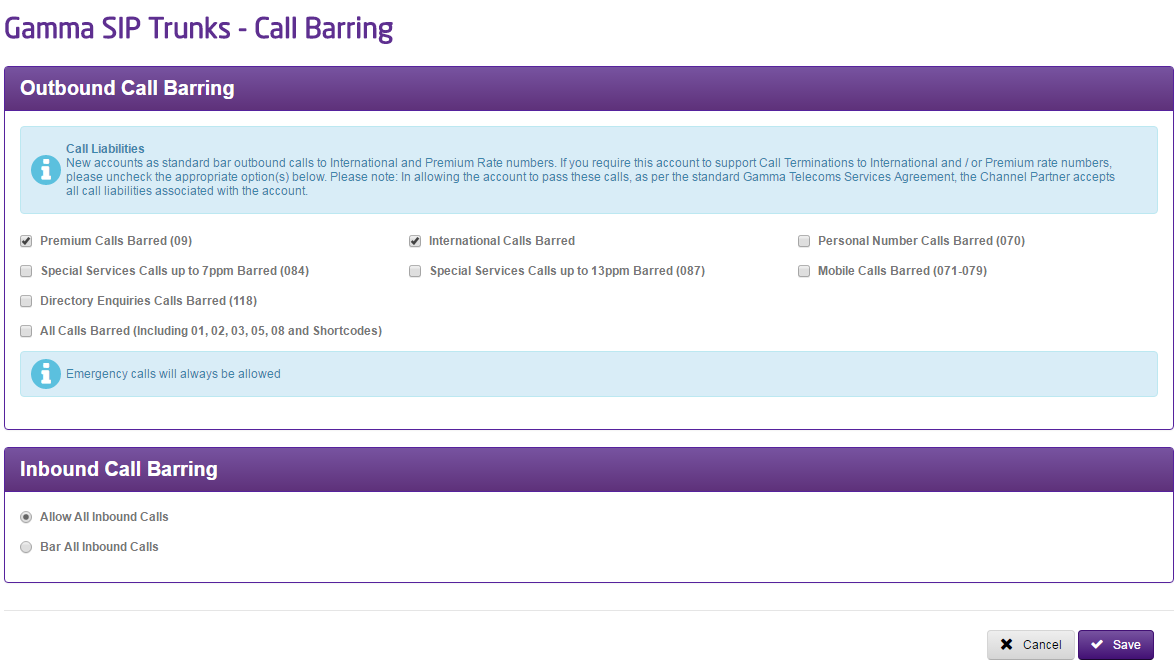
Gamma SIP Trunks offers five call barring options; all are controlled using the Gamma Portal. The call barring options which we offer are:
- No Call Barring
- International Call Barring
- Mobile Call Barring
- Premium Call Barring
- All Call Barring (expect freephone)
New endpoints as standard bar outbound calls to International and Premium Rate numbers. If you require this account to support Call Terminations to International and / or Premium rate numbers, please uncheck the appropriate option(s) below. Please note: In allowing the account to pass these calls, as per the standard Gamma Telecoms Services Agreement, the Channel Partner accepts all call liabilities associated with the account.
Step 1
From the Gamma Portal, go to “Provisioning and Service Management”, “Voice Connectivity”, “Gamma SIP Trunks” and “Service Management”.
If you don’t have this option contact your Portal Administrator (Help and Support and Portal Administrators) or contact your Internal Account Manager.
Step 2
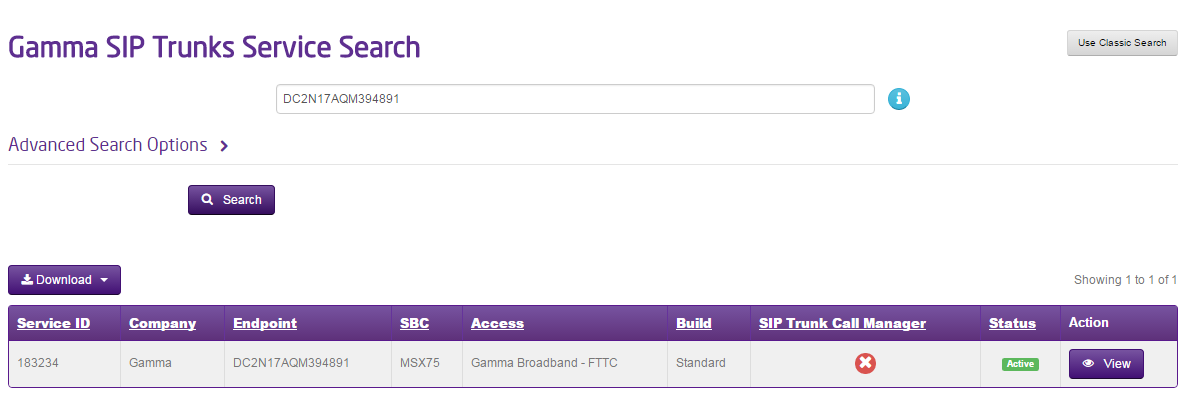
Select the account that has the endpoint you wish to edit Call Barring for and click “View”.
Step 3
Click on the “Update Call Barring Settings” option in the Actions drop-down and click Continue.

Step 4
Make the required changes to the call barring settings and click ‘Submit’ to confirm them.