
You can set up on the Gamma Portal if you’d like your SIP service to either:
- Always show your telephone number (No privacy feature)
- Always show your telephone number, and dial 141 before you make a call to withhold your telephone number.
- Always hide your telephone number, and dial 1470 to show your telephone number.
Step 1
From the Gamma Portal, go to “Provisioning and Service Management”, “Voice Connectivity”, “Gamma SIP Trunks” and “Service Management”.
If you don’t have this option contact your Portal Administrator (Help and Support and Portal Administrators) or contact your Internal Account Manager.
Step 2
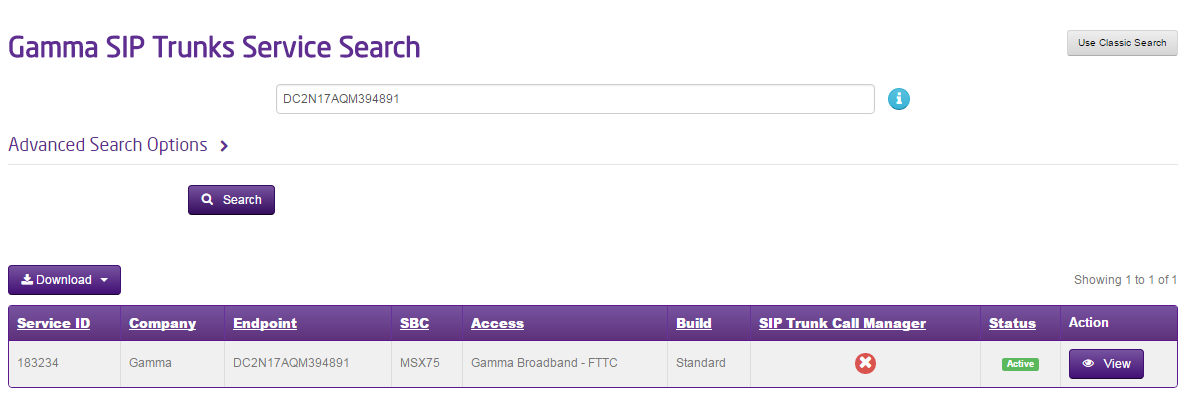
Select the account that has the endpoint you wish to update the privacy settings for and click “View”.
Step 3
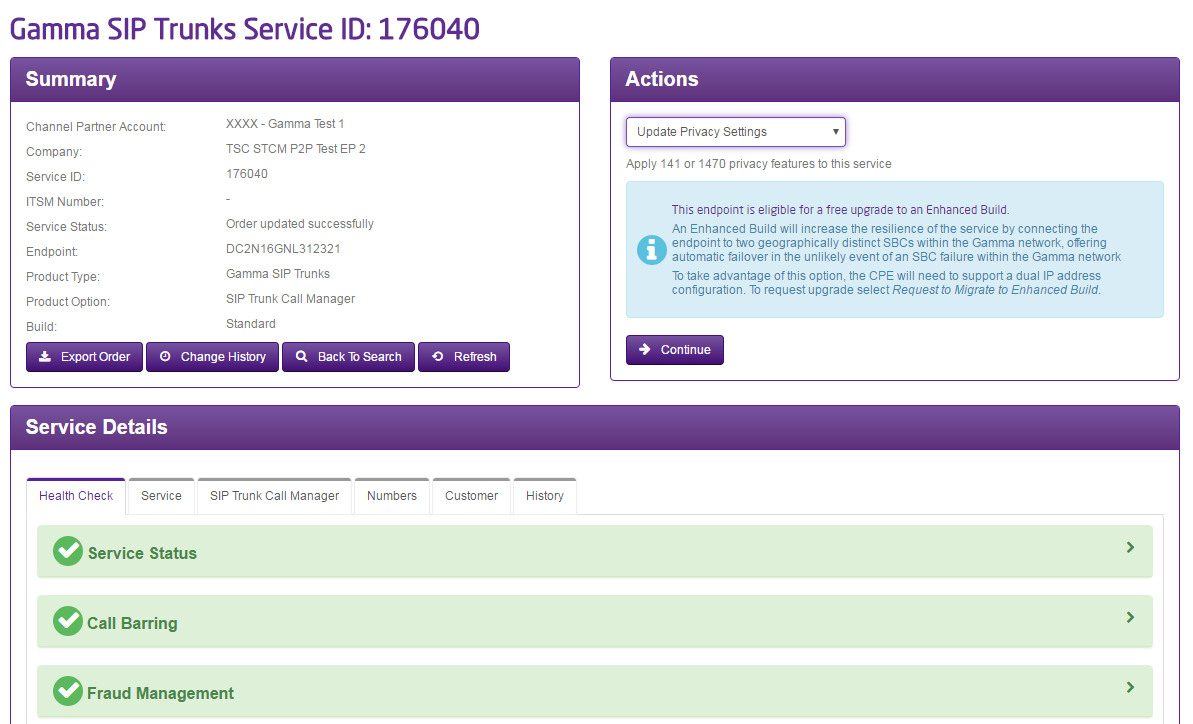
Click on the “Update Privacy Options” option in the Actions drop-down and click Continue
Step 4
Select the privacy option that you wish to have set up for your Gamma SIP trunk and click “Save”.
