Upgrading an existing SIP Trunk to STCM #
Locate the STCM service #
On the Gamma portal, go to: Provisioning & Service Management > Voice Connectivity > Gamma SIP Trunks > Service Management.
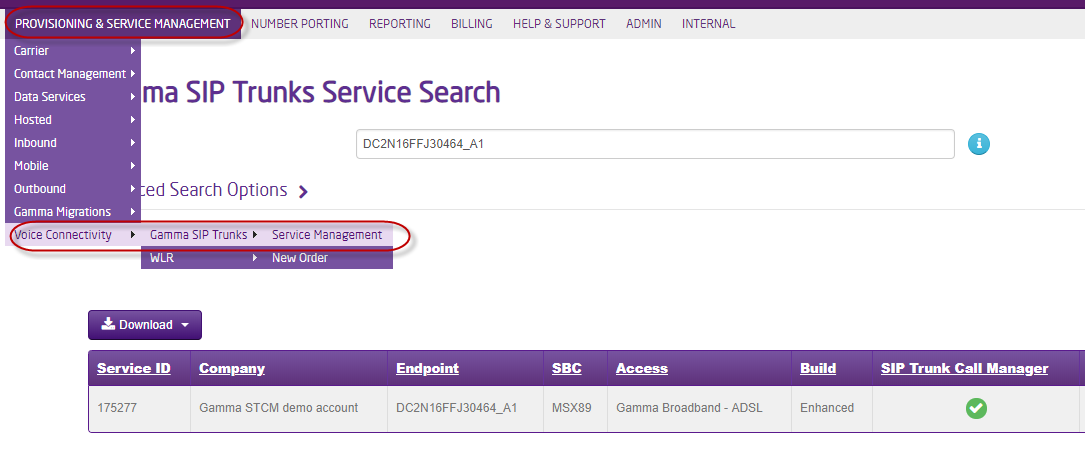
Search for the SIP Trunk service. *Tip the Endpoint will be the quickest method, but you can also use the customer name or a DDI.
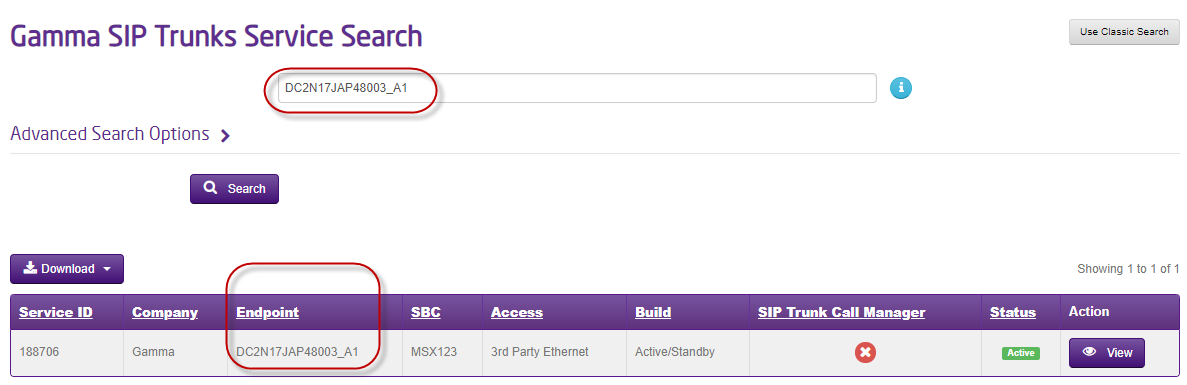
View the service #
Select View

Make the upgrade #
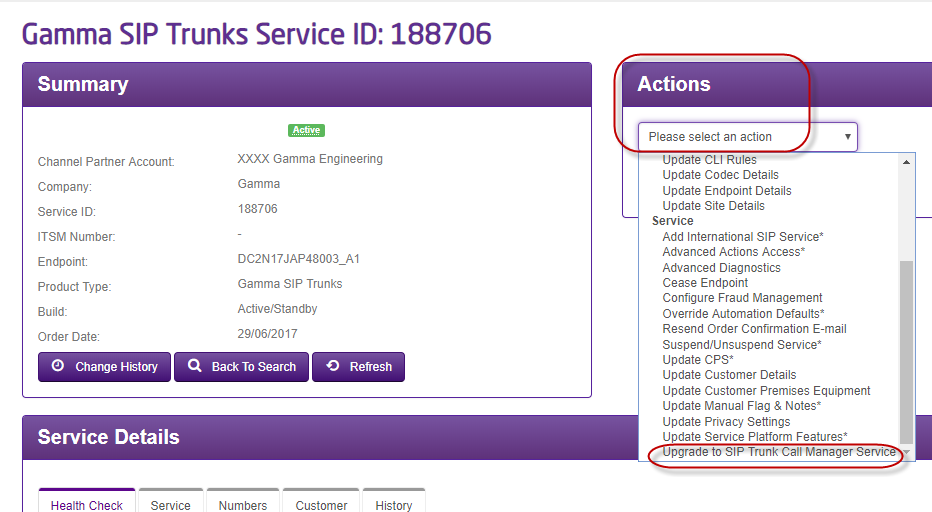
Under the Actions Menu, select Upgrade to SIP Trunk Call Manager Service
You will then be taken to the set-up page

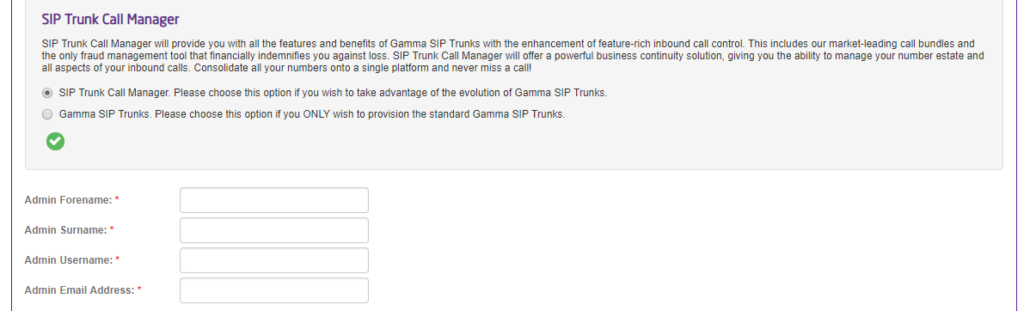
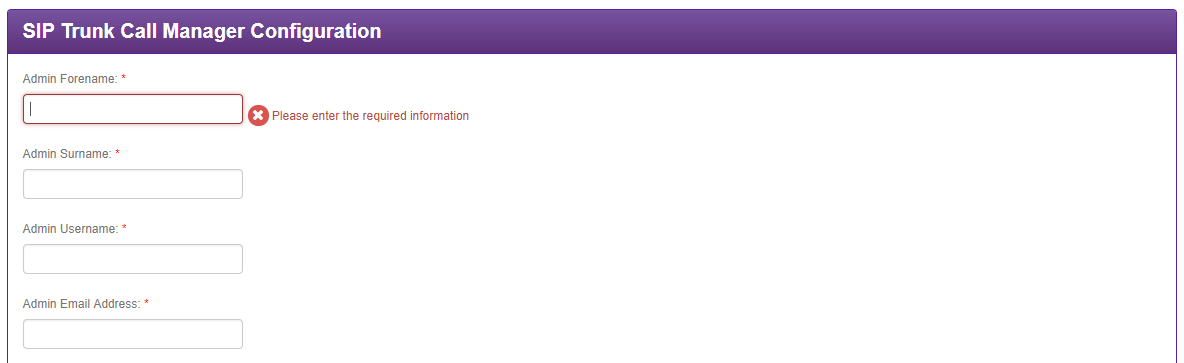
You can now create the account, by populating the account details. *Tip – the user details sets up the first admin for the account. Additional admins and other users can be created later on.
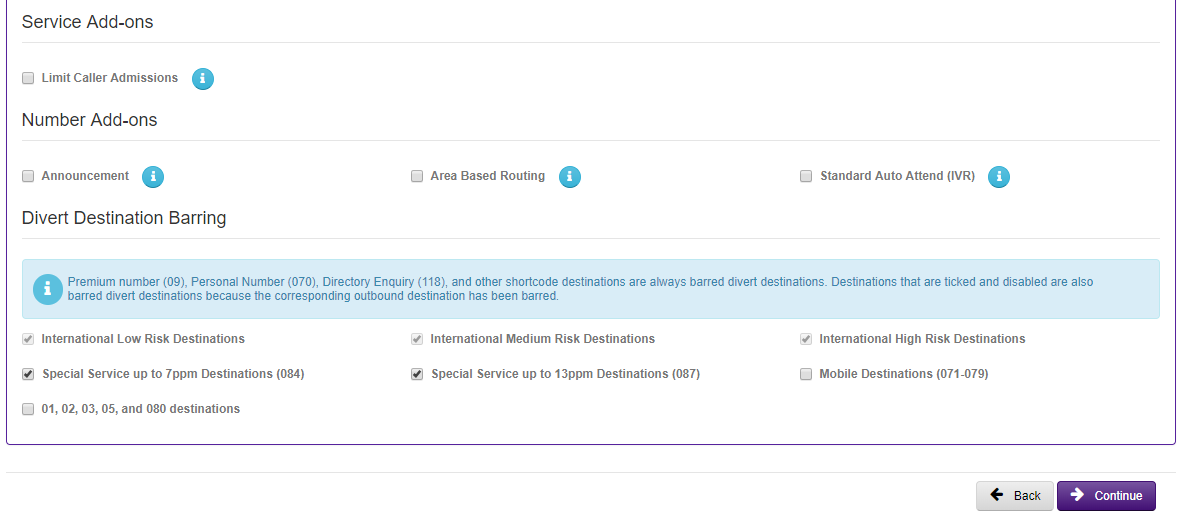
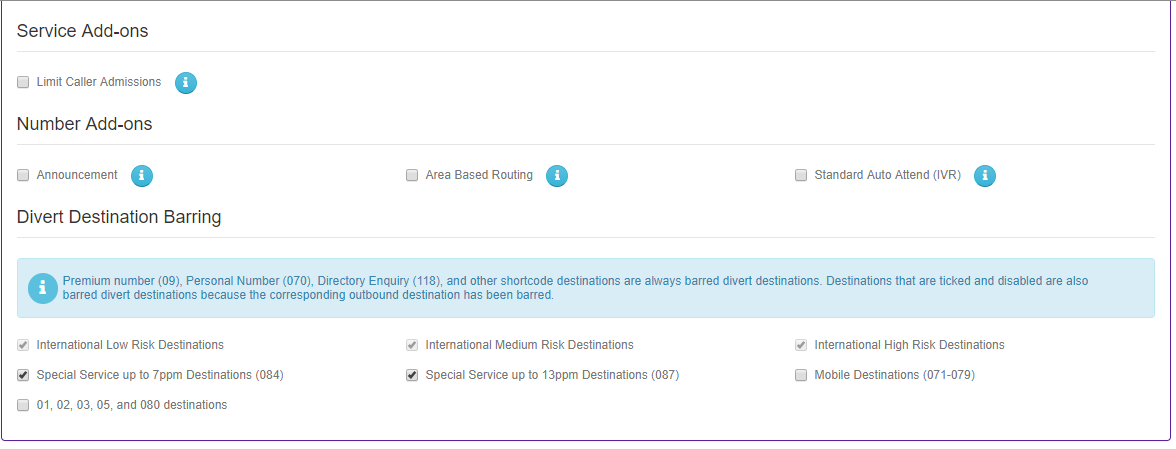
You can now also select any optional required features. *Tip – at this stage you are just making these available in the end customer portal. An admin will also need to make these available to be used when they create other users. Once used, then then become chargeable.
Agree to the T&C’s

And click Continue to submit the upgrade.
Updating the SIP Service to SIP Trunk Call Manager will take a short time to complete. Although this change should not be service-impacting, it is recommended that this change is made when the SIP service is quiet.
For new SIP orders #
When you get to section of your SIP order you can select to include SIP Trunk Call Manager. As per below screen shot:

If you choose yes you will be presented with the following screen to complete. You should do this as per steps 6-7 above.