
Skip to content
  • Academy KB Home Redesign
  • Broadband Home
  • CCaaS
  • Channel Partner Support
  • Circle Loop Home
  • Collaborate
  • Connectivity
  • Courses
  • Documentation
  • Ethernet
  • FibreXchange
  • FUSION IoT
  • Gamma AI Concierge
  • Gamma Plus
  • Gamma SIP for Cloud Connect
  • Gamma SIP Global Communications Enablement
  • Gamma SIP Trunks for Genesys Cloud
  • Hannah – Homepage WIP
  • Home
  • Horizon
  • Horizon Contact
  • Horizon Forms
  • Horizon Service Description Home
  • Horizon with Webex
  • Inbound
  • iPECS
  • Knowledge Base Intro
  • Knowledgebase Directory
  • LoginPress
  • Microsoft
  • Microsoft Teams Direct Routing Home
  • Microsoft Teams Operator Connect
  • Mobile
  • Multiple KB
  • My Courses
  • No Access
  • No active page
  • Numbering and Porting
  • Phoneline+
  • Product Homepage
  • Quick Download Button
  • Release Notes
  • Release Notes
  • SIP Home
  • Test
  • UCaaS
  • User Account
  • Voice
  • Voice Enablement
  • Webex for Gamma
  • Webex for Gamma Release Notes
  • Gamma Academy Knowledge Base
Gamma Academy Knowledge Base
  • Cloud Calling and Collaboration
    • Webex for Gamma
    • Horizon with Webex
    • Horizon
    • Phoneline+
    • Operator Connect
    • Direct Routing
    • Inbound
    • Akixi CX Analytics
    • Red Cactus
  • Connectivity and Networking
    • Numbering and Porting
    • Broadband
    • FibreXchange
    • Ethernet
    • SIP Trunking
    • Gamma FUSION IoT
  • CX
    • Horizon Contact
    • AI Concierge
  • Mobile Services
    • Gamma Mobile
  • CyberSecurity
    • SafeWeb
  • Partner & Portal Support
Gamma Academy Knowledge Base

Provisioning and In-Life Changes

  • Before Ordering Mobile
    • Mobile Short Codes
  • eSIM Functionality
    • Viewing eSIM stock whilst provisioning
    • Viewing SIM Type and Service Provider Name (SPN)
  • Configuring and Ordering Mobile
    • Quick Start Guide to Provisioning Mobile
    • Ordering Sims and Mobile Numbers
    • Mobile – Add Company
    • Mobile Provisioning Process (Including Ports)
    • Mobile – Activating a Service
    • Mobile Data and MMS Settings (Including APNs)
  • In-Life Mobile Configuration
    • Mobile Managing Companies
    • Mobile – Manage Phone Service
    • Porting a Number Onto an Active Gamma Mobile Connection
    • SIM Swap to the Enhanced Gamma Mobile Service
    • Mobile Roaming
    • Block Outgoing Calls
  • Configuring and Ordering Manage My Mobiles
    • Configure Manage My Mobiles Portal
    • Manage My Mobiles – New Company Provision
    • Manage My Mobiles – Allocating Numbers
    • Manage My Mobiles – Existing Company Provision
    • Manage My Mobiles – Tracking Your Order/Actions
  • In-Life Configuration - Manage My Mobiles
    • Manage My Mobiles Portal
    • Manage My Mobiles – Manage a Person
    • Manage My Mobiles – Groups
    • Manage My Mobiles – Branding
    • Manage My Mobiles – Audit Log
    • Manage My Mobiles – Call Forwarding Options
    • Manage My Mobiles – Statistics
    • Manage My Mobiles – Alert Types
    • Cease Manage My Mobiles

Features

  • Mobile Inactive Number Search
  • Mobile Usage Control Management
  • Gamma Roaming Countries and Networks

Technical Support

  • Guides for Problems with Mobile
  • Lost and Stolen Phone Help
  • Mobile Known Behaviours
  • Gamma Mobile FAQs
  • Mobile Glossary
  • Handset Support
    • Handset Support iOS
    • Using Nokia Lumia with Gamma SIM
    • Using MMS on Windows 8 Devices

Service Description

  • Gamma Mobile Service Descriptions

Mobile SLAs

  • Mobile SLAs
  • Home
  • Home
  • Gamma Mobile
  • Provisioning and In-Life Changes
  • In-Life Configuration - Manage My Mobiles
  • Manage My Mobiles – Manage a Person
View Categories

Manage My Mobiles – Manage a Person

You can manage a person from the Numbers page by selecting the “Manage Person” option under the dropdown on the actions tab for the person you wish to make changes for.
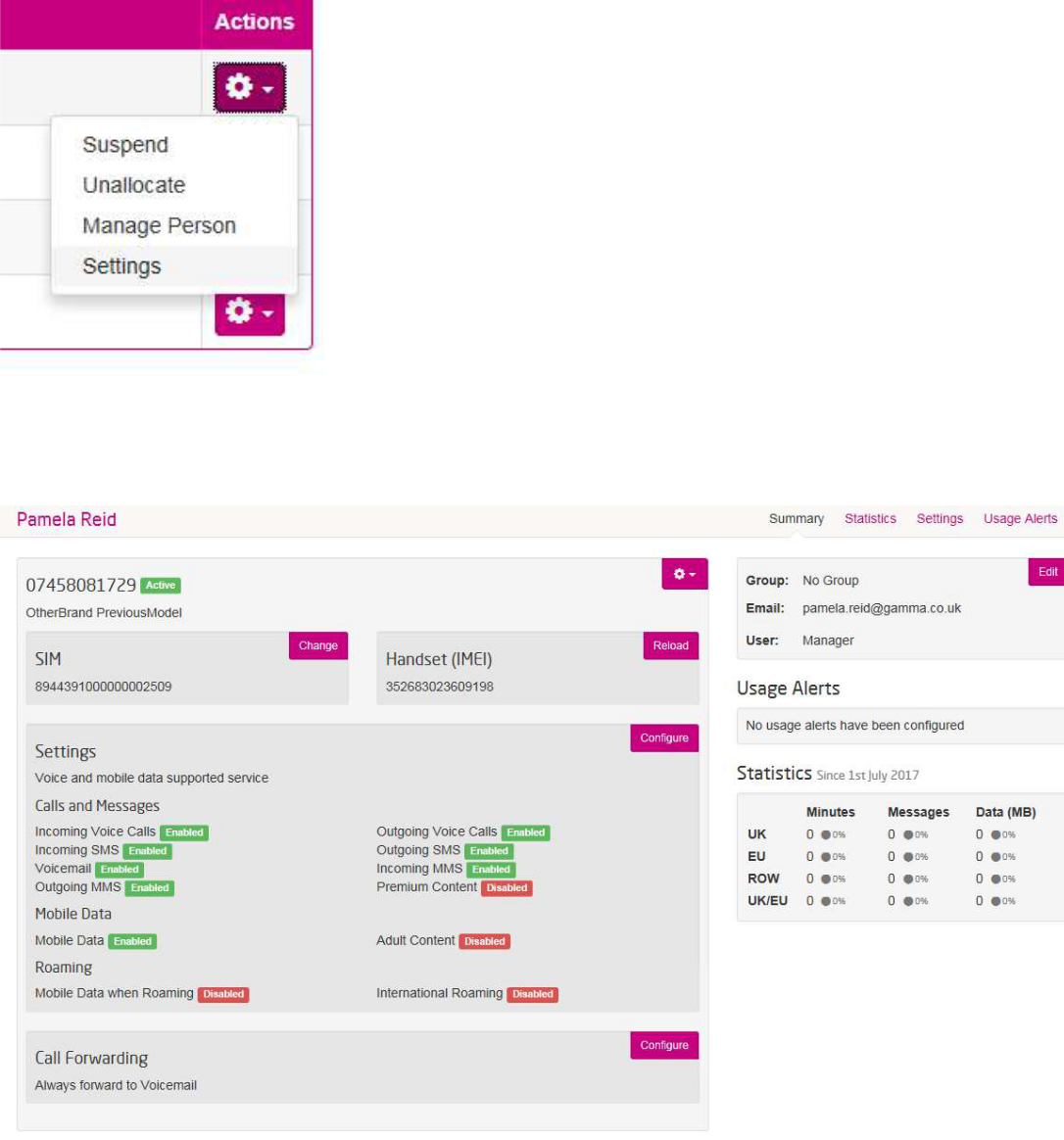
This page will display the person’s name, their SIM number and handset IMEI, which can all be changed if required.

On this page you can suspend and unallocate a number and person by clicking on the actions tog at the top next to the number.

You can also change the SIM number relating to that mobile number by clicking on change in the SIM section.
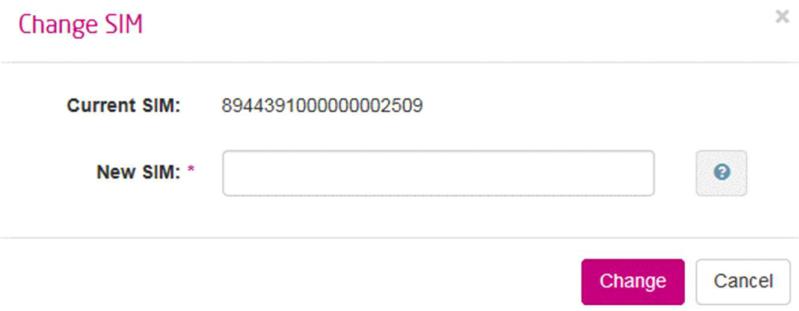
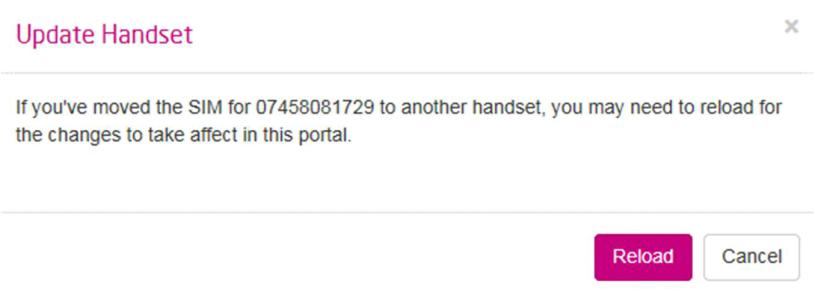
You can also change the IMEI number relating to that mobile number by clicking “reload” in the Handset (IMEI) section.
If you click “Configure” on the Call Forwarding section you will be able to set some call forwarding settings. Here you can choose between, always forwarding calls and conditionally forwarding calls, also whether you want to forward to another number or voicemail.
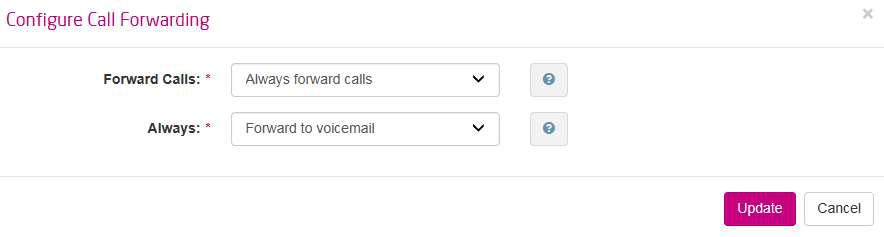
Once you have made your changes click “Update” to save them.

On the manage user section you will see in an easy view what options that user has on their mobile service. This is shown clearly by green and red labels, which state if a service is enabled or disabled.
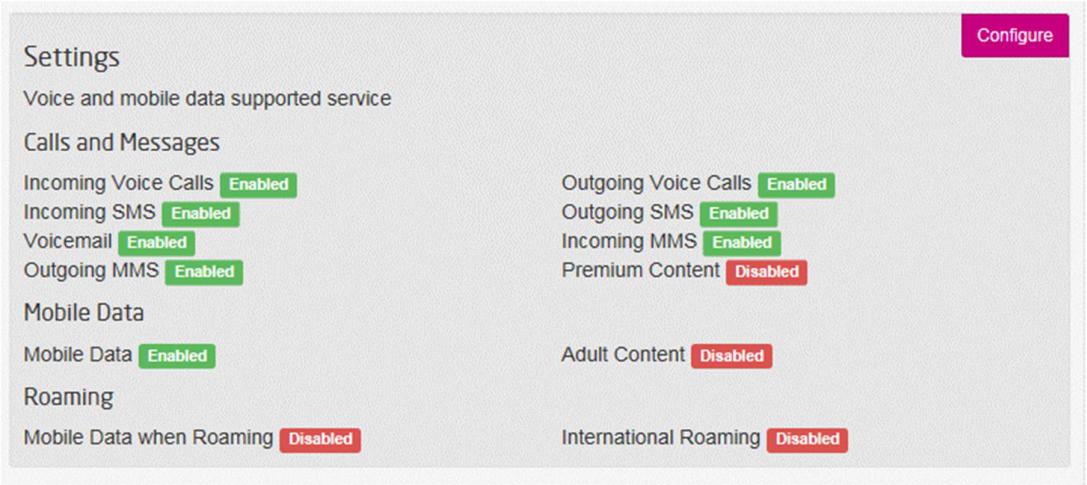
To make any changes click on “Configure”. This will take you to the settings page for that number. You can also access the settings page for that number from the original dropdown options on the number page. Under the actions tab dropdown.
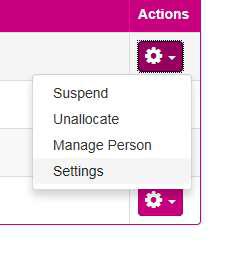
Either route will take you to the settings page for that number. This page will show you the user the number is assigned to and also a number of service options that can be changes easily by using the toggles. One point to note, you cannot activate Data when roaming unless you have Mobile Data active, but the portal will alert you to this should you try to do this.
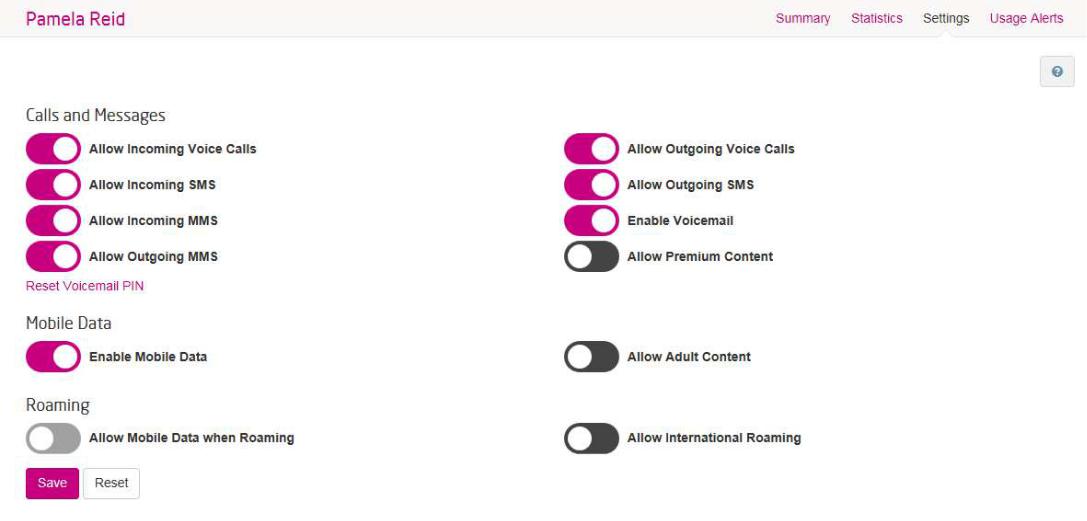
Once you have made the changes required by using the toggles, simply click the “save” button.
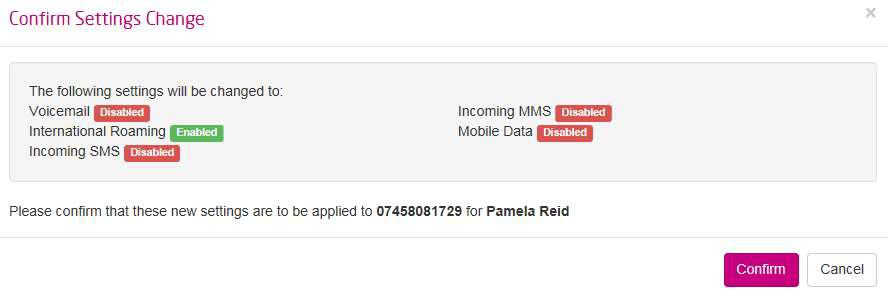
You will then be displayed a summary page to highlight the changes you wish to make. If you have checked these and they are correct then you can click “confirm”.

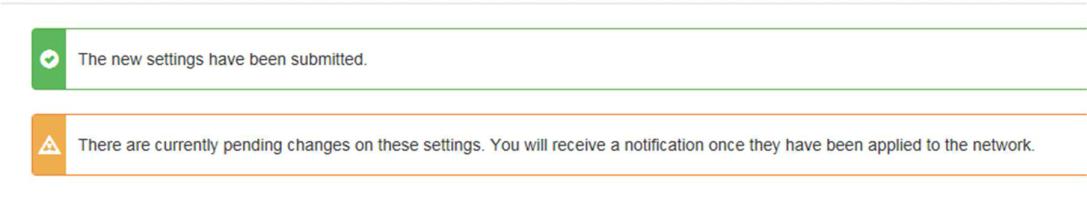
You will then be presented with two banners, one to confirm the new settings and the other to inform you these changes are currently pending.
Please note these pages can also be accessed and changes made by going via “People” on the menu bar and selecting “manage” from the actions dropdown choices.

Updated on 16/01/2024
Manage My Mobiles PortalManage My Mobiles – Groups

Copyright © 2026 -  Gamma Telecom Ltd

Gamma API
We use cookies to measure performance and make improvements to this service. This includes page views, device/browser, location, and page interactions. We do not collect any information you upload to this site. By agreeing, you consent for your data to be used for this purpose.