
Recent enhancements to the Gamma Portal will make it easier for you to identify and manage your SIMs. You will now be able to:
- Easily determine whether a SIM profile is a physical SIM or eSIM
- View the Service Provider Name (SPN) that will be displayed on the end-user’s device
- Filter, search and report on SIMs using these attributes
These updates make it easier to assign SIMs and manage your inventory.
What’s Changed? #
Throughout the portal updates have been made to make it easier to distinguish SIM Type and view the Service Provider Name. This includes additional filters and display information when making changes.
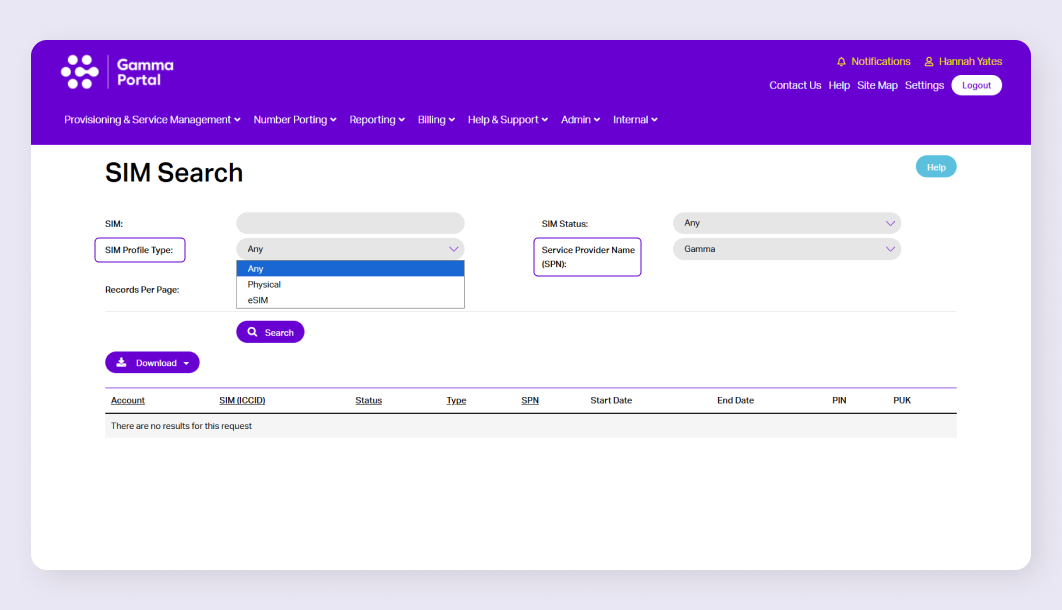 SIM (ICCID) Management Page
Below is a summary of where key changes have been made:
SIM Management Page #
There has been an update to the SIM (ICCID) Management Page which includes:
- Two new filter options: filter by SIM Type and filter by Service Provider Name (SPN)
- New columns in the results table to make it easier to view SIM Type and SPN
- SIM Type and SPN are now also included when the search results are exported as a CVS/Excel file
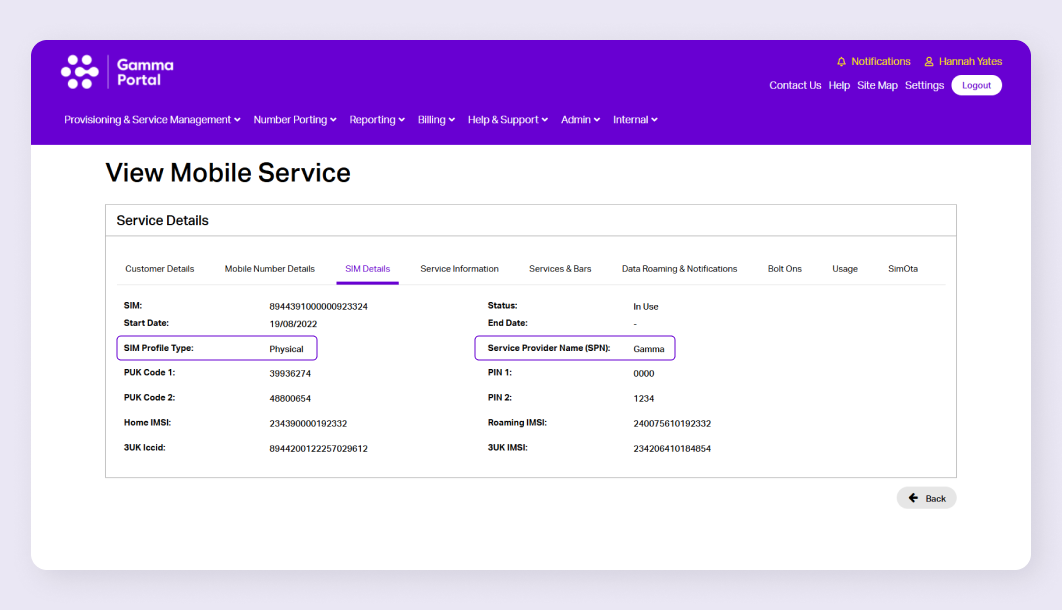
SIM Details Tab #
The SIM details tab that is found when viewing a mobile service has also been updated to display the SIM Type and Service Provider Name.
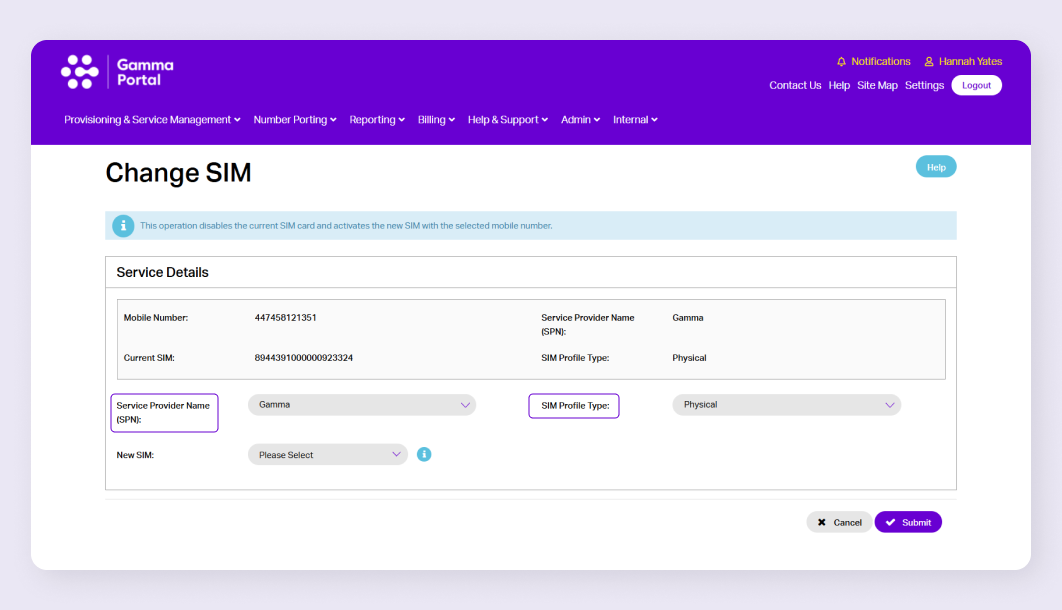
Change SIM #
When making a change to a SIM via the portal the SIM Type and SPN name are now also visible in the journey. There are also SIM Type and SPN filter options to make it easier to find a relevant SIM.
