
There are two methods of activating a service, either activating an individual service or activating all services within a provisioning order
Activating an individual service #
Step 1
From the Gamma Portal, go to Provisioning and Service Management >> Mobile >> Live Service Management.
Step 2
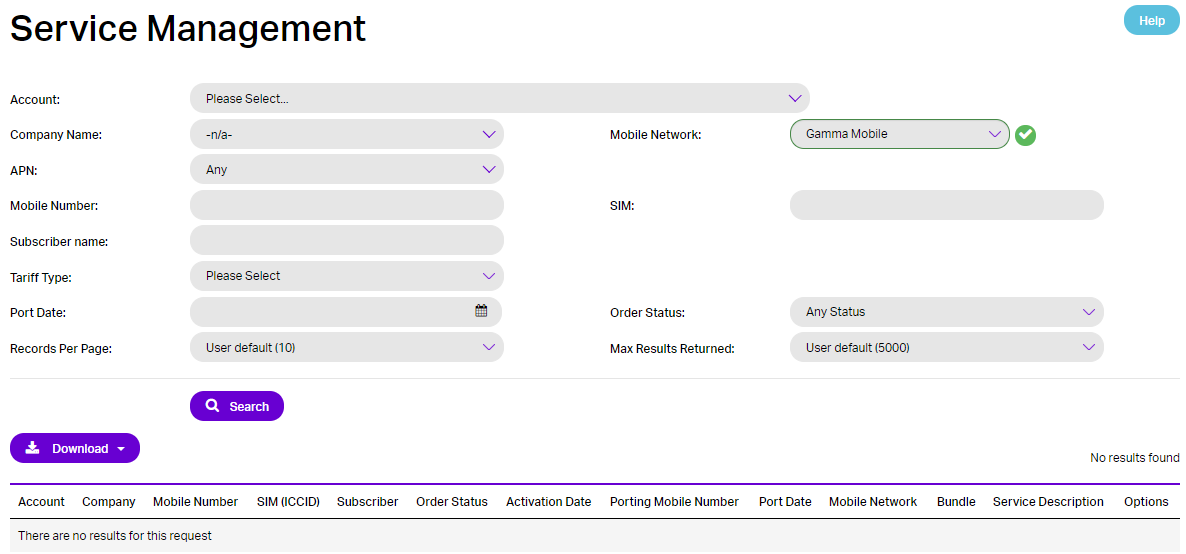
On the Live Service Management page, Search for your Partner Account. And follow the steps required to provision the service you require. Once you have done this return to the Live Service Management page to activate your service.
Step 3
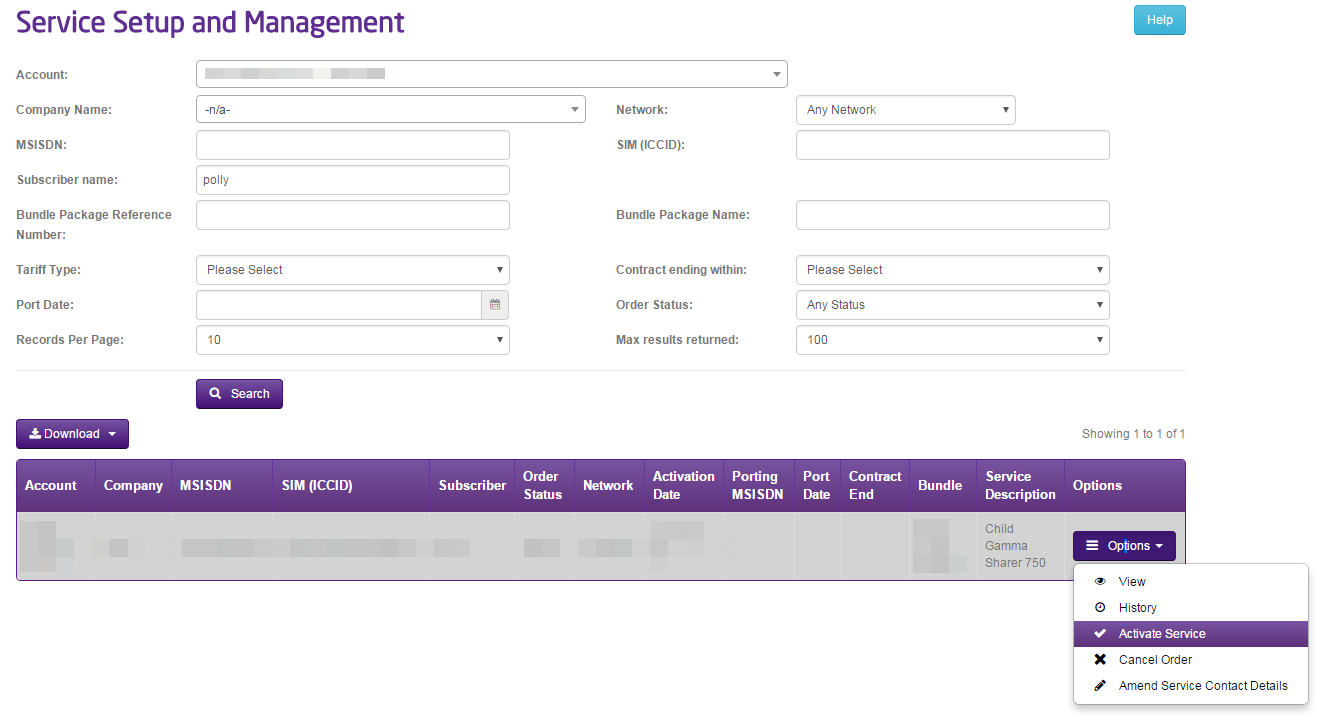
The Mobile Numbers now need to be activated, you can do this via the options button and select ‘Activate Service’.
Step 4
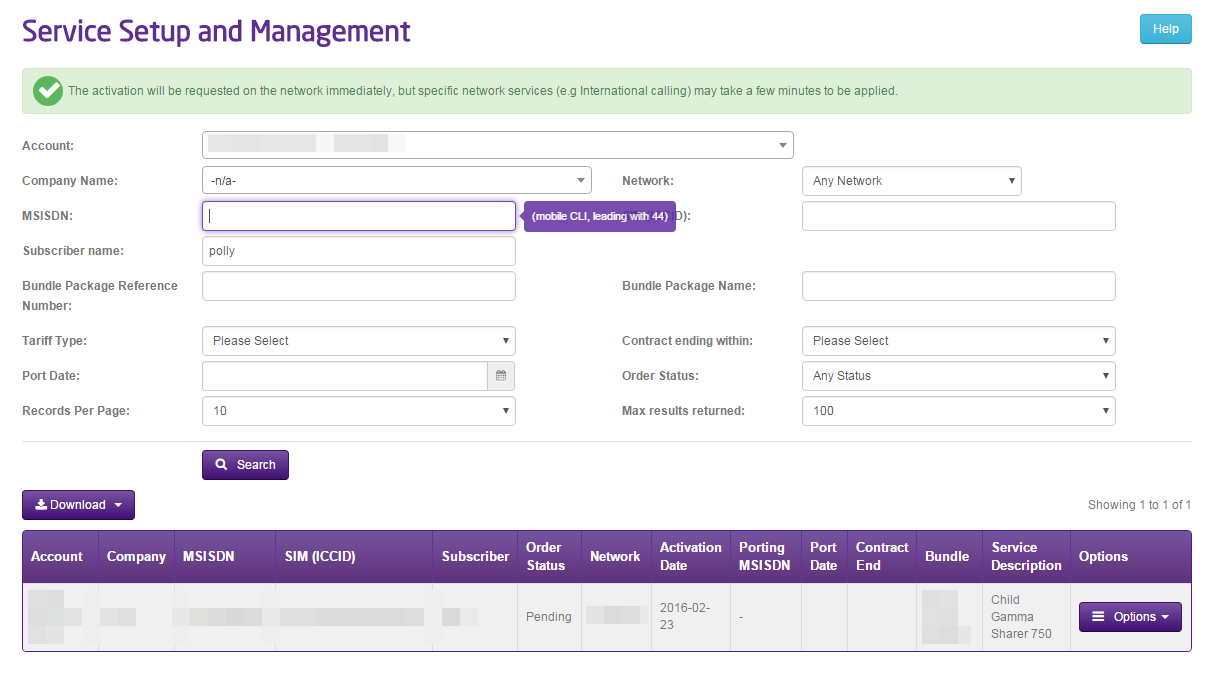
You will then be returned to the Live Service Management page where you will see a green banner to inform you that the activation will be requested on the network immediately, but specific service may take a few minutes to be applied.

Activating all services in a Provisioning Order #
Step 1
On the Gamma Portal go to Provisioning & Service Management >> Mobile >> Provisioning Management
Step 2
Search for the Provisioning Order you wish to activate. This can be done by entering any combination of Account, Order Reference, Username, Mobile Number or SIM.
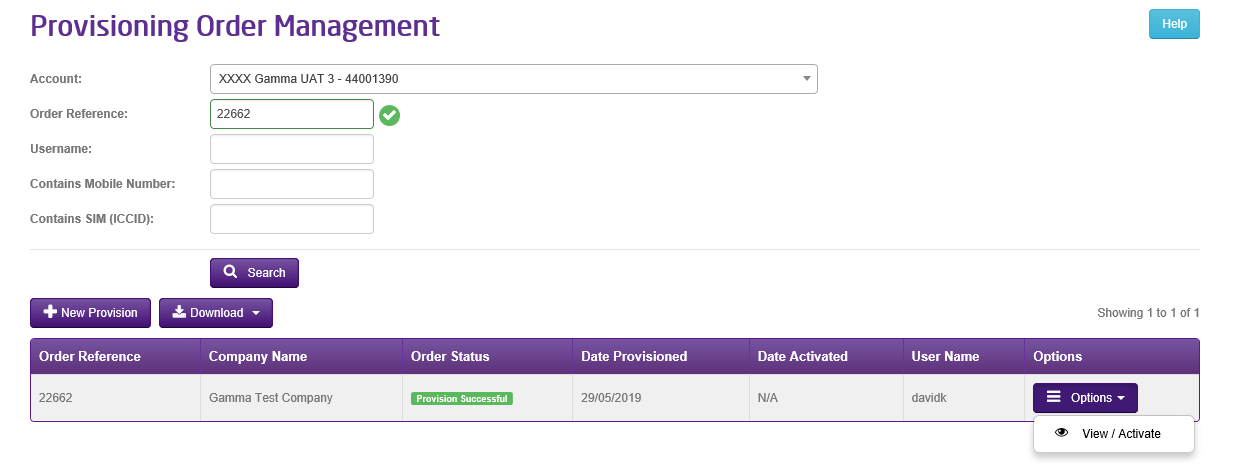
Any Provisioning order with a status of “Provision Successful” can be activated. This will active all services within the order. Click on the “Options” button and then “View/Activate”
Step 3
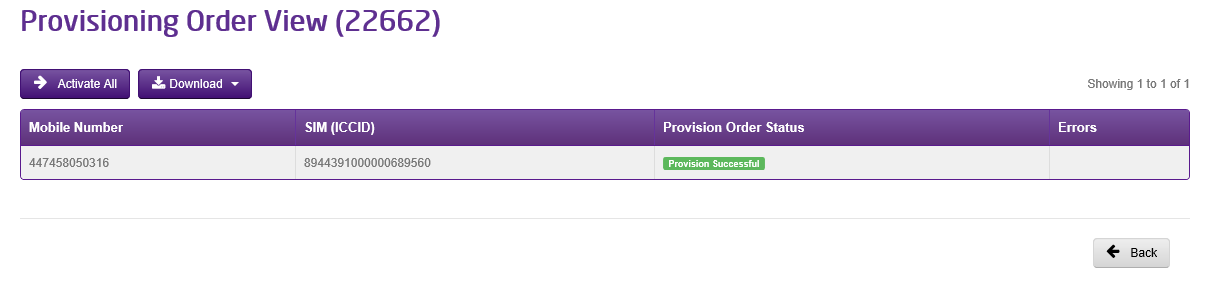
Once you have verified that it is the required order, click on the “Activate All” button to activate all services within the Order.
