
Set Up Multi-Factor Authentication (MFA) #
The below screenshots show SIP Trunk Call Manager but the process is the same
- Log in to Inbound using your credentials.

- Select Administration on the left hand side of the Home Screen, then select Company MFA.
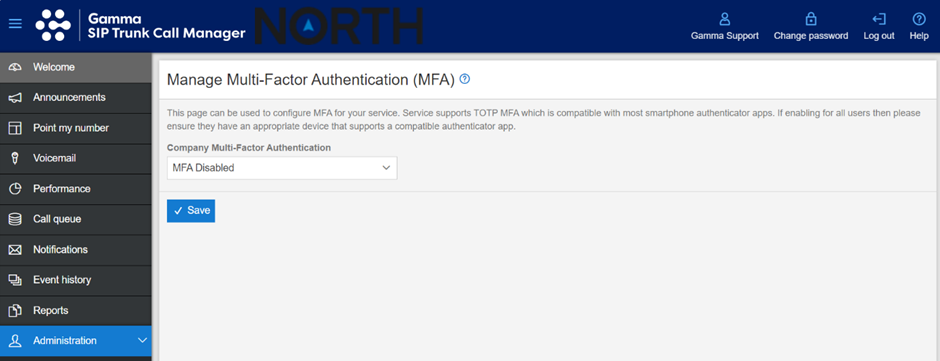
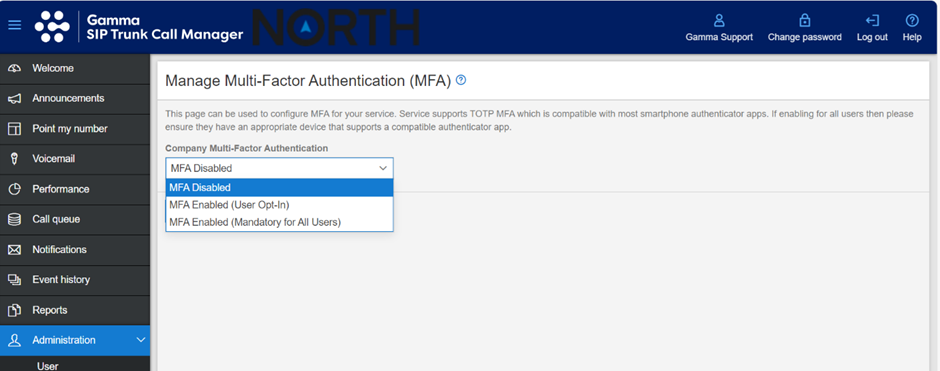
- From the dropdown menu, pick the relevant option for the type of MFA you for your organisation. If all users require MFA pick ‘MFA Enabled (Mandatory for All Users)’. If only certain users require MFA, select ‘MFA Enabled (User Opt-In)’.
- Click Save to finish the action.