
Gamma recognises that more and more customers are asking about whether or not Gamma’s Call Recording feature complies with current PCI DSS rules.
PCI DSS states that an organisation taking credit card payments cannot store key credit card details on their system which can then be fraudulently accessed by internal employees or external parties.
Therefore we are introducing one method to help customers adhere to these rules. Enabling a call agent to suspend and resume a call recording ensures that credit card numbers are not retained within the call recording. Though not 100% fool-proof, as it relies on manual human intervention, if adhered to properly it goes a long way to ensuring details are not kept on site.
Set up #
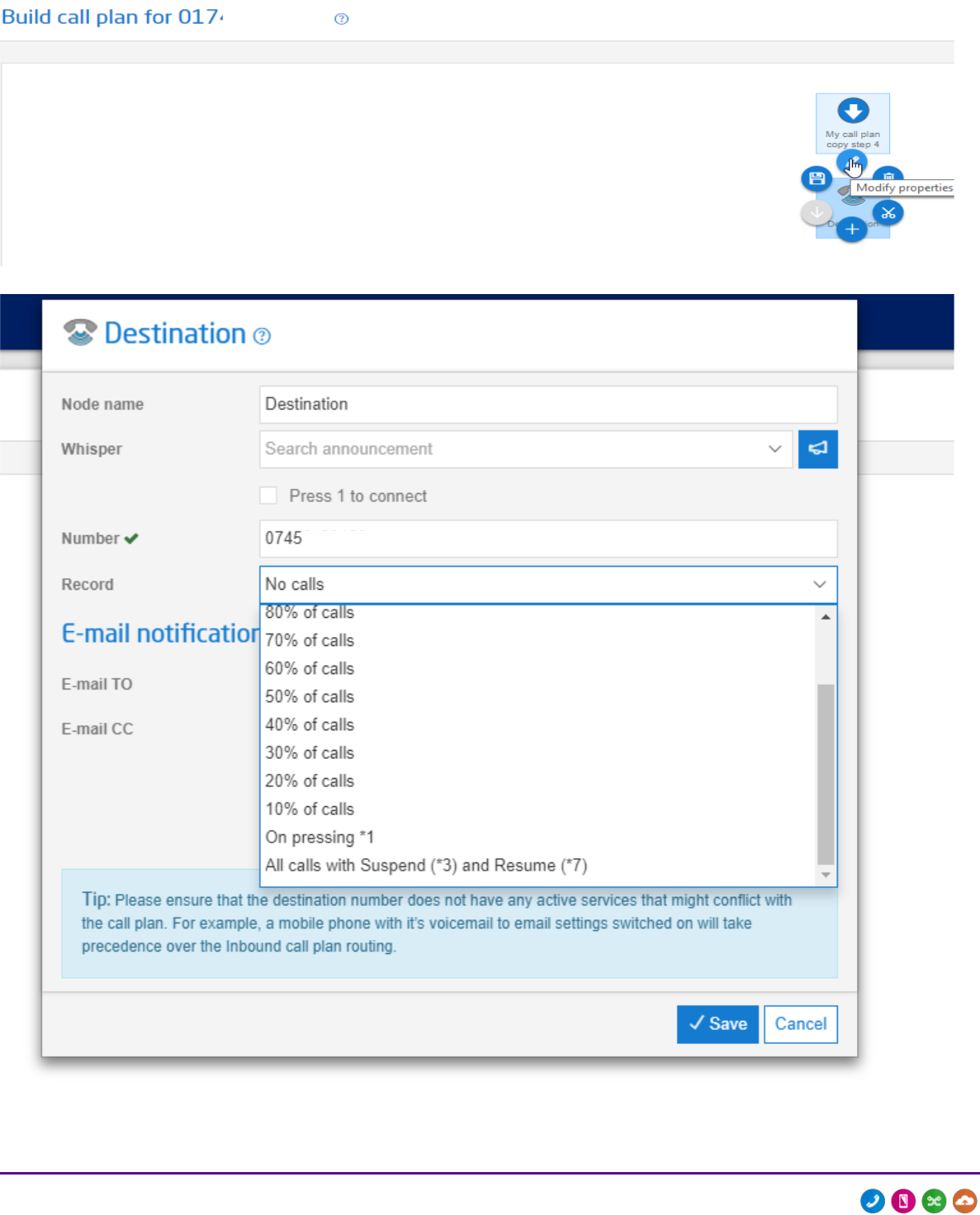
Firstly the feature must be activated in an active call plan. This is done by selecting ‘All Calls with Suspend (*3) and Resume (*7)’ at the bottom of the drop down menu in the ‘Record’ field on a destination node in a call plan.
Step 1
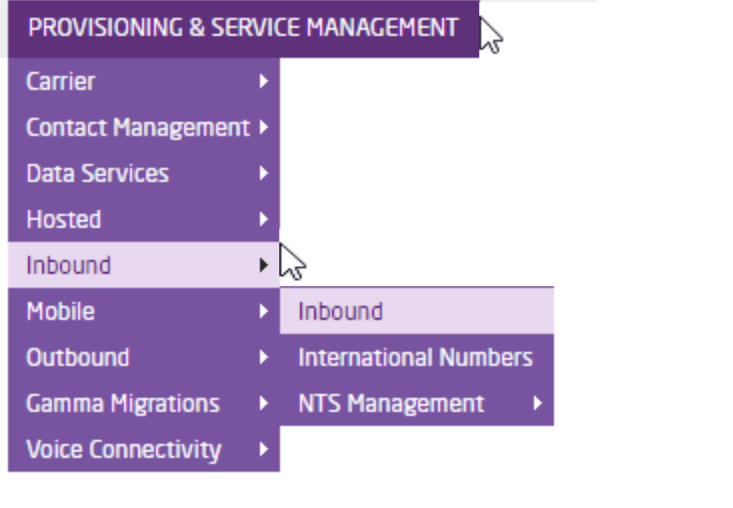
Log into the Gamma Portal and go to Provisioning and Service Management > Inbound > Inbound.
Step 2
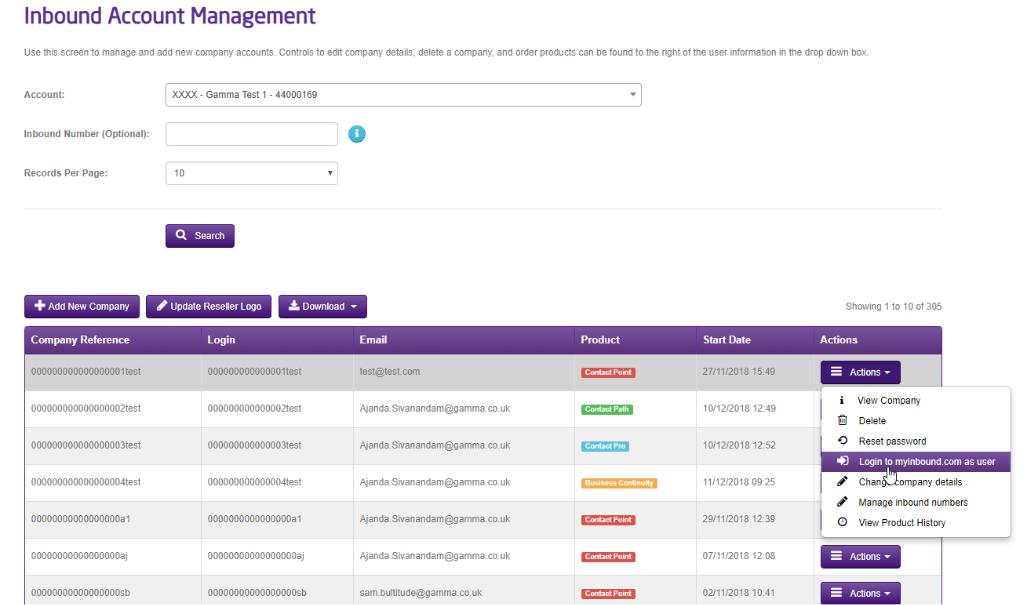
Log into myinbound.com from the Actions tab.
Step 3
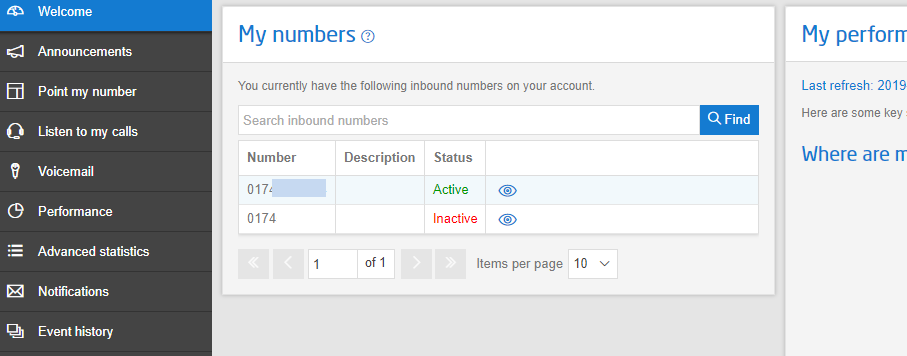
Select the number which you are wishing to add the Suspend and Resume Call Recording Feature to and click the link.
Step 3
Select the current Active call plan by clicking on the link.

Step 4
Select the “Destination Node” in the call plan and then within the options for the destination node, using the Record drop down menu, select “All calls with Suspend (*3) and Resume (*7).
Additional Information #
All calls must be recorded for this feature to work
Each inbound call recording using suspend and resume is one single file still, but temporary suspension is removed from the recording therefore please note that there will be no silence during the paused section of the call recording.
If necessary the agent may need to make the caller aware verbally that the call recording will be temporarily suspended.
Please Note: Agent key press to suspend and resume inbound call recording will not include any audible confirmation that the recording has stopped or re-started.
No Agent feedback will be available on whether the change has been successful (e.g. any ‘call recording enabled’ / ‘call recording disabled’ audio)
The only handset requirement is that they have the ability to press the * key.
In order for you to see the Suspend and Resume feature on myInbound you may need to empty your browser cache and re-load the portal.
For further information please contact your Gamma account manager