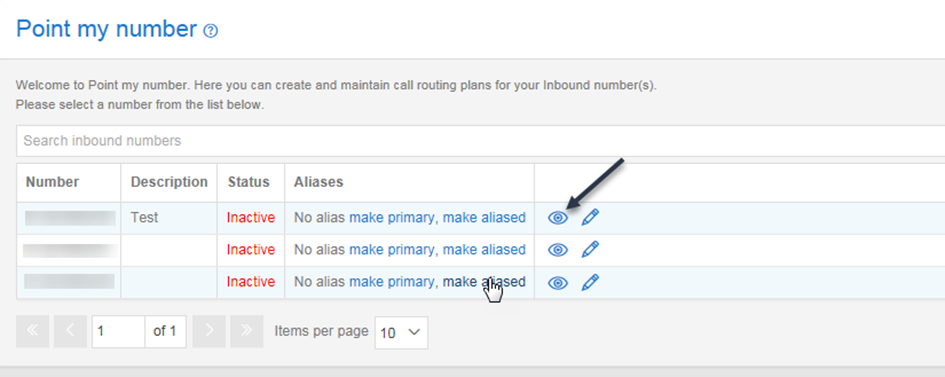
Point my Number is the tab through which all call plans are created, edited and maintained by the User. Access to this tab is provided with all administrator logins for Contact Point, Path and Pro. It is possible to remove access or give read only access to this tab for subsequent user logins should there be a specific requirement to deny them access to this page which is central to call plan management. Call plans are shown in the homepage of Point my Number. Up to 100 call plans are available per number and they can be associated with a description to assist the user.
Point My Number Access Restrictions #
| User Profile | Requirements |
| Customer | Customer must have subscribed to Contact Point, Contact Path or Contact Pro. To use custom fields the customer must have subscribed to Advanced Statistics |
| User | Must have Point my number enabled Must have access to the numbers enabled To Create, edit and delete custom fields and download and upload custom field templates the user must have Enable custom field management enabled |
In order to be able to access the Point my number screen your user profile must have the Point my number role enabled.
If you require access to these features but don’t have it then please contact your Service Provider.
Description #
The Point my number tab allows you to search for the particular number that you wish to edit using the ‘Search Inbound Numbers’ function. To begin creating a call plan or to view/edit the call plans associated with a particular phone number, there is a button which can be used to open the associated call plan (please see screenshot below):