Hunt Group Description #
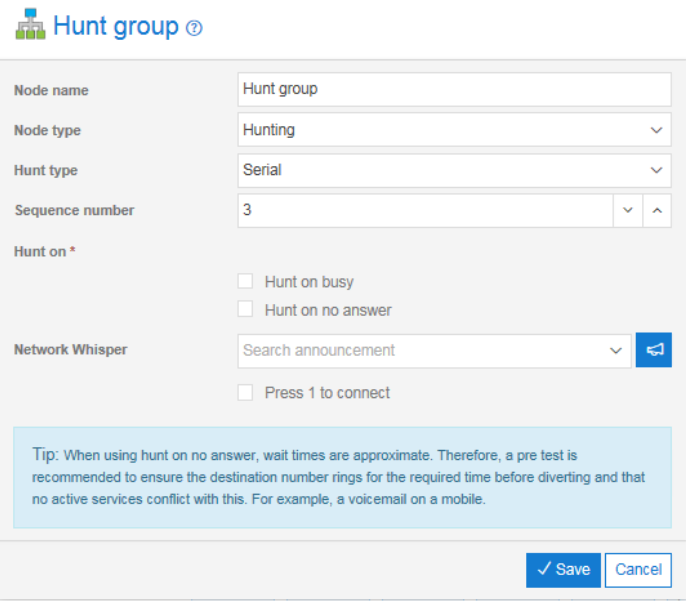
The Hunt Group control can be used to build groups of destinations that will be searched to find one that is available. The search can be selected on the basis that destinations are busy or that the incoming call is not answered for s specified period. The way that destinations are searched can be specified as can the action to take if no destination is available to take the call.
The search types available include Serial, Prioritised, Random and Simultaneous.
Hunt groups can also be built into a chain that allows destinations to be hunted in different locations or in different prioritised groups. For example, I may have a team that is my primary call handling team but wish to overflow to a secondary team if all of my primary team are busy.
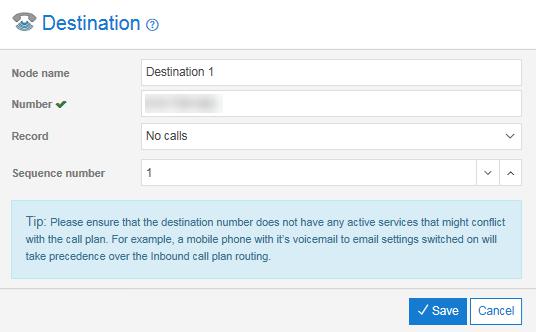
In conjunction with the Hunt Group control there are some differences to the properties that are visible on the Destination control. These additional properties control the sequence the destination numbers are searched in a hunt. In particular, a sequence number becomes available for prioritised and serial hunting and a slider becomes available for random hunting.
There are some other changes you may notice with the Destination control. Firstly, there is no missed call notification available. This is because you would not want to send missed call alerts if there are other people available to take the call.
Secondly, the normal destination control can have Divert controls associated with it. The Hunt group behaviour replaces the need for this.
Prioritised Hunting #
When Prioritised is the selected Hunt Type the system will search sequentially through the destination nodes in the order defined by the Destination sequence number starting at Sequence number 1.
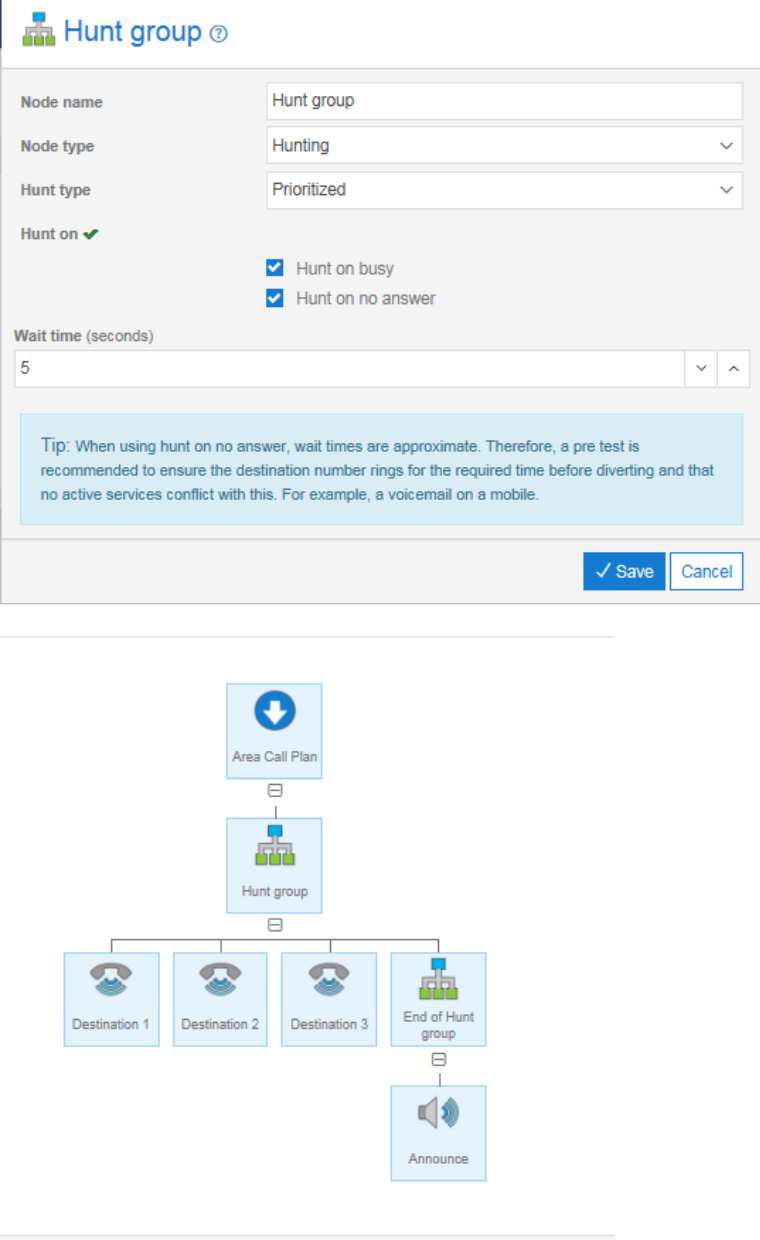
In the example below we have a call plan set up for prioritised hunting. All callers get routed to Destination 1 first, if that is busy then Destination 2 is tried and if that is busy the calls route to Destination 3.
In this example an additional control has been added, the End of hunt Group. This control is a variation of the normal Hunt group where the Node type has been specified as “Divert on end of hunts”. The End of hunt Group control specifies what action to take if Destination 1, 2 and 3 are all busy. In this case the announcement is played. If no End of hunt Group were specified then the caller would hear a busy tone when the third destination was found to be busy.
This mode of hunting is useful if you have a preferred person that takes incoming calls but wish to use other team members to pick up calls when they are busy.
Serial Hunting #
Serial hunting is similar to prioritised hunting and is selected by choosing the Hunt type “Serial”. The difference being that the search does not always start at sequence number 1, instead the search will start where that previous call left off. For example if caller 1 is answered by the first destination then the next caller would be directed to destination 2 first.
This mode of hunting is useful if you wish to share the incoming calls evenly between a team of people.
Random Hunting #
When the Hunt type is set to be “Random” the search behaviour is randomised across the destinations within the group according to the profile defined within the destination controls. The screen shot below shows the slider control that becomes available when the random hunt has been selected in the parent Hunt group control.
Simultaneous Hunting #
Simultaneous hunting will ring all non-busy destinations in the hunt group simultaneously. The first user to pick up the ringing phone is connected.
This mode of hunting is useful if you want send the call into multiple destinations across multiple user at the same time. The service can also be used as a follow me option and ring the office, mobile and home number at the same time as an example.
Hunt Group Rules #
The only valid child nodes of a “Normal” Hunt group are Destination or Hunt group controls.
The valid child nodes of an End of Hunt group control are Destination, Announcement, Voicemail to email.
A Hunt group control can have a “Normal” Hunt group as a child but not as a grandchild.
A Hunt group cannot be a sibling of a Hunt group except where they are both children of a parent Hunt group (see below)
A Hunt group can have a maximum of 13 child destinations
The examples below are all valid configurations for the Hunt group.
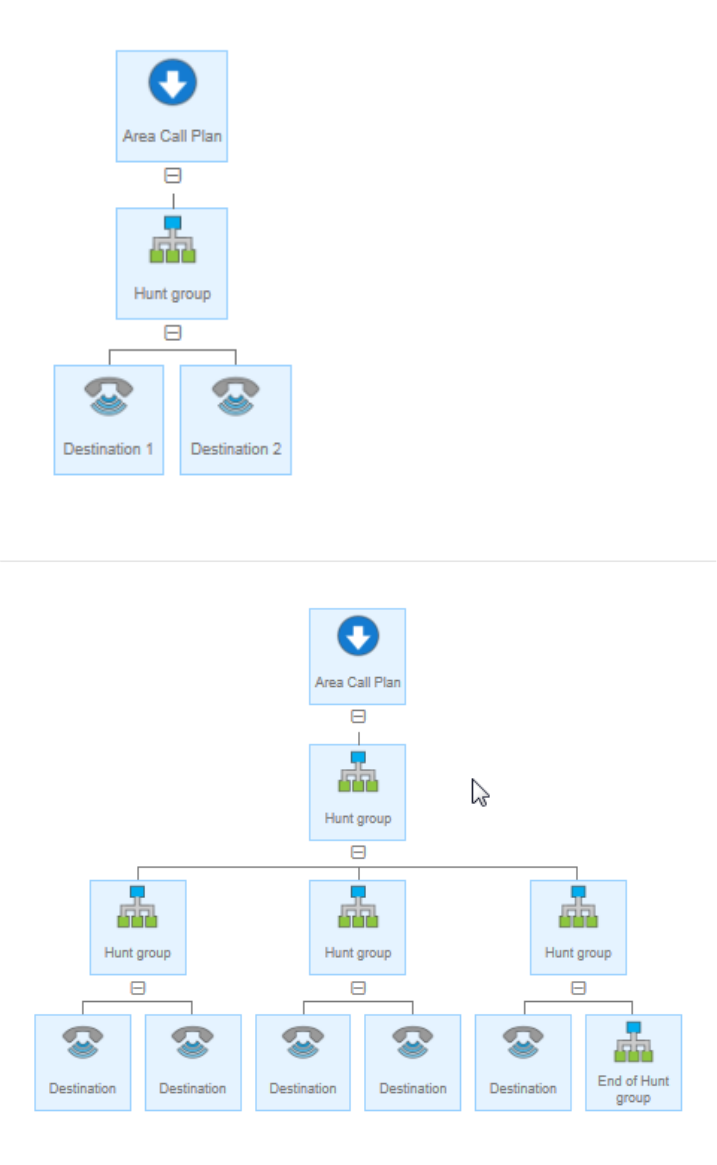
Note, there can be only one End of Hunt group action specified.
The hunt search will attempt each number once only and then either stop or invoke the End of Hunt group path if specified.
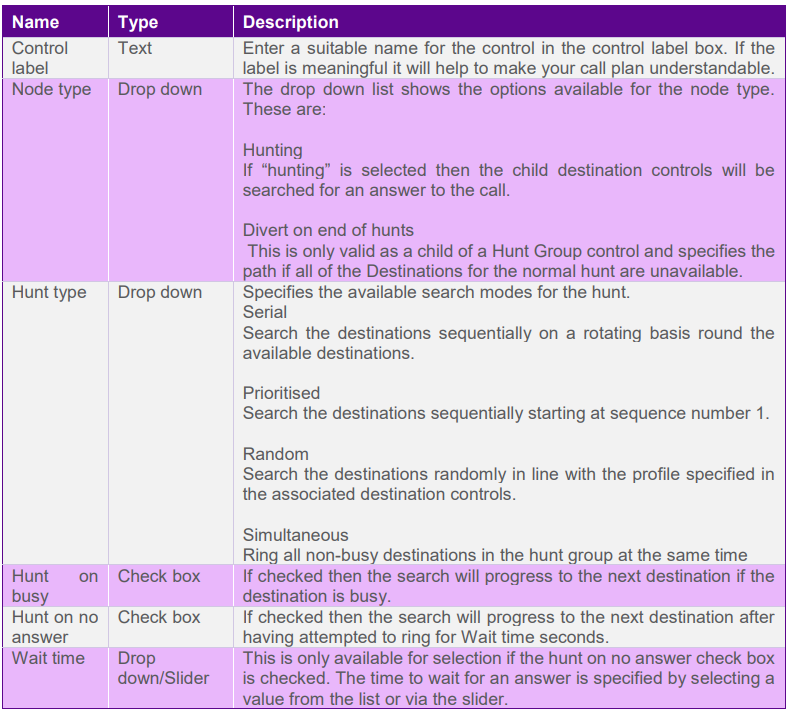
Hunt Group Input Fields and Buttons #