Area Description #
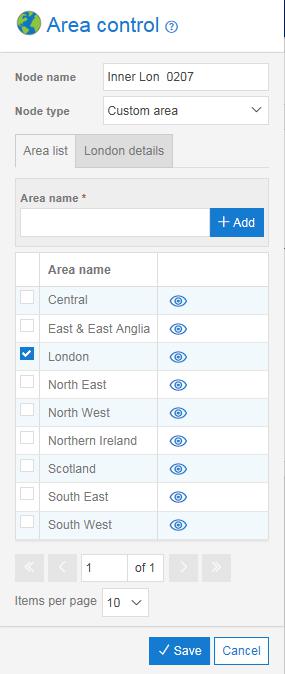
You can use the Area control to define customised areas and distribute calls according to the area code or telephone number of the caller. This can be useful where the company wishes to route calls to the nearest regional office based on the callers’ area code. An example might be if your company has regional offices in Scotland and England then all calls originating in Scotland could be routed to the Scottish office and all England and Wales originating calls could be routed to the England office.
If the call plan contains overlapping customer area definitions then the system will route to the branch that matches the largest number of digits. For example, in the simple example below an area code with the London prefix 02 and another with the inner London prefix of 0207 have been defined to have different call routing outcomes. If a call is received from a caller with telephone number 020712341234 then this will route to the branch called Inner Lon (0207) and hear the announcement played. If a caller with the telephone number 02035675678 calls then they will be routed to the destination. All other callers will be routed to the Default action which is to play the announcement called “Not Available”.
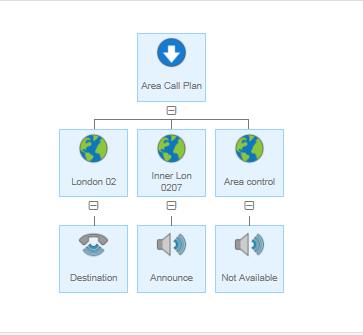
Each custom area code defined in a control automatically becomes available to all call plans created for that number. For example, you may have defined your main call plan but then wish to build a separate disaster recovery plan. All the area codes you defined in the main plan will be available within the Area controls for your new plan.
The Areas defined are specific to the Inbound number and will not be available on other numbers that the company uses. That is, the area codes must be created for each Inbound number you build call plans for.
Area Tip #
Always include a Default node to pick up any area codes that have not been defined.
Area Rules #
If you wish to have a call queue route on to an Area control then this would be via the Call Queue Overflow or Call Queue Breakout nodes only.
You must always include an Area control of node type Default when Area controls are used. It may be possible for a call plan to exist without a default whilst editing. However, the call plan will not pass validation if a default is not present.
There can be only one default Area control within a sibling group, i.e. under the same parent.
You cannot add an Area control as a child of another Area control.
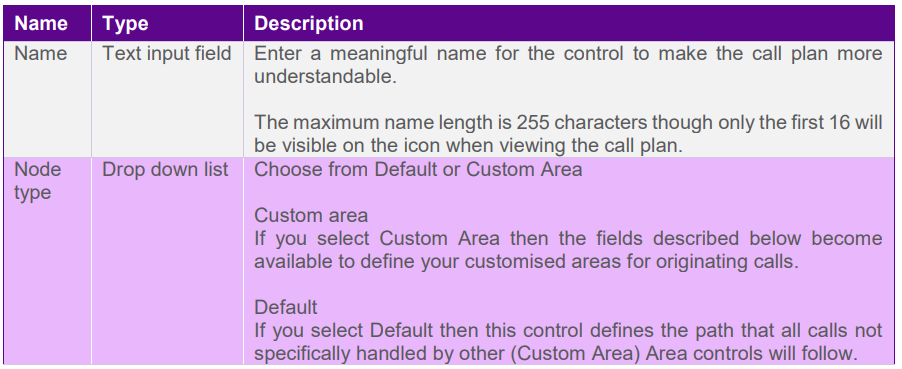
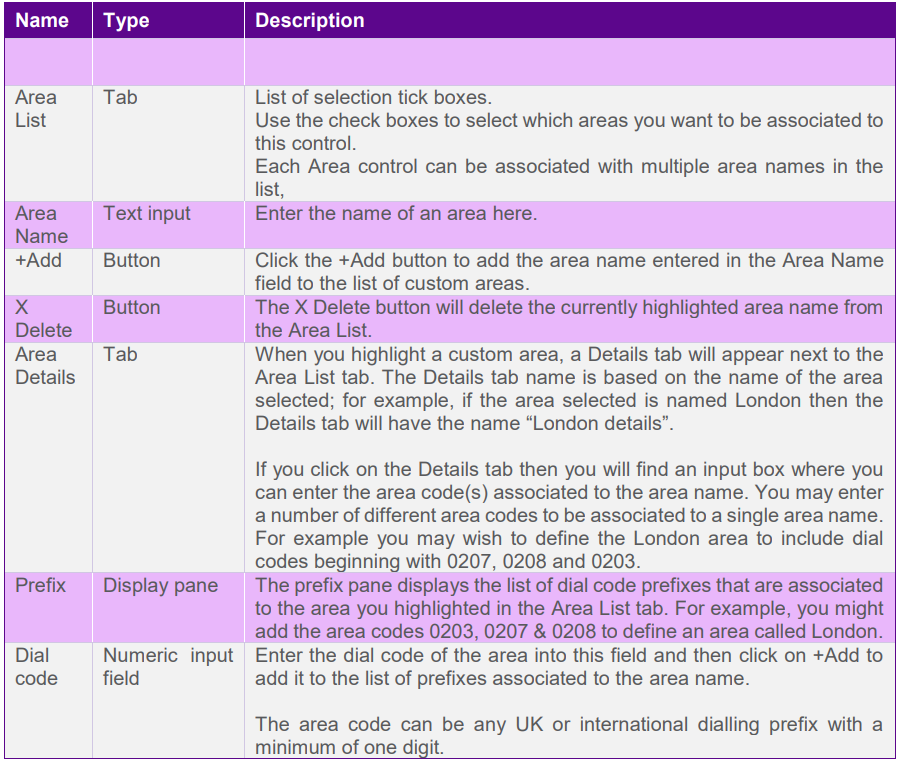
Area Input Fields and Buttons #