Goto (1) – GoTo Dialable Number #
What does it do? #
It allows a caller to be routed from a call plan on one number, to a call plan on another number, i.e. ‘goto’ a call plan from another call plan.
Why would you use it? #
Reduces duplication and centralises management of complex call plans.
GoTo Dialable Number can be used where a business has multiple published numbers that customers can dial to be routed to a particular department or service.
Call Flow Example: #
In the example below, customers can dial the ‘main number’ or ‘customer services number’ to speak with customer service.
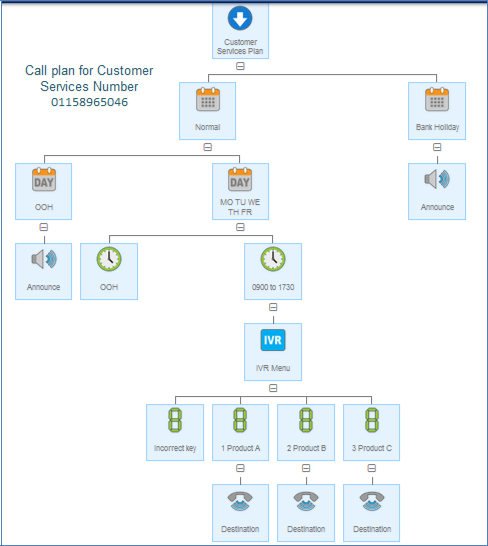
Inbound number 01158965046 (figure 1) is a direct number to speak to customer services. This number has a complex plan with an IVR.
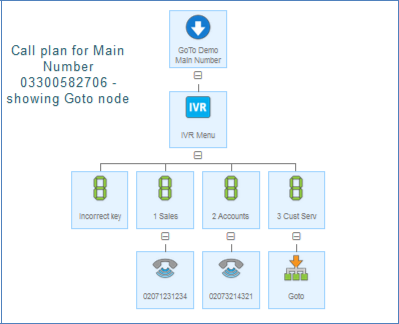
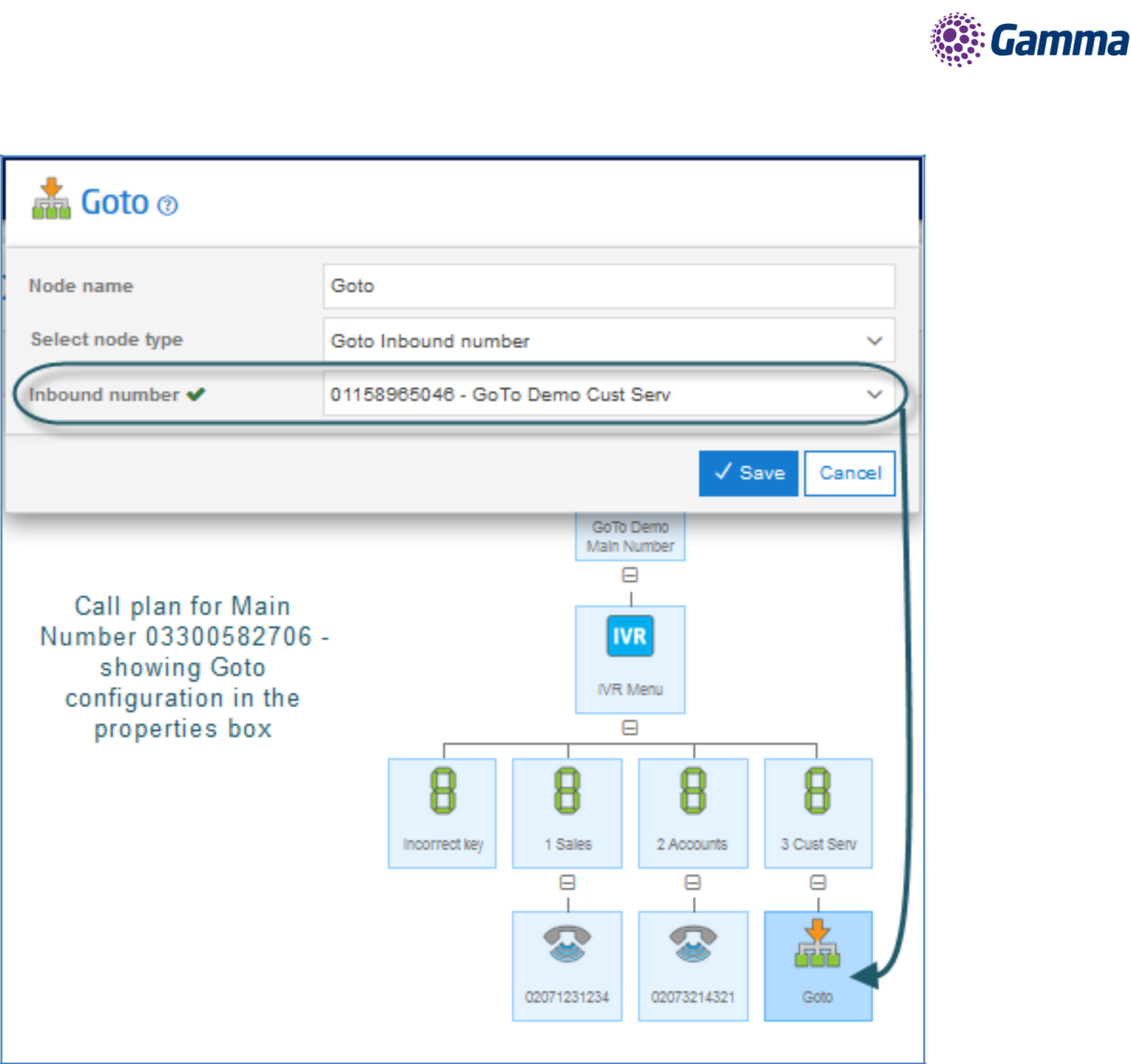
Inbound number 03300582706 (figure 2) is the ‘main number’ for the same business. The call plan allows the caller to speak to various part of the business including customer service. But rather than repeating the IVR within the main number call plan, we simply use the goto feature (figure 3) to allow the caller to be routed the customer service plan.
Added Advantage #
This approach allows the two plans to be managed independently as well as removing the requirement for the customer service routing to be managed in two places.
Customer Services Call Plan #
Main Number Call Plan #
Goto Routing Configuration #
Goto (2) – GoTo Virtual Number #
What does it do? #
The Goto Virtual Number, provides the same functionality as the ‘Dialable Number’ except the Virtual Number is non dialable.
Why would you use it? #
To manage sections of very complex plans, typically with multi-level IVR’s for various sections of the business independently.
Typically it would be used where a team or department does not have their own published or direct number, so are only reachable from a main or other number, and this department has complex routing and/or has a requirement to frequently update or edit their plans. It allows the Inbound customer to segregate access from main or other numbers, and still have respective teams manage their specific routing plans.
Call Flow Example: #
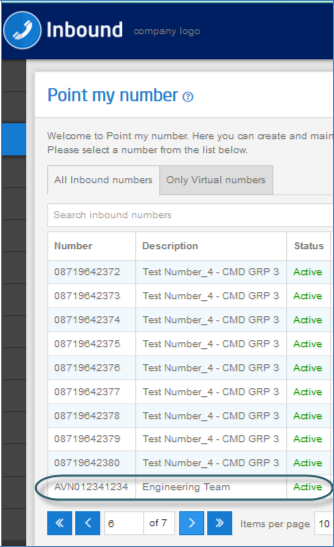
The call flow example could be the same as the Dialable Number, except the Inbound customer has to firstly create the Virtual Number. It should be noted that Virtual Numbers cannot be dialable so when creating Virtual Numbers the user is forced to start the number with a character. As in figure 4. Virtual Numbers are created on the Point my Number tab, under the Only Virtual Numbers section.
Virtual Number example #
Goto (3) – Goto Destination by Dialled Number #
What does it do? #
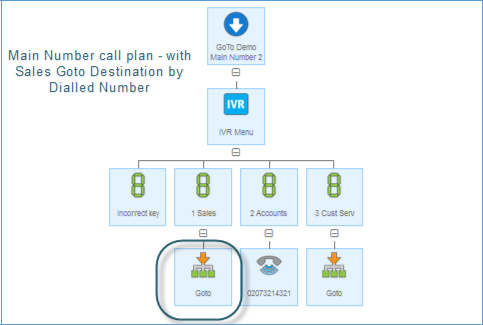
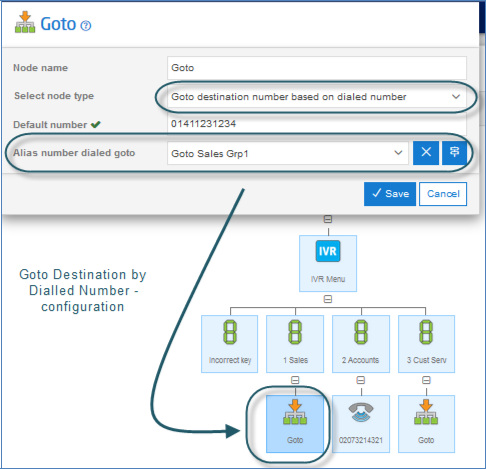
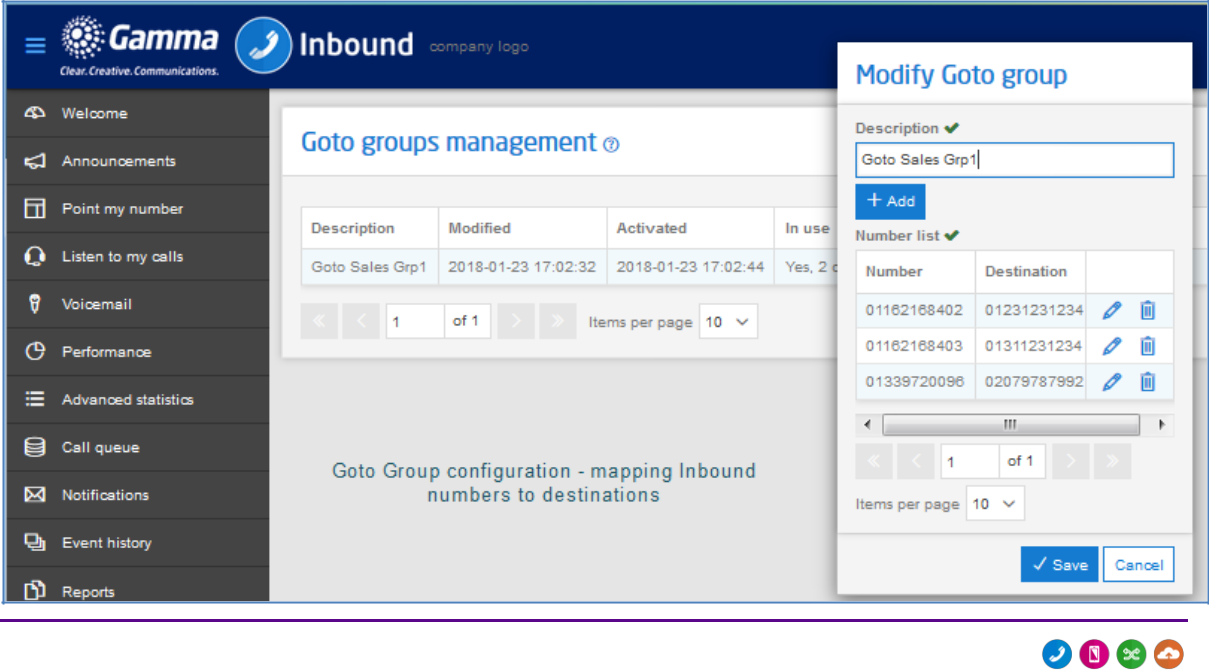
Again same functionality of Dialled and Virtual Numbers, except where the Inbound customer may want to have several Inbound numbers with Goto’s to a single Dialable or Virtual Number, the Inbound customer can chose which final destination the caller should be routed to depending on what number the caller dialled.
Why would you use it? #
Again to reduce repetition in configuring and managing multiple call plans with complex routing.
This functionality suits Inbound customers that operate multiple brands and needs the caller answered by the team that services each brand. Or customers that have a need to publish multiple numbers for advertising, and want callers routed to a specific destination based on the called number, but manage it all in a single plan.
Call Flow Example: #
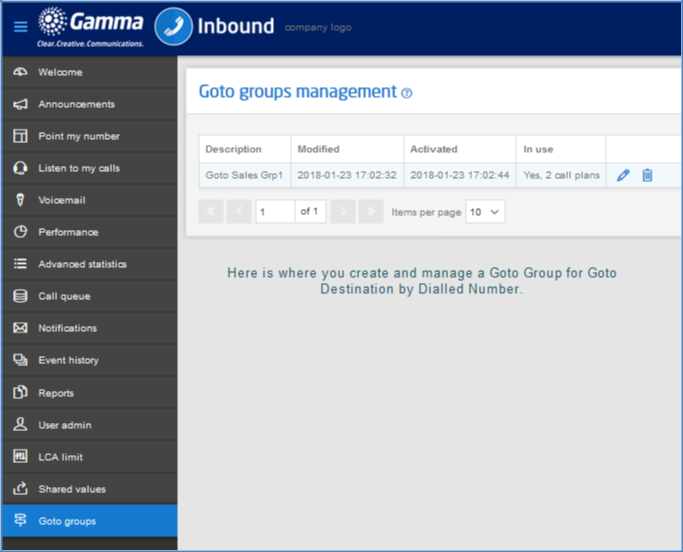
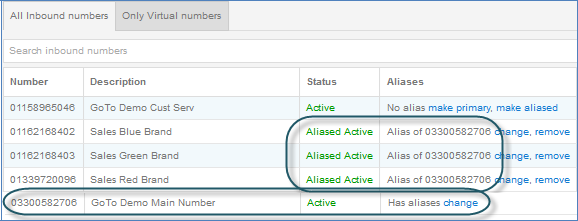
Firstly please note that, the Goto Destination based on Dialled Number is used in conjunction with the Alias feature (to group associated numbers together). Please refer to the specific documentation for further details on this feature.
Example: Customer X sells services under 4 brands; Standard, Red, Blue, and Green. They publish a different number for each brand, but the routing plan for each has the same config, but each brands customers are answered at different destination numbers.