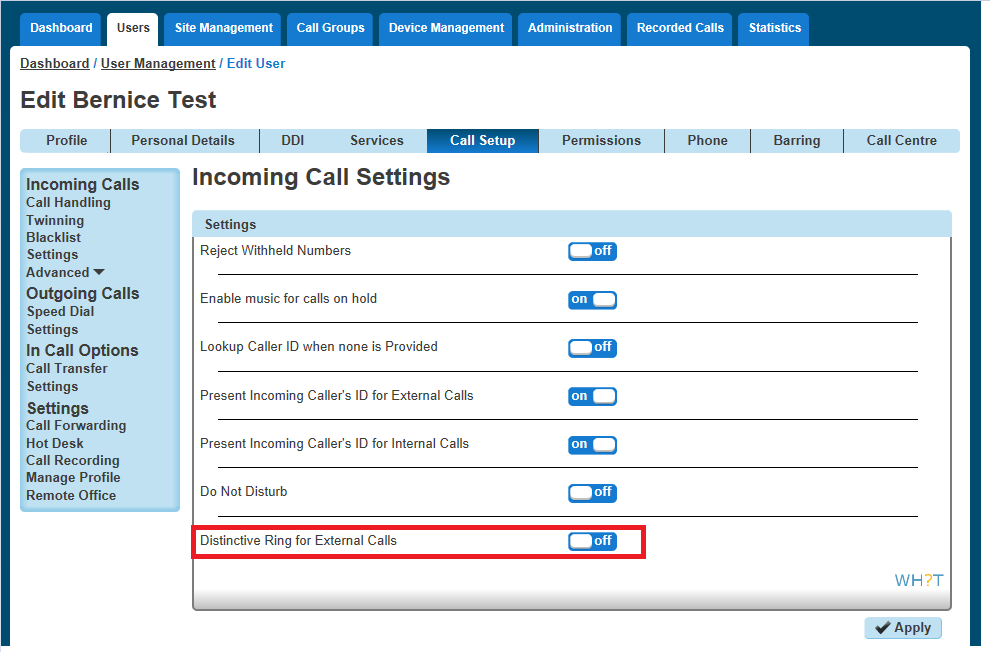
Distinctive Ringing for External Calls gives the handset a different ringtone to calls that come from another Horizon user on the same Company
Setup Distinctive Ringing as a Company Administrator #
Step 1
Log into the Gamma Portal and go to Provisioning and Service Management, Hosted, Horizon and Horizon Manage Company.
Step 2
Select your account and login to the company that you want by using the “Actions” button and selecting “Login to Horizon”.
Step 3
Click the “Users” option and then select “List Users” so you can search for the user that you want enable/disable do not disturb for.
Locate the user and click the “Edit” button.
Step 4
Click the “Call Setup” tab and then select “Settings” under Incoming Calls. From here you can set the Distinctive Ring for External Calls to be on or off for the user.