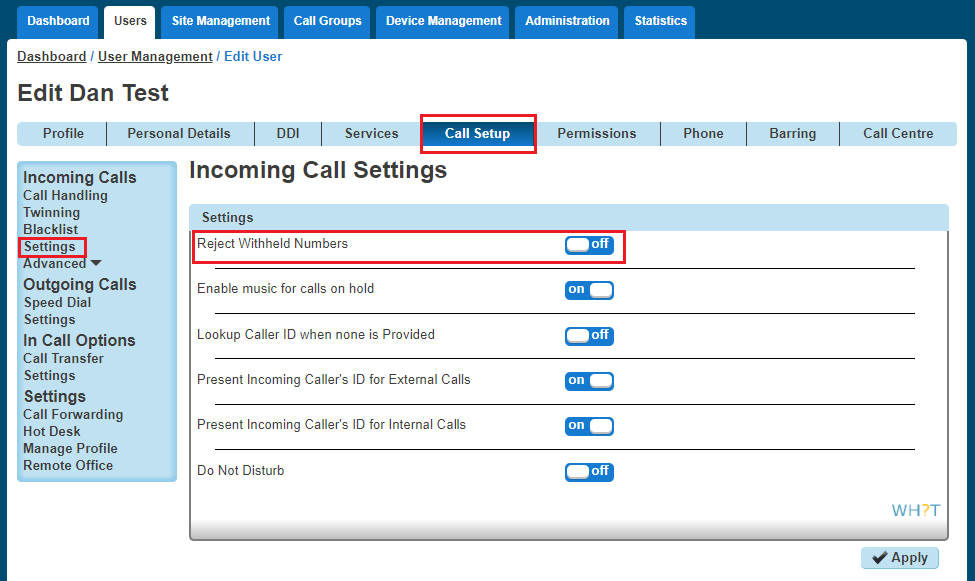
Anonymous Call Rejection enables a user to reject calls from anonymous parties who have explicitly restricted their Caller ID. By activating the service via a web interface, callers without available caller ID are informed that the user is not accepting calls at that time. The user’s phone does not ring and the user sees or hears no indication of the attempted call. This service does not apply to calls from within the group.
If a user in a Call Queue Group has Anonymous Call Rejection enabled and a “withheld” caller reaches the front of the queue, the call will not be delivered to the user with Anonymous Call Rejection, even if that user is available.
The call will wait until another user without Anonymous Call Rejection enabled becomes available.
Only a Company Administrator can set up a user with Anonymous Call Rejection.
Shortcodes #
- Activate: *77
- Deactivate: *87
Activating / Deactivating Anonymous Call Rejection for a User #
Step 1
Log into the Gamma Portal and go to Provisioning and Service Management, Hosted, Horizon and Horizon Manage Company.
Step 2
Select your account and locate the company that you want to update Anonymous Call Rejection for using the “Actions” button and selecting “Login to Horizon”
Step 3
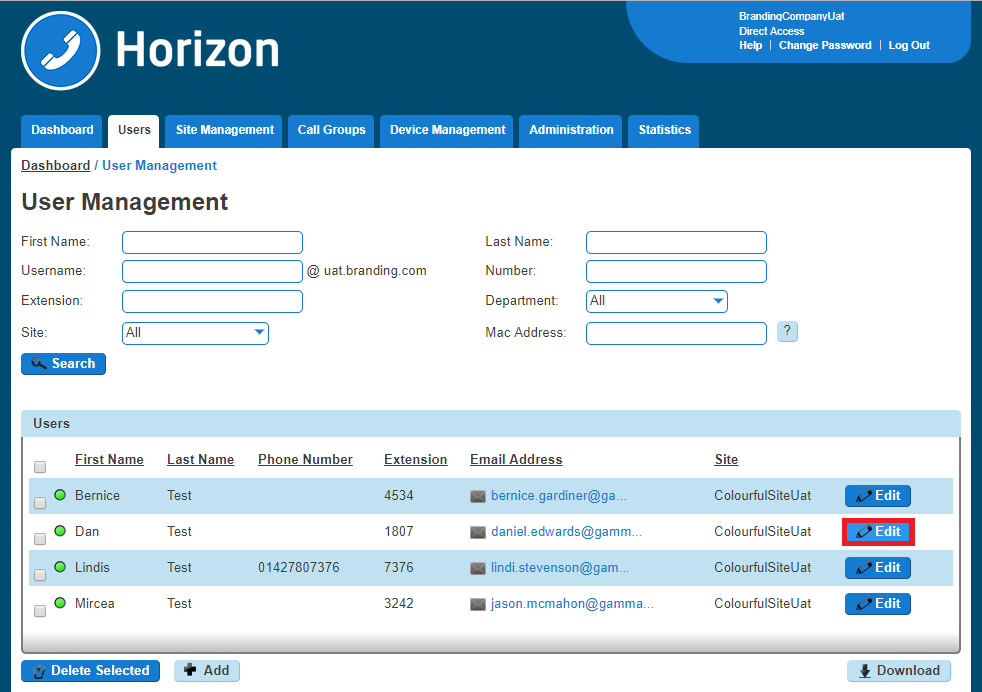
Select “Users” and “List Users” and using the search screen identify the user you want to activate/deactivate Anonymous Call Rejection for and click “Edit”.
Step 4
Click “Call Setup” and then under the Incoming Calls section select “Settings”.
Use the button next to “Reject Withheld Number” to either switch this feature on or off. Click Save.