Signing Up to Push Reports #
Please use the below guide to help you set up push reports.
Step 1
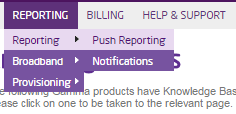
Login to the Gamma Portal and hover over the ‘Reporting’ tab which will present a drop down list. From this list select reporting then push reporting.
Step 2
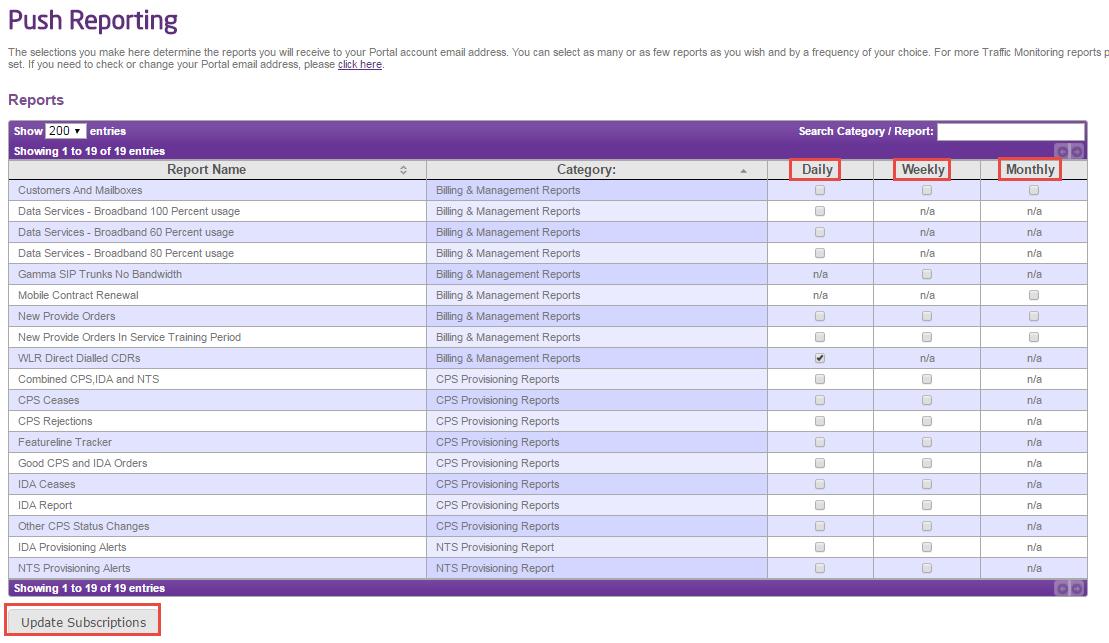
The next page shown will allow you to select the reports that you want and will also allow you to select the frequency daily, weekly or monthly. Once you have selected these please press the update subscription button.
Usage Report #
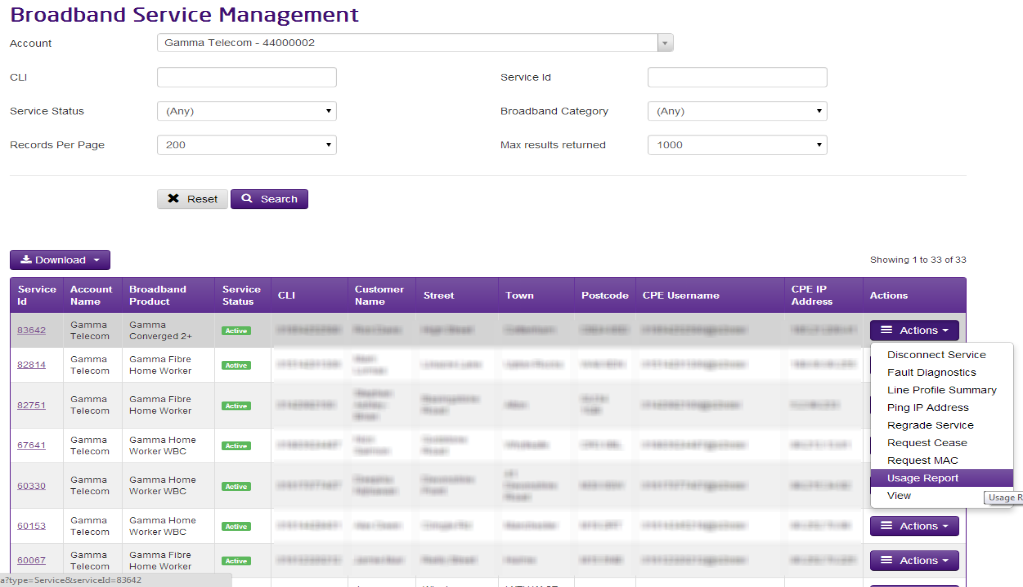
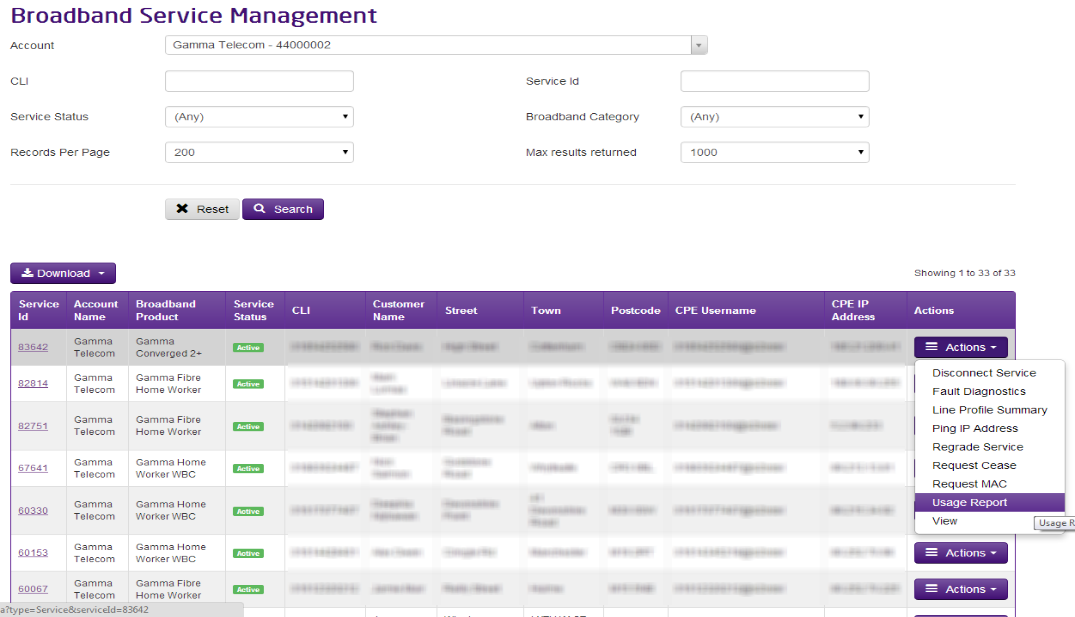
If you’re wanting to see what a service is using data wise, you can do this using our Usage Report from the Service Management screen.
Step 1
Once you’re in the Service Management screen, using the Actions drop down select “Usage Report”.
Step 2
Select the start date and end date and whether you want to display the data broken down by each day or by each month. Click “Query” and then this will display the Upload, Download and Total data used for that circuit.
Incident Status #
Within this screen, you can check to see if there are any BT incidents (Major Service Failures, Planned Engineering Works etc), Gamma Broadband alerts, or any support calls linked to a service.
BT Network Incident Check #
This table will alert you to any known outages or planned engineering works which the service is linked to. If any issues are identified, you can find further information from here.
To find the further information, click on the number of either Major Service Failures, Planned Engineering works or BTW Trouble Tickets (highlighted in below screenshot)

Gamma Broadband Alerts Check #
This table will show you if there are any known Gamma Broadband alerts which have been raised in the last 7 days.
To find further information for any Gamma Broadband Alerts, click on the number of alerts as highlighted in the image below:

Gamma Support Call #
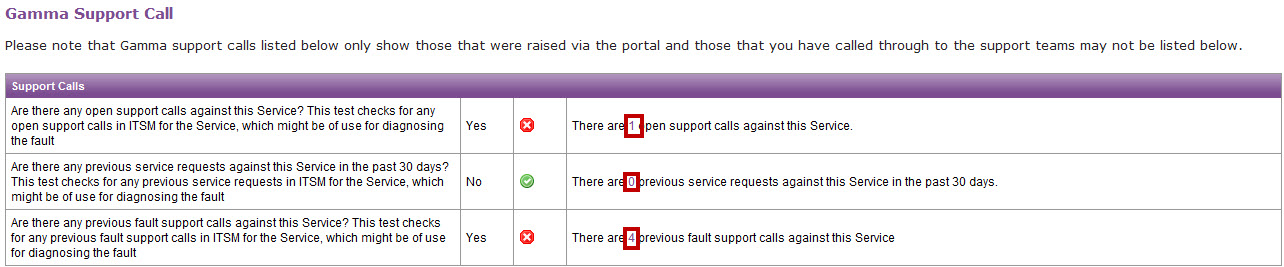
This table will show you the fault history of the circuit, including any service requests. You can get more information for open support calls against the service, previous service requests (30 day limit) and previous fault support calls.
To find this further information, click on the number of of support calls or service requests as highlighted in the image below.