
Add a New WAN Interface #
- Click the three lines menu in the top right of the screen.
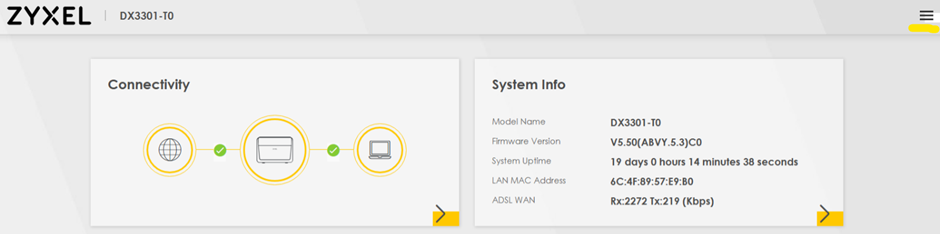
- Navigate to Network Setting then Broadband.
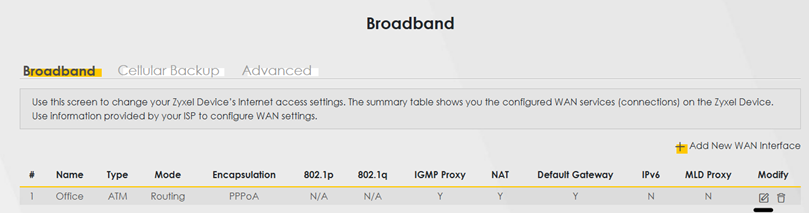
- Click Add New WAN Interface.
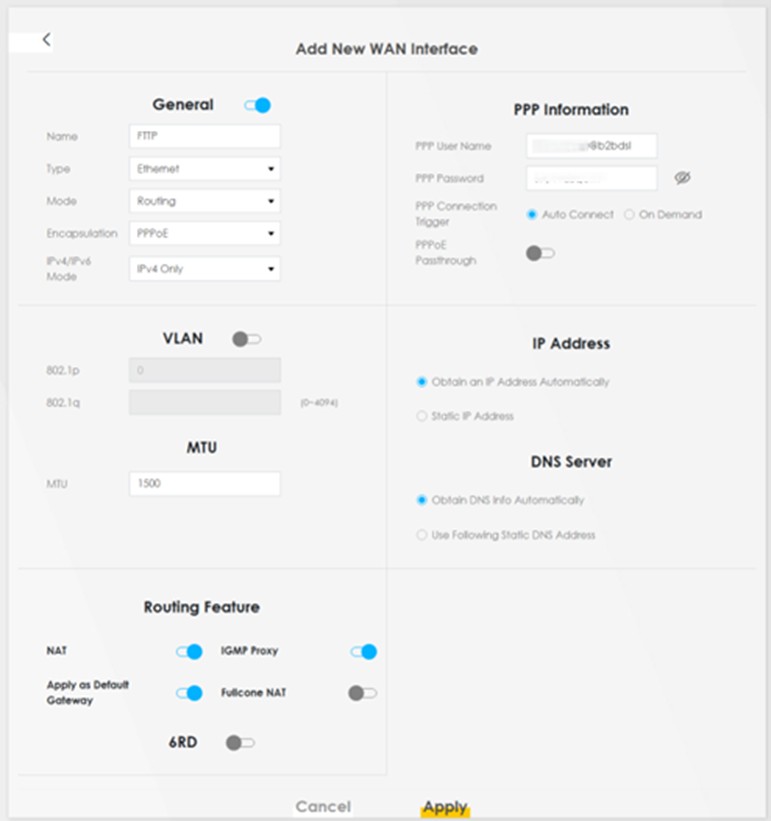
- You can edit as required, though standard setup would match the below, with your specific PPP information included.
Edit an Existing WAN Interface #
- Click the three lines menu in the top right of the screen.
- Navigate to Network Setting then Broadband.
- Click Modify to edit the current interface.
- You can edit as required, though standard setup would match the below, with your specific PPP information included.
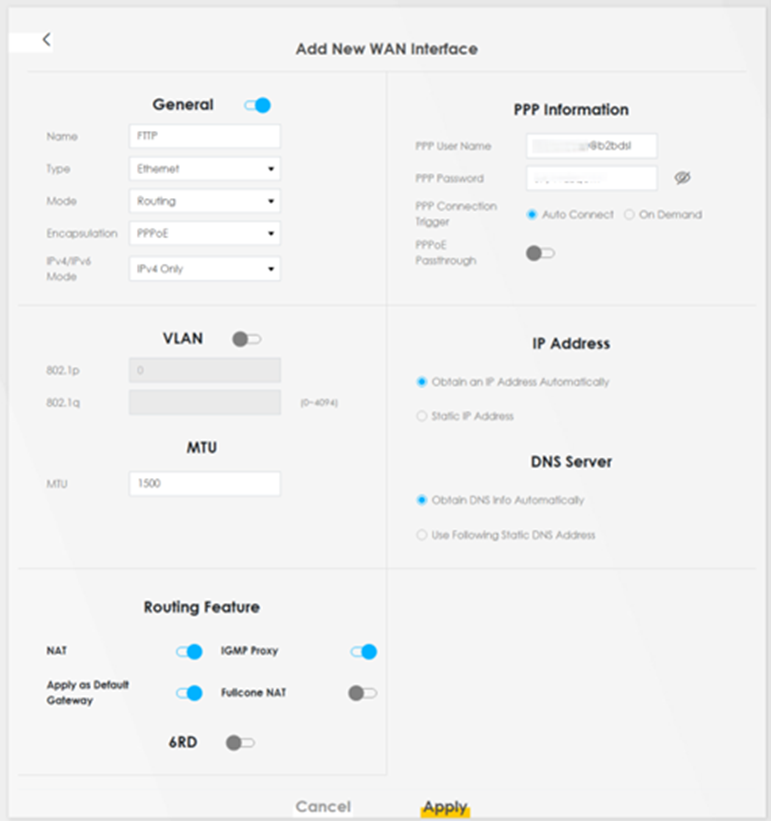
- Click Apply to save these settings.