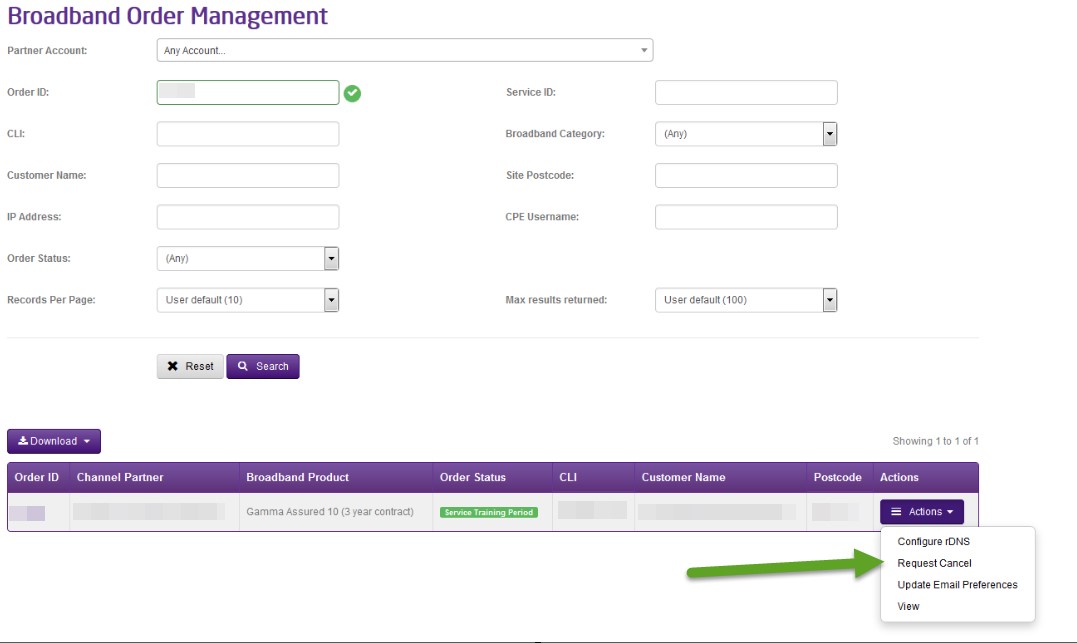
To cancel an in-flight order, you should go to Provisioning and Service Management, Data Services, Broadband and Order Management.
Search for your order and then using the Actions drop down you can select “Request Cancel”. This is an automated process and doesn’t require any action form our Service Desk.
If you are unable to request a cancellation and don’t have that option on the portal, please speak to your account manager as access may need to be granted.
If you require to modify the order and are unable to do so on the portal you should contact our Service Desk on 08081788000 option 2, option 1 or alternatively email broadbandorders@gamma.co.uk.
Cancellation charges will apply & Early Cancellation Charge – (before BT install the customer circuit) will apply. Please refer to the Price List for Cancellation Charges.
Placing a Cease request #
From the Broadband Service Management screen, do the following:
Step 1
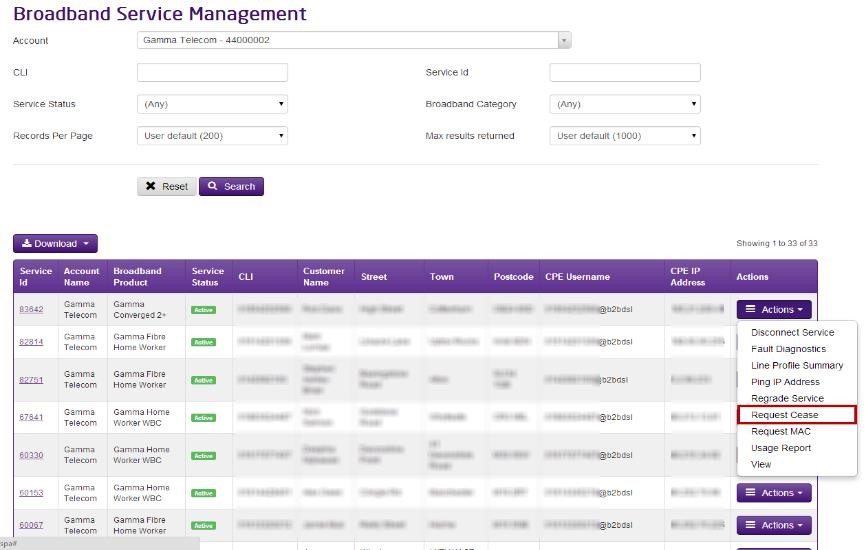
Search for the existing service using either CLI or Service ID and then using the “Actions” menu select “Request Cease”.
Step 2
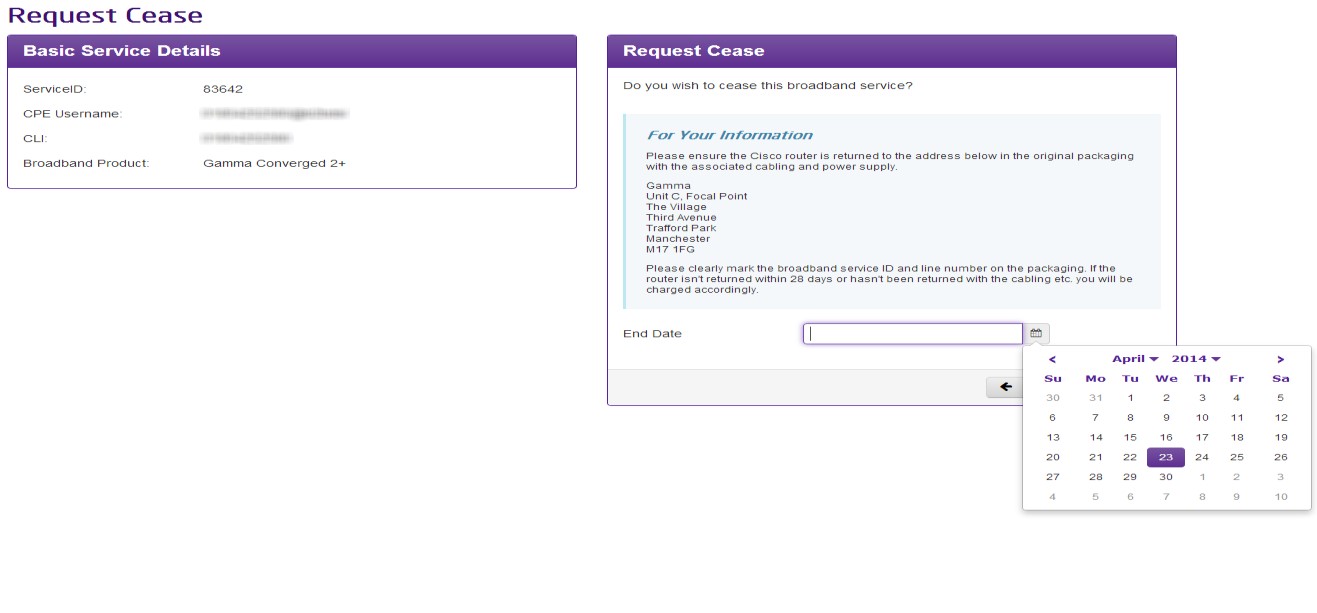
Enter the date that you wish to end your Broadband service on and the reason for ceasing, then click “Cease” and this will then process through.
Please note Ceases can take up to 24 hours to complete.
If you are unable to request a cease and don’t have that option on the portal, please speak to your account manager as access may need to be granted.