
Add new WAN interface #
- Click the three bars menu in the top right.
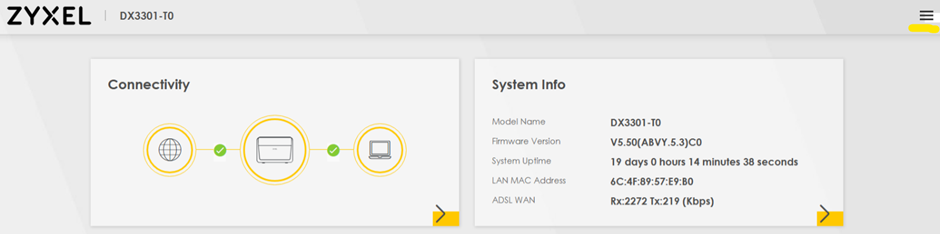
- Choose Network Setting, then Broadband.
- Select Add New WAN Interface.

- A fibre NAT-ed setup configuration is below, though your specific PPP information/circuit credentials should be used:
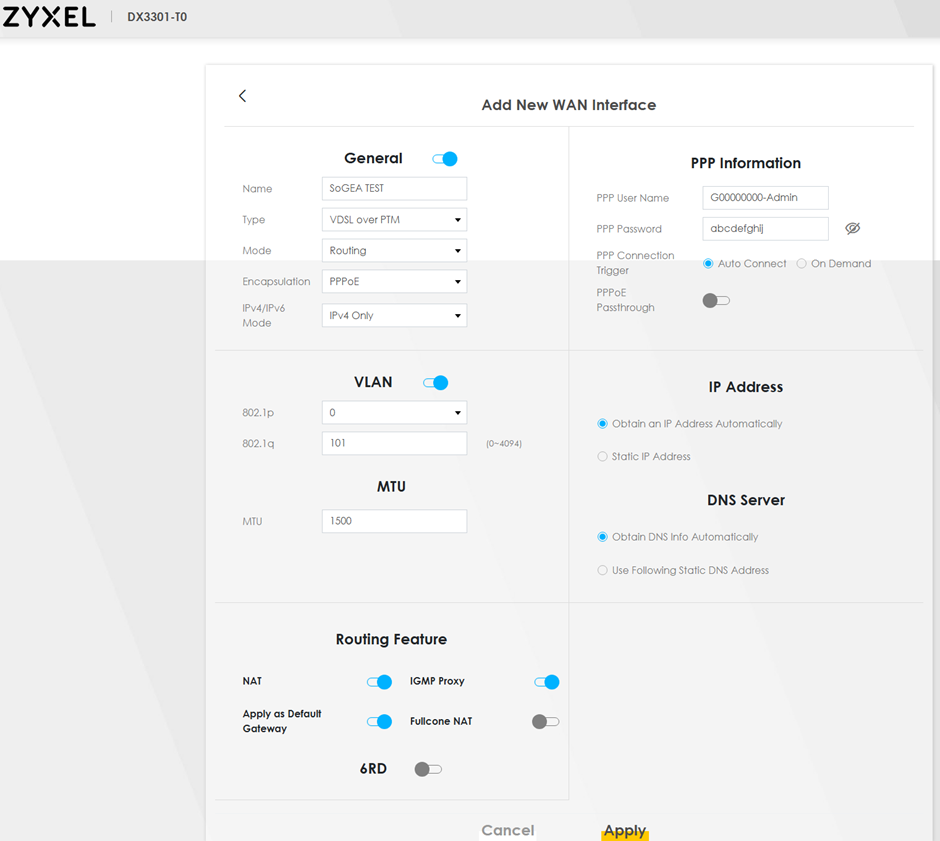
- Click Apply.
- Your new WAN information will now be available in the Broadband section of Network Setting.
Editing a WAN interface #
- Click the three bars menu in the top right.
- Choose Network Setting, then Broadband.
- Select Modify on the WAN interface you wish to edit.
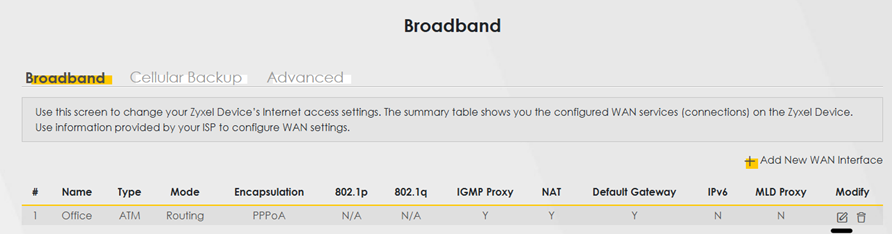
- You can edit as required, though standard setup will match the following – though your specific PPP information/circuit credentials should be used.
- Click Apply to save these changes.