DSL and IP Throughput Rates #
WBC #
| DSL Rate | Throughput |
|---|---|
0 to 288kbps | 50kbps to 250kbps |
288kbps to 576kbps | 100kbps to 500kbps |
576kbps to 1152kbps | 200kbps to 1000kbps |
1152kbps to 2272kbps | 400kbps to 2000kbps |
2272kbps to 8128kbps | 1000kbps to 7150kbps |
8128kbps to 24384kbps | 2000kbps to 21000kbps |
WBC Premium Variants #
ADSL Sync speed | Throughput |
0 to 288kbps | 100kbps to 250kbps |
288kbps to 576kbps | 100kbps to 500kbps |
576kbps to 1152kbps | 400kbps to 1000kbps |
1152kbps to 2272kbps | 800kbps to 2000kbps |
2272kbps to 8128kbps | 1200kbps to 7150kbps |
8128kbps to 24384kbps | 4000kbps to 21000kbps |
Configure a routed IP on your router #
Routed IP addresses are not provided as standard as they are only required in certain circumstances.
For more information on IP addressing please click here.
Step 1
Open your browser and access the routers web interface.
If your router is supplied by Gamma, you can follow these steps:
- Enter 192.168.1.1 to the address bar
- Input the admin logon details
- Default username = Administrator
- Default password = XXXXXXXX-Admin or GREF-Admin
Step 2
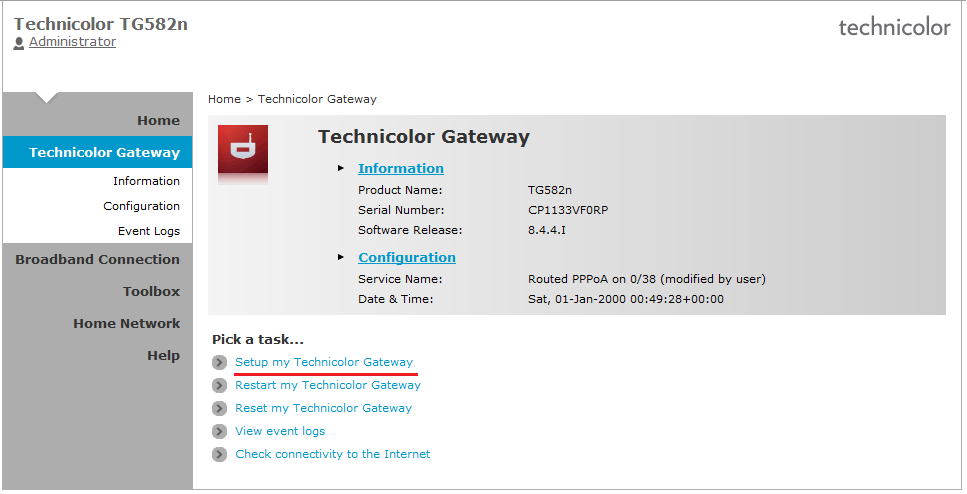
Click on ‘Setup my Technicolor Gateway’, then click ‘Next’
Step 3
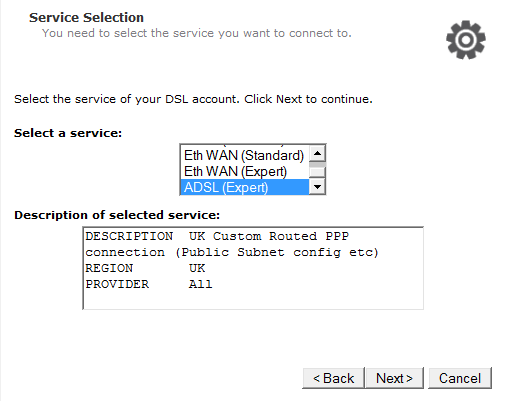
For ADSL connections: Select ‘ADSL (Expert)’ and click ‘Next’.
For FTTC/SoGea/FTTP connections: Select ‘Eth WAN (Expert)’ and click ‘Next’.
Step 4
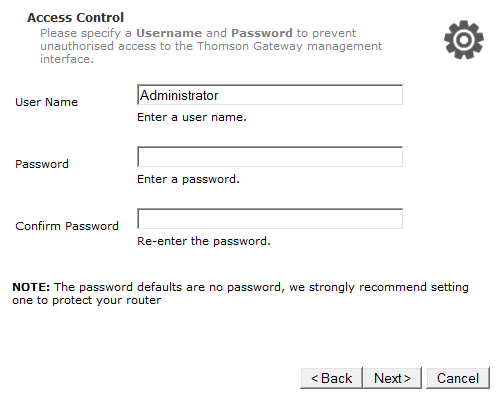
Enter the username / password for the broadband circuit (available on Broadband Service Management via the Gamma Portal).
Step 5
Leave the WAN – VLAN parameters as they are defined in the text boxes and click “Next”.
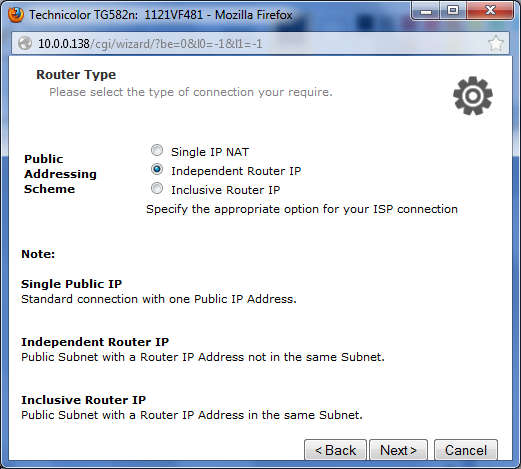
Step 6
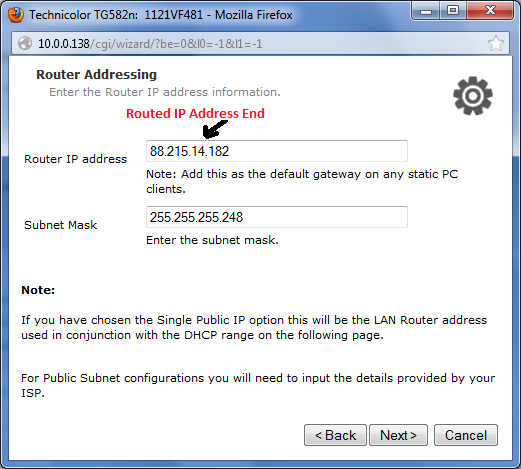
Again leave these text boxes with the data that is already in them on the UpStream QoS screen.
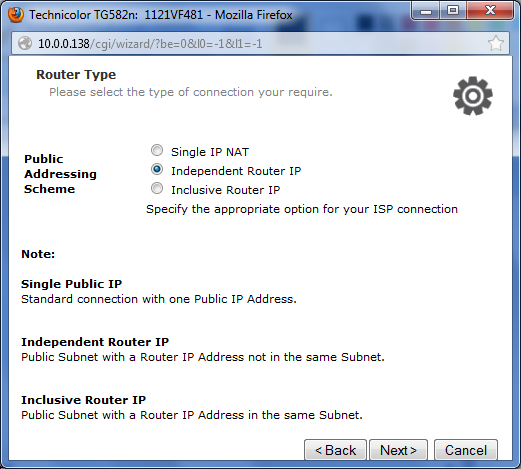
Step 7
Select ‘Independent Router IP’.
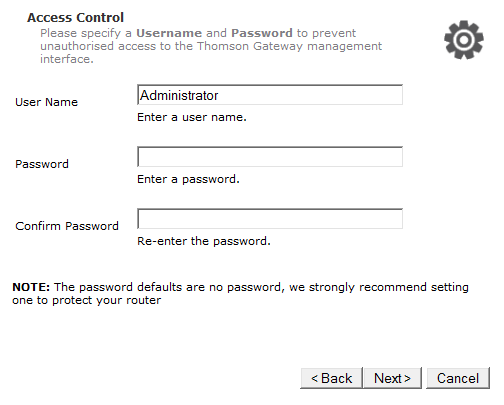
Step 8
Input the details you entered on Step 1.
Step 9
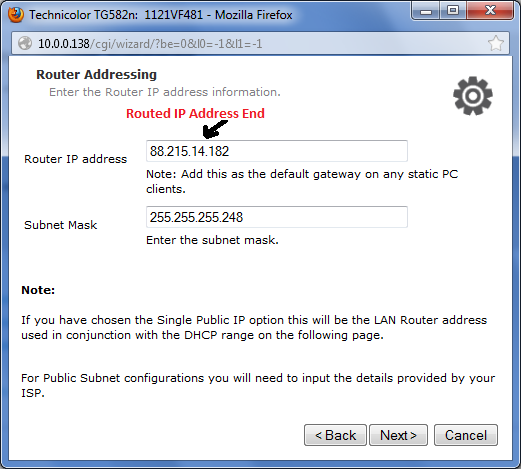
Ensure you input the correct subnet mask that was provided with your routed IP request. The Router IP should be the end routed IP address, and not any other.
Step 10
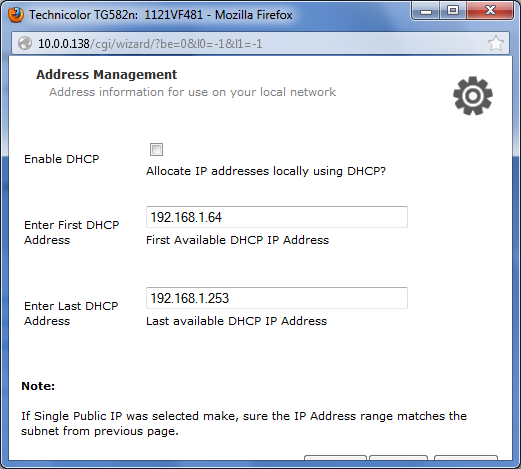
Ensure DHCP is unchecked.
Step 11
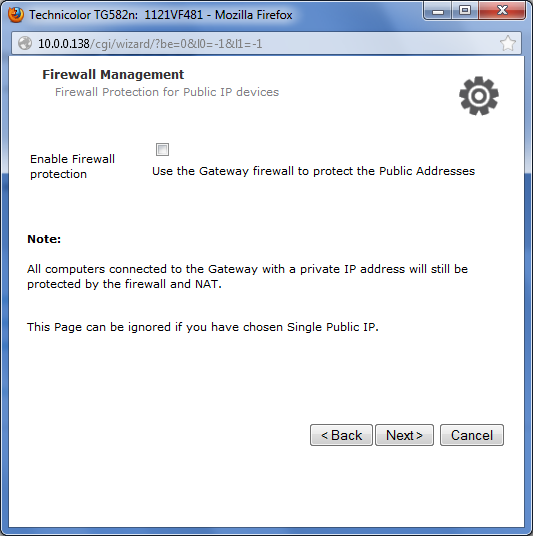
The remainder of the settings can be configured as you see fit.