
Please note: This guide is only to change the credentials – should you need to change the product type, please see the specific guide for this here.
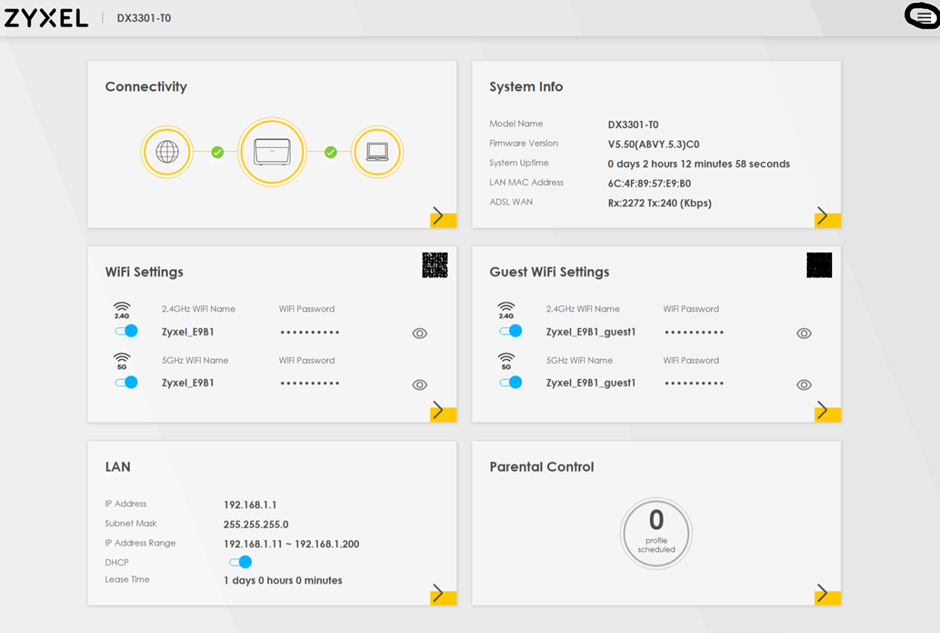
- From the main screen, click the three lines in the top-right corner.
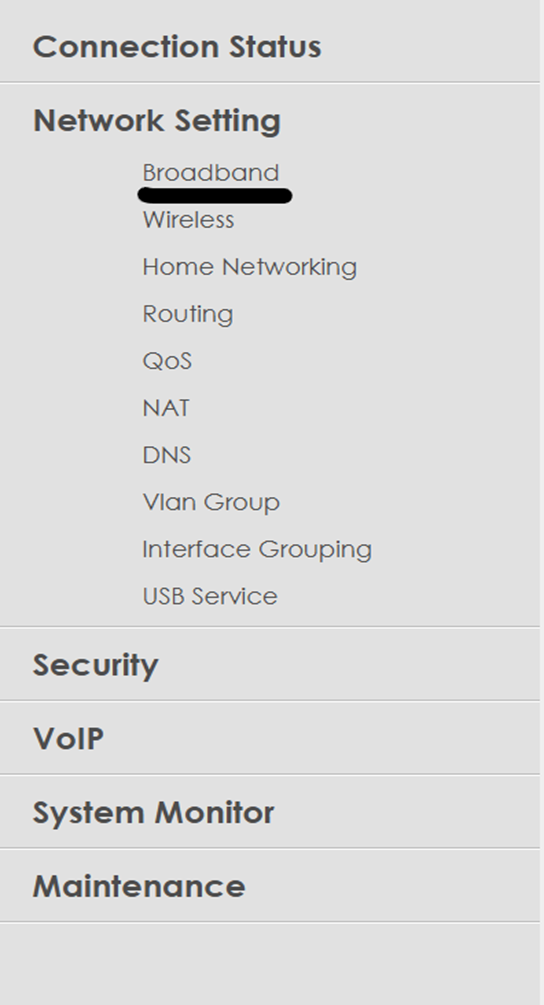
- Click Network Setting
- Select Broadband
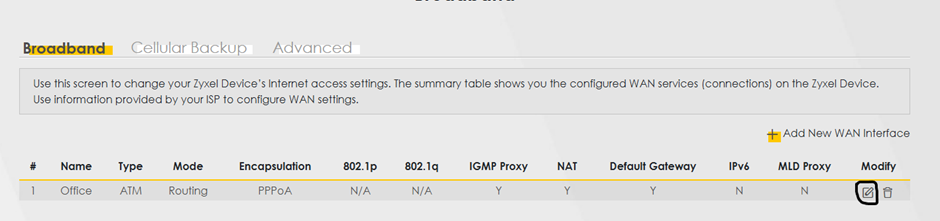
- Select Modify
- You can then make the necessary changes
- Please note:
- PPP User Name and Password, plus the Encapsulation fields are most important.
- Anything ADSL (SoADSL, ADSL) is PPPoA
- Anything fibre (FTTC, SoGEA) will be PPPoE
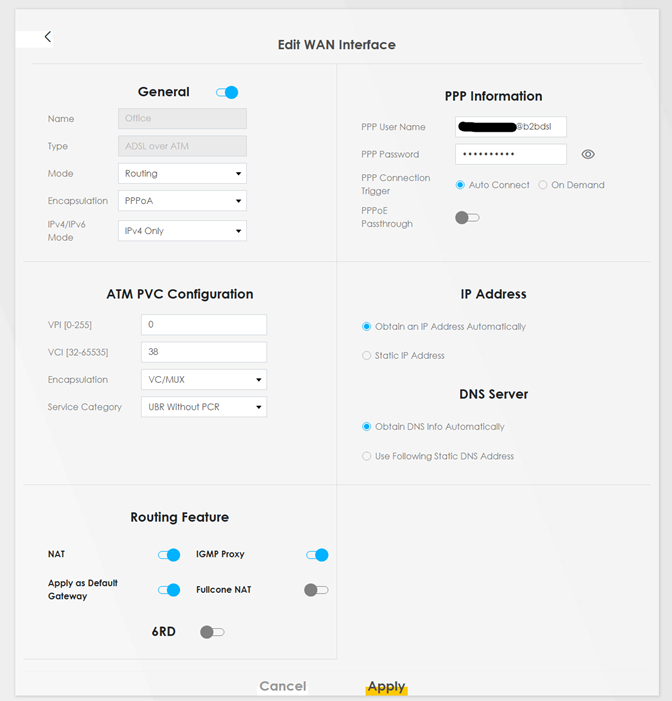
- Click Apply to save these changes.