
Yealink Profile Rules #
Step 1
You will need to find the IP address of your Yealink handset; to do so pair the handset to the base and press the middle button 4 times. The correct IP should then be displayed.
Step 2
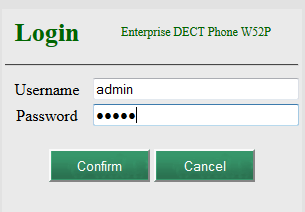
In your web browser search for the IP address of your Yealink handset which will take you to the Yealink log-in page.
Username: admin
Password: admin
Step 3
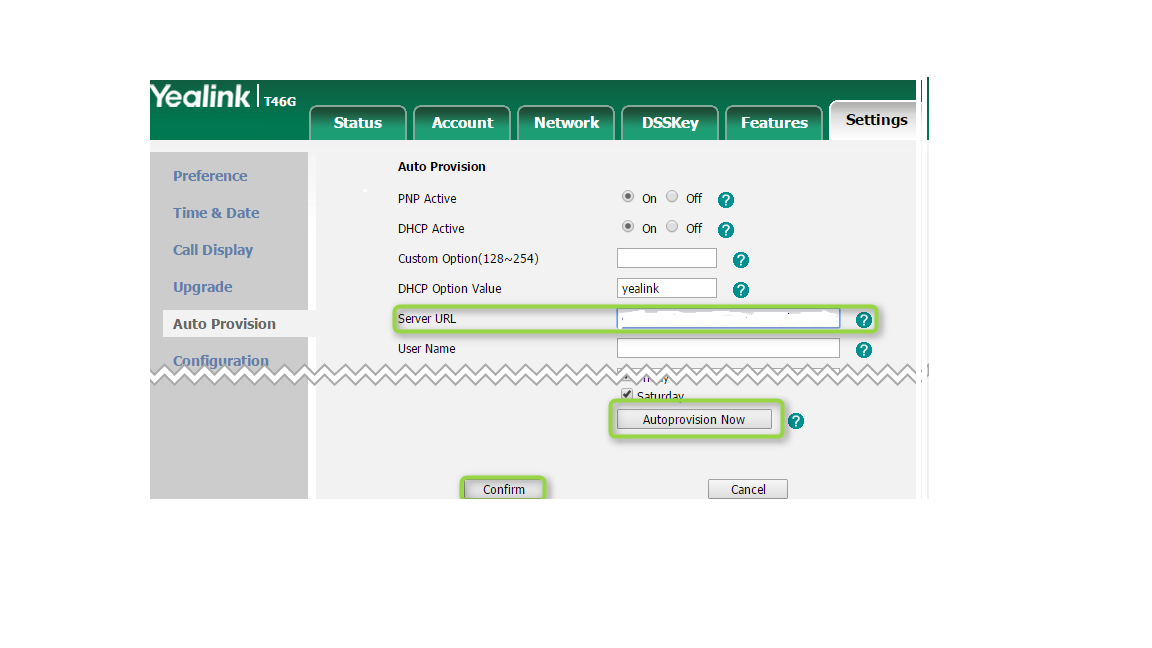
Once you’re logged in click on the “phone” tab at the top of the page.
When the Phone page loads up, select “Auto Provision” from the left-hand menu.
Step 4
In the provisioning server text box enter the following profile rule and click “Confirm”.
Following this process the phone will restart a number of times to complete the firmware upgrade, profile download and the initial registration. This takes around 15-20 minutes.
