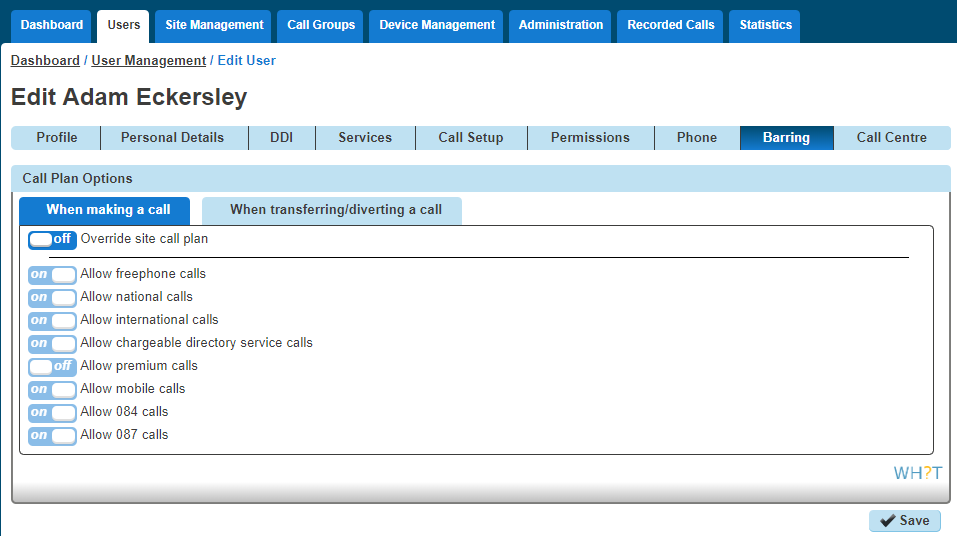
You can control Call Barring at either Site Level, or at User Level.
There are seven call-barring options. These are:
- Allow free phone calls
- Allow national calls
- Allow international calls
- All chargeable directory services calls
- Allow premium calls
- Allow mobile calls
- Allow 084 calls
- Allow 087 calls
There are two categories that need consideration:
- When making a call – call barring that is applied to any call the user makes directly via their calling device or software, including a consultative transfer.
- When transferring/diverting a call – call barring that is applied to call when a user attempts to blind transfer a call to an alternative station or a divert attempt as a result of the call forwarding feature being invoked, a divert on busy for example. The call barring under this heading does not apply to consultative transfers. Consultative transfers are covered under ‘when making a call’.
You can quickly view what call bars a user has set up, both on their site and if they are overriding the site settings by using the Horizon Health Check.
Setup and Manage Site Call Barring #
Site Call Barring can only be set up by a Company Administrator.
Step 1
Log into the Gamma Portal and go to Provisioning and Service Management, Hosted, Horizon and Horizon Manage Company.
Step 2
Select your account and locate the company that you want to set up Site Call Barring for by using the “Actions” button and selecting “Login to Horizon”.
Step 3
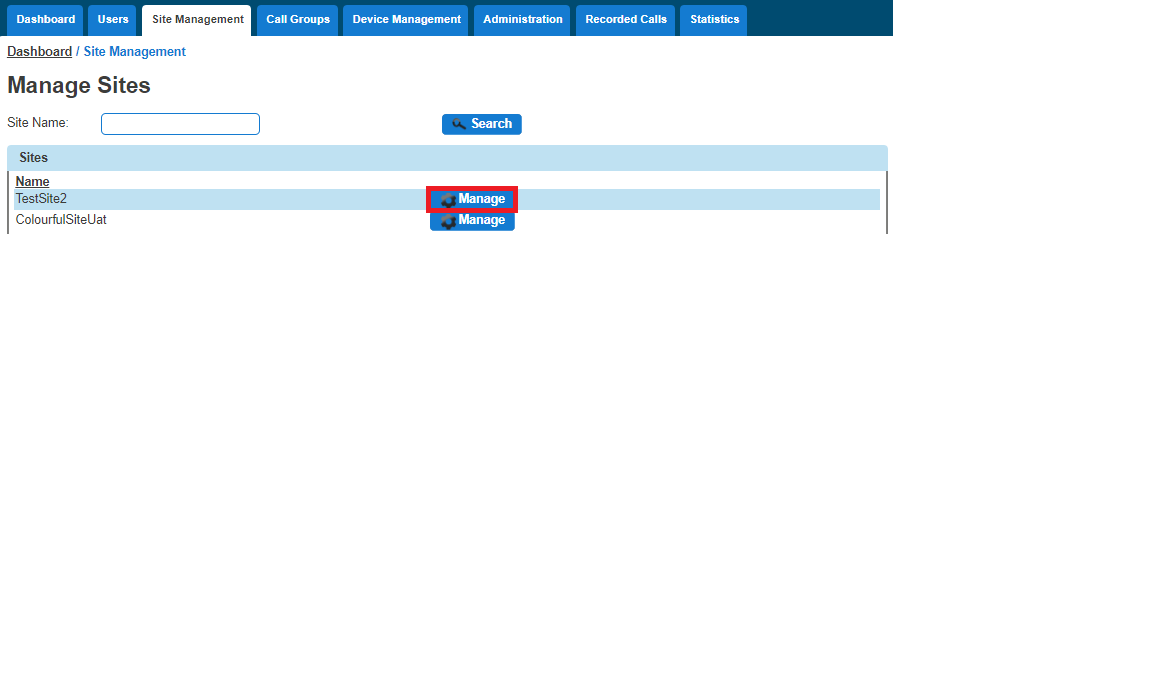
Select “Site Management” and then click the “Manage” button next to the site you want to add or manage Call Barring for.
Step 4
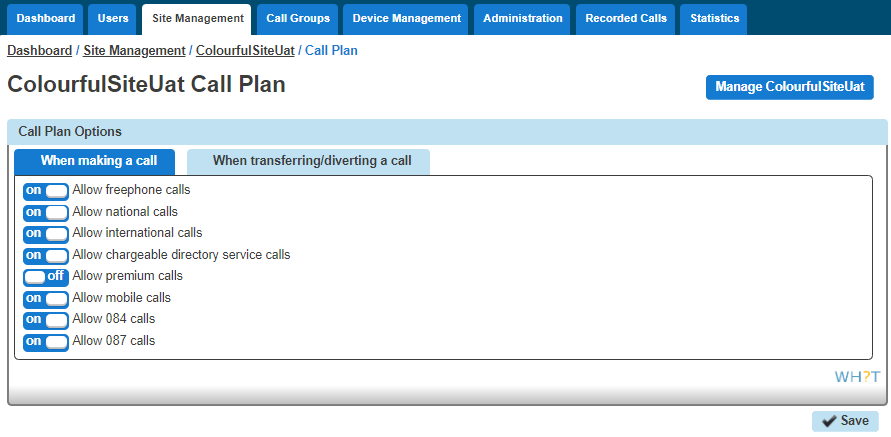
Select “Call Plan” and this will then load up the available options you have for site call barring. This can be done for making a new call or transferring a call.
Once you’ve made your changes you should click “Save”.
Override Site Call Barring for a User #
Overriding Site Call Barring for a user can only be done by a Company Administrator.
Step 1
Log into the Gamma Portal and go to Provisioning and Service Management, Hosted, Horizon and Horizon Manage Company.
Step 2
Select your account and log in to the company that you want by using the “Actions” button and selecting “Login to Horizon”.
Step 3
Go to “Users” and “List Users”, then locate the user that you want to override site call barring for and then click the “Edit” button.
Step 4
Select the Call Barring tab and then you toggle the “Override site call plan” button. The default options are what the site the user is located on has set up.