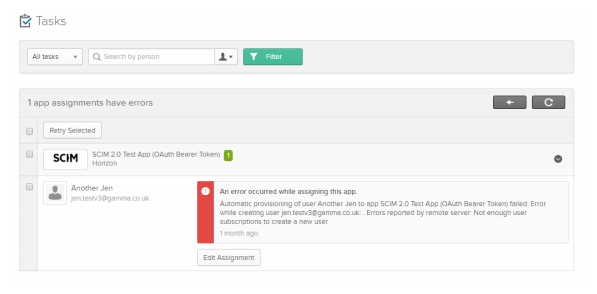
If you receive any error messages with the Horizon Portal you should clear your browser cache and cookies and re-try the action that you were trying to complete. If you are able to replicate the issue again you should contact the Service Desk with the following information:
- Date/time
- What action you’re trying to complete
- What browser you are using
- When was the last time that it worked
If you are using Horizon Active Directory and having problems with adding, updating or deleting users, please check the Dashboard within the Okta Portal prior to contacting the Service Desk.
To check the Dashboard for troubleshooting please follow the below steps. More details of Setup,
If you are unable to solve the problems, please contact the Service Desk (please include details of the error messages found within the Okta Portal Dashboard).
Go to the Dashboard Tab on Okta main page:
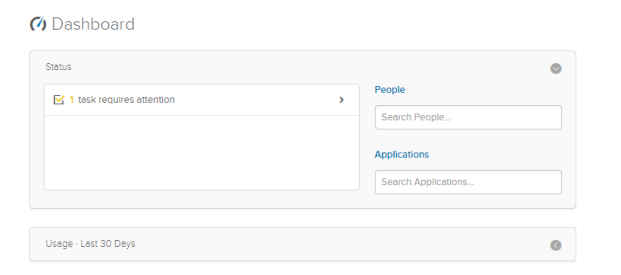
Any alerts will appear within the Status Window. Click on them to see more information:
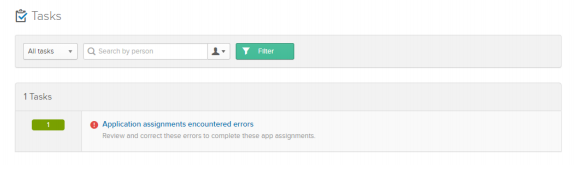
The Okta Portal will then break down the Alerts into more details. Please click on them for more information.
The full text of the error will be displayed in the red alert section. Please include the message when raising it to the service desk.