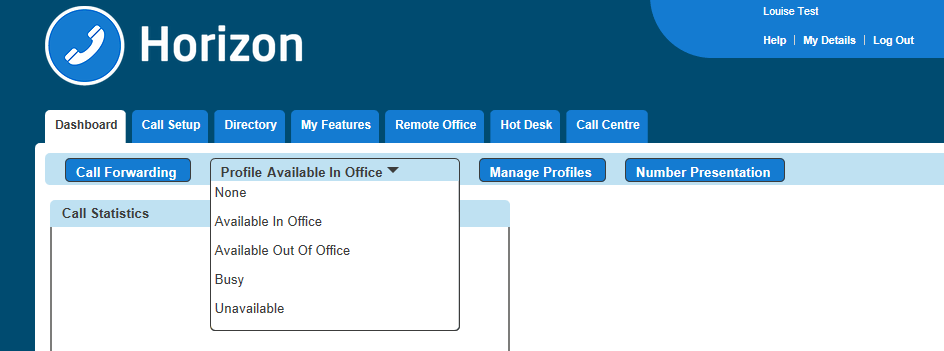
Availability (Express) Profiles enables users to pre-configure multiple profiles for managing incoming calls differently based on the user’s status. There are four pre-set profiles with the available options:
Profile | Option 1 | Option 2 | Option 3 |
Available In Office | Also ring this number | If I’m busy: Send to Voicemail Forward call to… | If I don’t answer: Send to Voicemail Forward call to… |
Available Out of Office | Send to voicemail | Forward call to… | Send me an email at… |
Busy | Send all calls to voicemail… | But forward the following numbers to… | Send me an email at… |
Unavailable | Send all calls to voicemail… | But forward the following numbers to… | Have voicemail take the call using: No answer greeting Unavailable greeting |
If a user elects to use Availability Profiles then this takes precedence over all other service settings associated with processing incoming calls. A user can have either one or no profile activated at any one time.
Give Permission to a User to use Availability Profiles #
Step 1
Log into the Gamma Portal and go to Provisioning and Service Management, Hosted, Horizon and Horizon Manage Company.
Step 2
Select your account and login to the company that you want by using the “Actions” button and selecting “Login to Horizon”.
Step 3
Click the “Users” option and then select “List Users” so you can search for the user that you want to set up Availability Profiles for.
Locate the user and click the “Edit” button.
Step 4
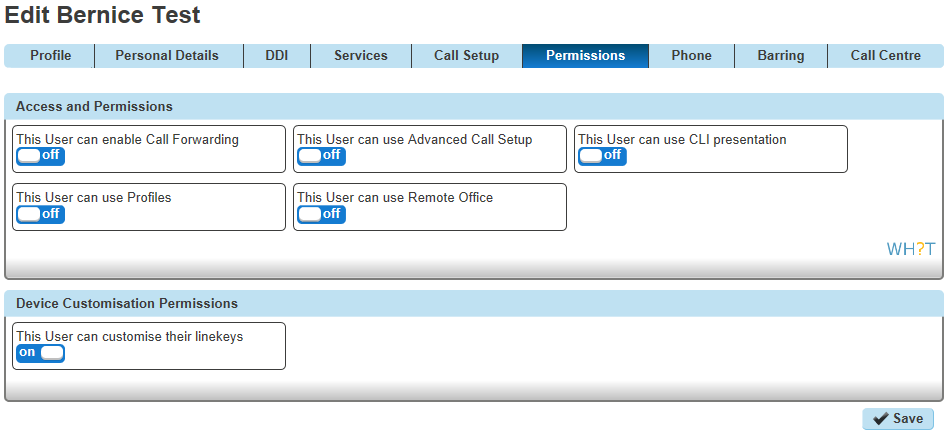
Click the “Permissions” tab and select “This user can use Profile” to On or Off.
Setup and Edit Availability Profiles as a User #
Step 1
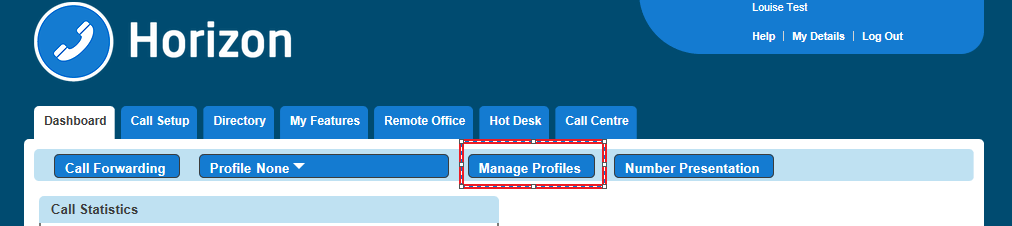
Log into the Horizon Web Portal as a Horizon User and click on “Manage Profiles”
If you cannot see the “Manage Profiles” button then you need to be granted this access by the Company Administrator
Step 2
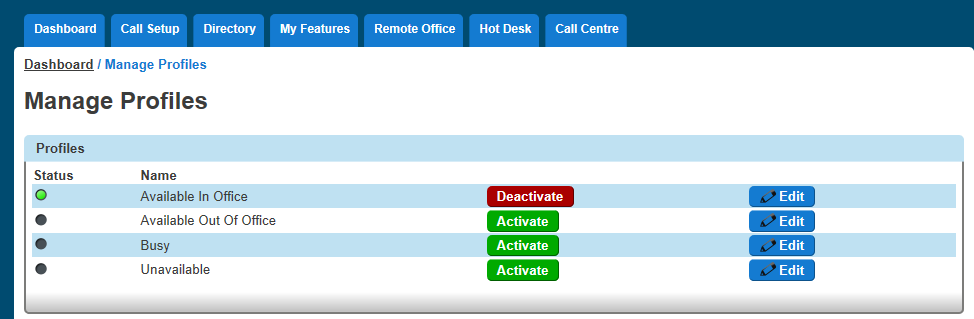
Select the profile that you want to edit by clicking the corresponding “Edit” button.
Activate Availability Profiles as a User #
To activate an availability profile as a user you just have to select the profile you want from the Horizon Dashboard.