
To raise a fault you will need to log into the Horizon Health check and follow the below steps.
Step 1
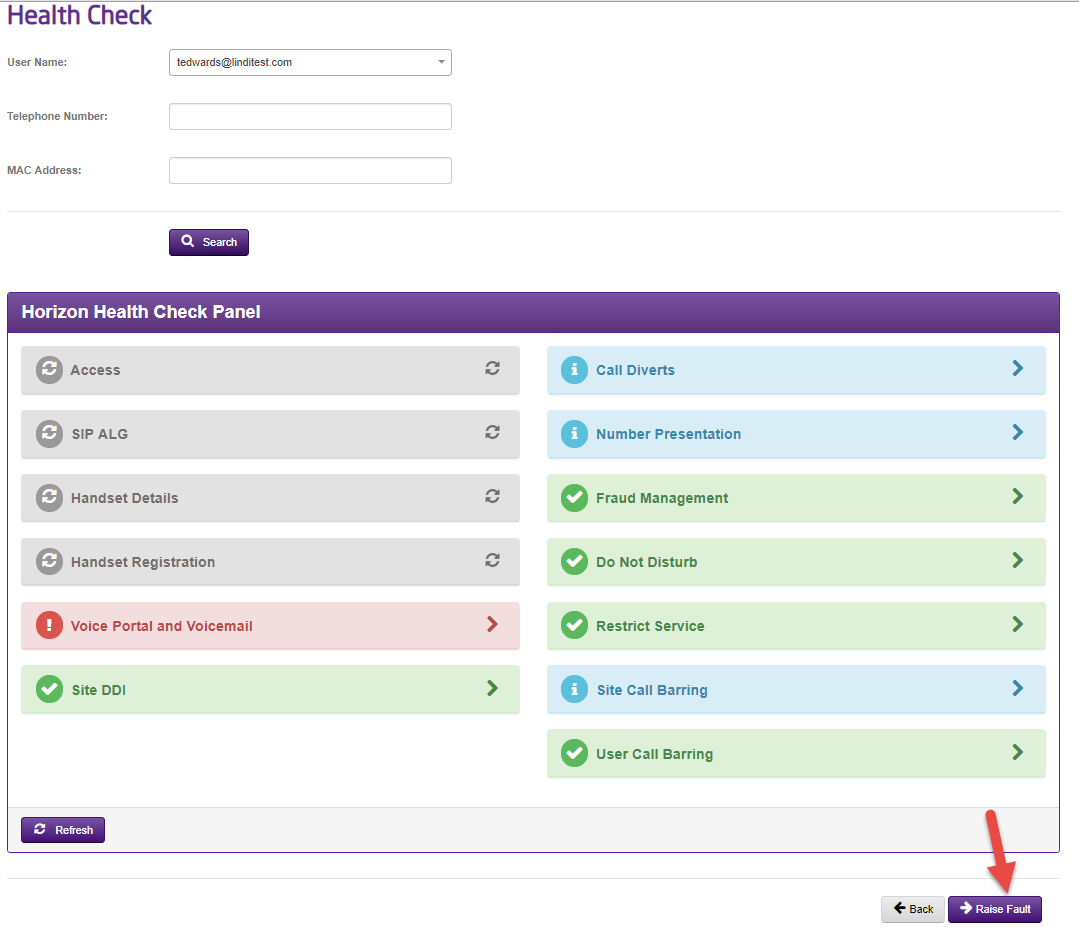
Find the user in the Health Check and then select the “Raise Fault” button in the bottom right.
Step 2
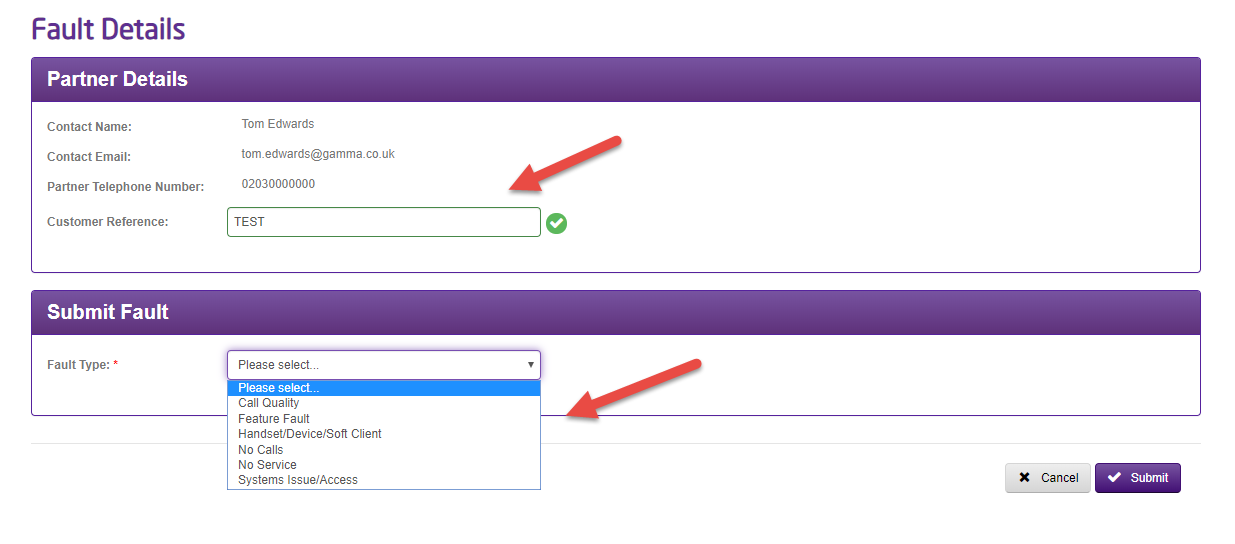
This will then present you with the below screen where you can add in a reference and then select the fault type from the dropdown.
Step 3
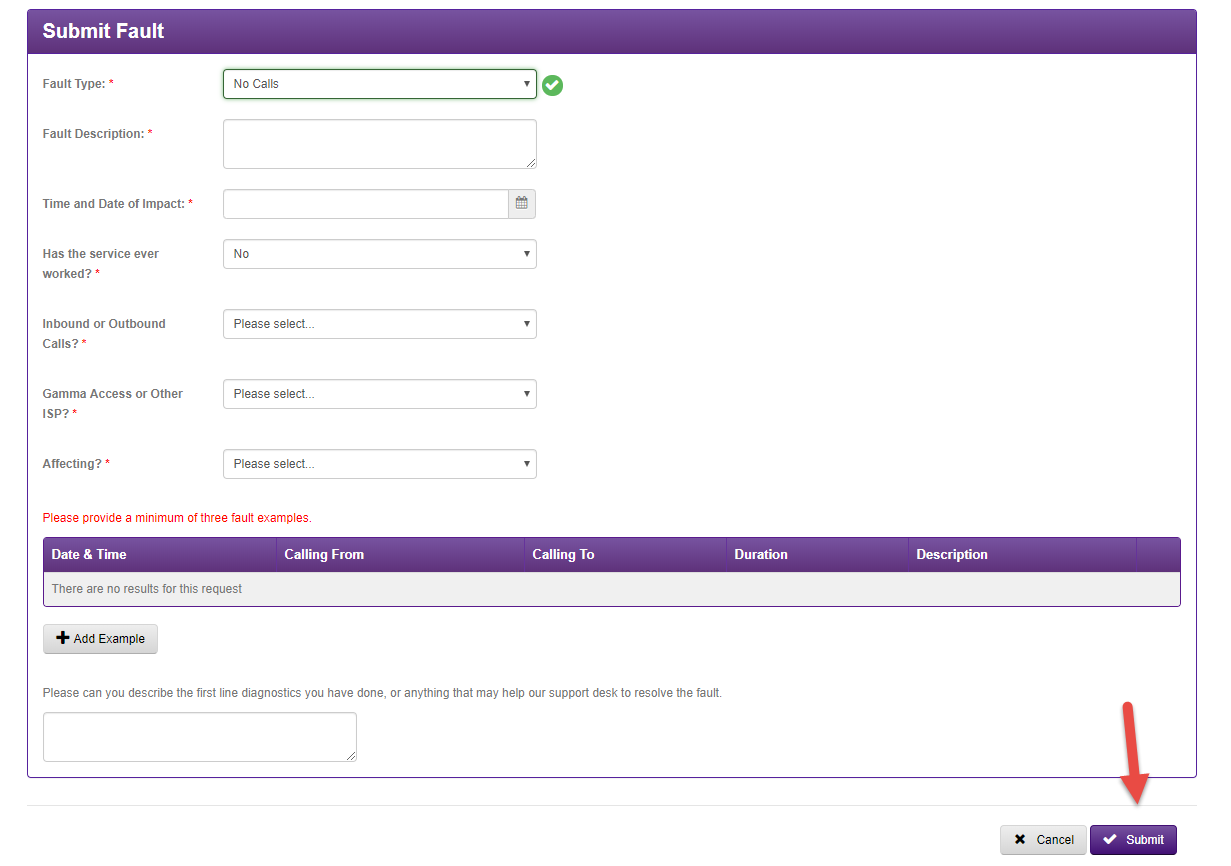
After selecting the fault type you will then be required to complete the rest of the fault form before submitting. Please note that where examples are required you will need to provide a minimum of 3.
Step 4
After submitting the fault you will be given the support call reference, that you can then use to view the status and request updates to the fault.