Sequential Ringing enables users to define a list of phone numbers that are alerted sequentially for incoming calls that match specified criteria.
While Horizon searches for the user, the calling party is provided with a greeting followed by periodic comfort announcements. The caller can also interrupt the search to leave a message by pressing a telephone key. The user must set the number of rings after which the sequence will continue to the next phone number.
Sequential ringing works in the same way a Hunt Group would, in that you can define a set of numbers for an incoming call to try when a call is made to your number.
Enable/Disable Sequential Ringing #
A company Administrator sets up Sequential Ringing for a user.
Step 1
Log into the Gamma Portal and go to Provisioning and Service Management, Hosted, Horizon and Horizon Manage Company.
Step 2
Select your account and login to the company that you want by using the “Actions” button and selecting “Login to Horizon”.
Step 3
Click the “Users” option and then select “List Users” so you can search for the user that you want to set up Sequential Ringing for.
Locate the user and click the “Edit” button.
Step 4
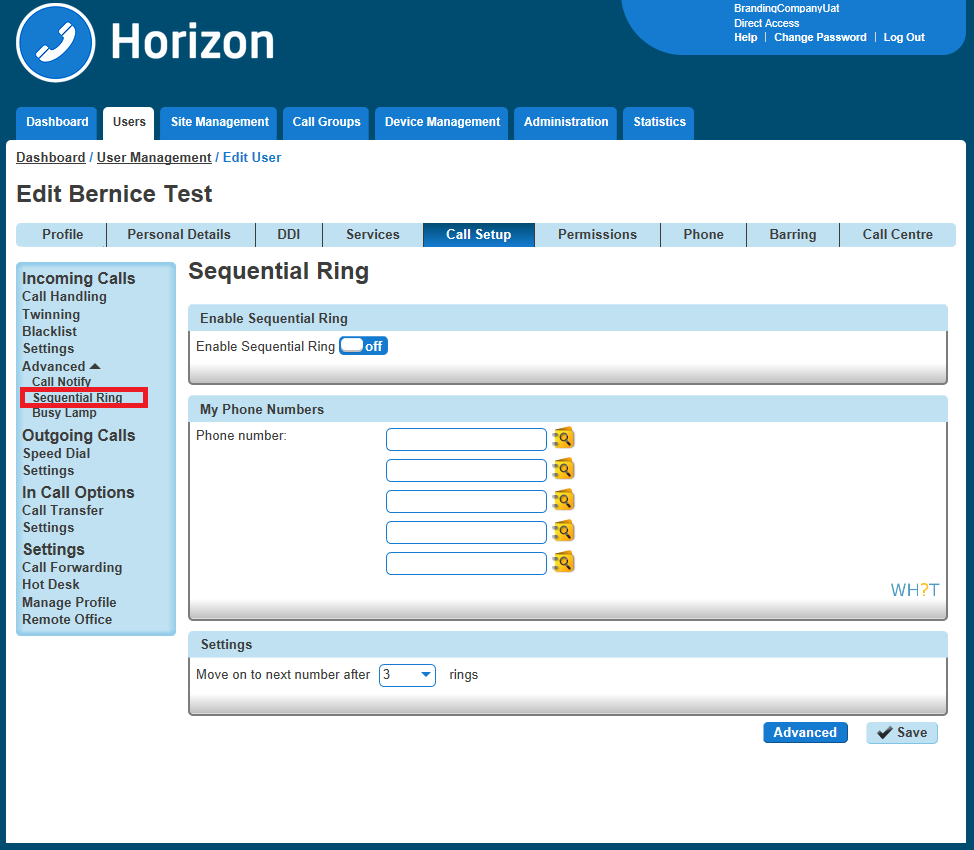
Click the “Call Setup” tab and under “Incoming Calls” select Advanced and Sequential Ringing. Within the Sequential Ringing setup, you can enable/disable.
For basic Sequential Ringing, you can enter up to five numbers to call moving on to the next number after a defined number of rings (between 2 and 5 rings).
Step 5
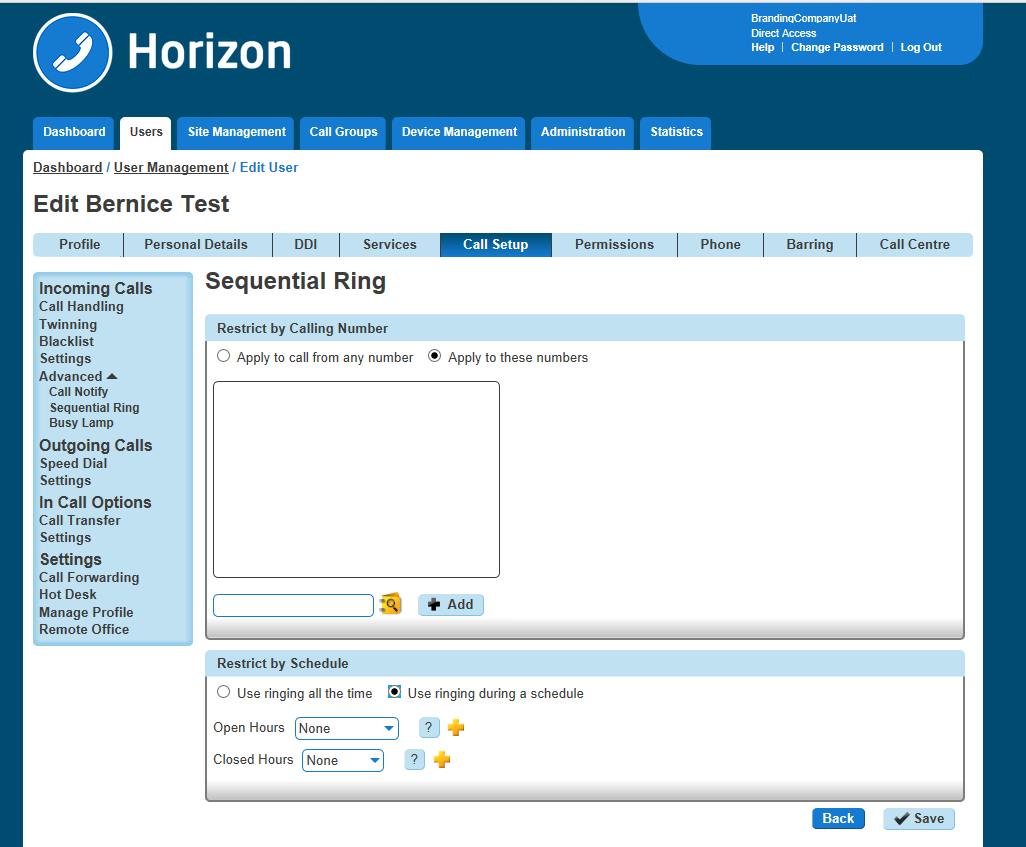
If you would like to have Sequential Ringing for just certain numbers or would like to use Sequential Ringing during certain hours then click on the “Advanced Button.
See our guide on Schedules for help with setting up schedules and how to apply them.