Please see our Gamma Numbers & Porting guide for full information on how to manage your numbers and bring numbers to the Gamma network.
Adding new numbers to your Horizon Company #
This is a guide that shows you how to add the next available numbers Gamma have in a particular area code.
Step 1
From the Gamma Portal, go to “Provisioning and Service Management”, “Hosted”, “Horizon” and “Horizon Manage Company”.
Step 2
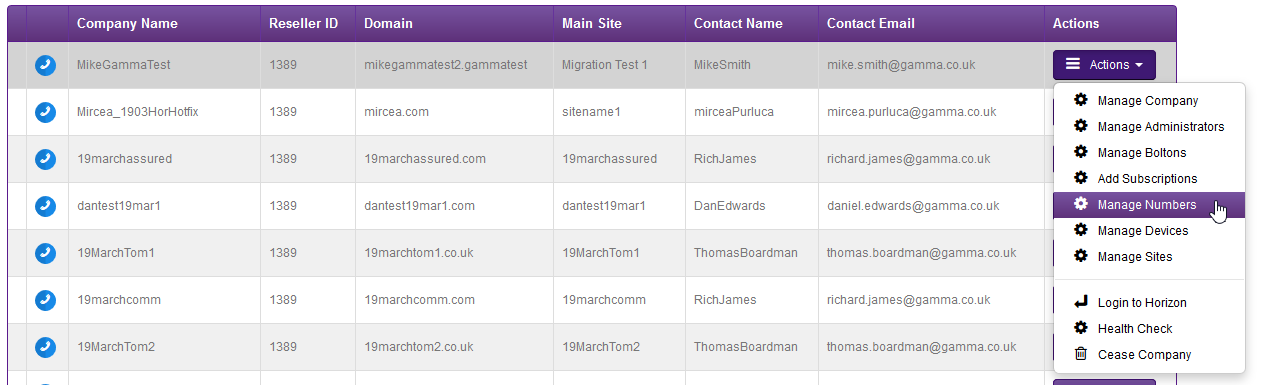
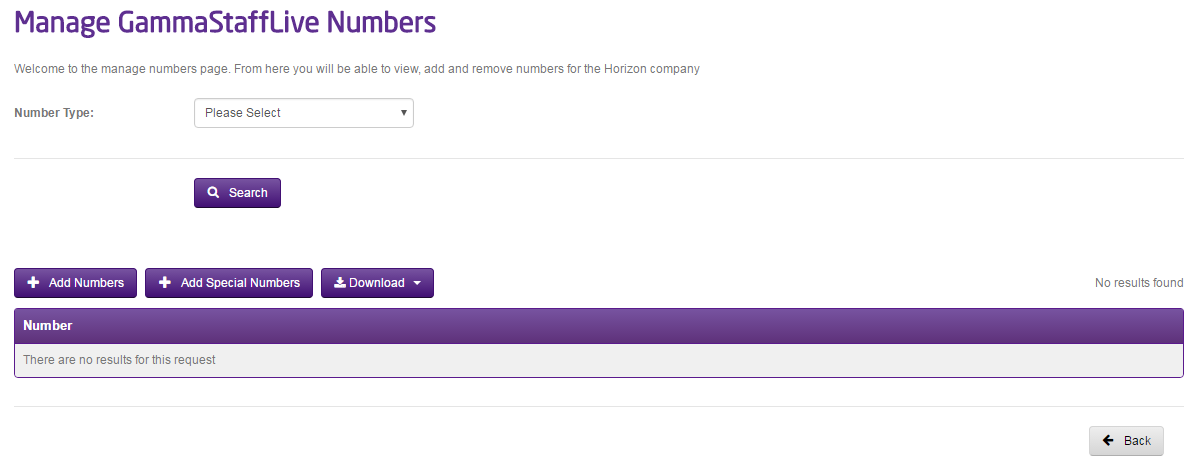
Find the company that you wish to add sites and use the Actions drop-down to select “Manage Numbers”
Step 3
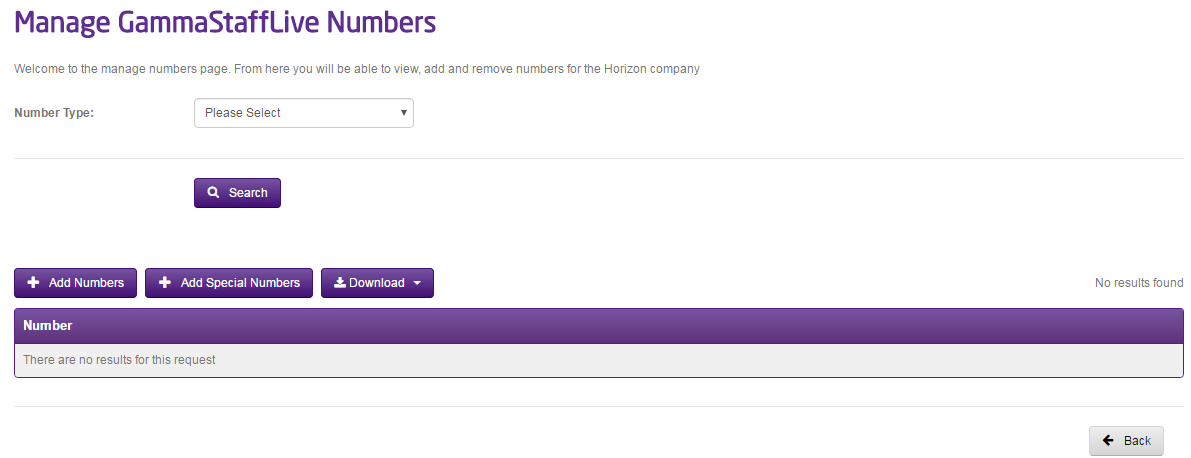
Click the “Add Numbers” button.
Step 4
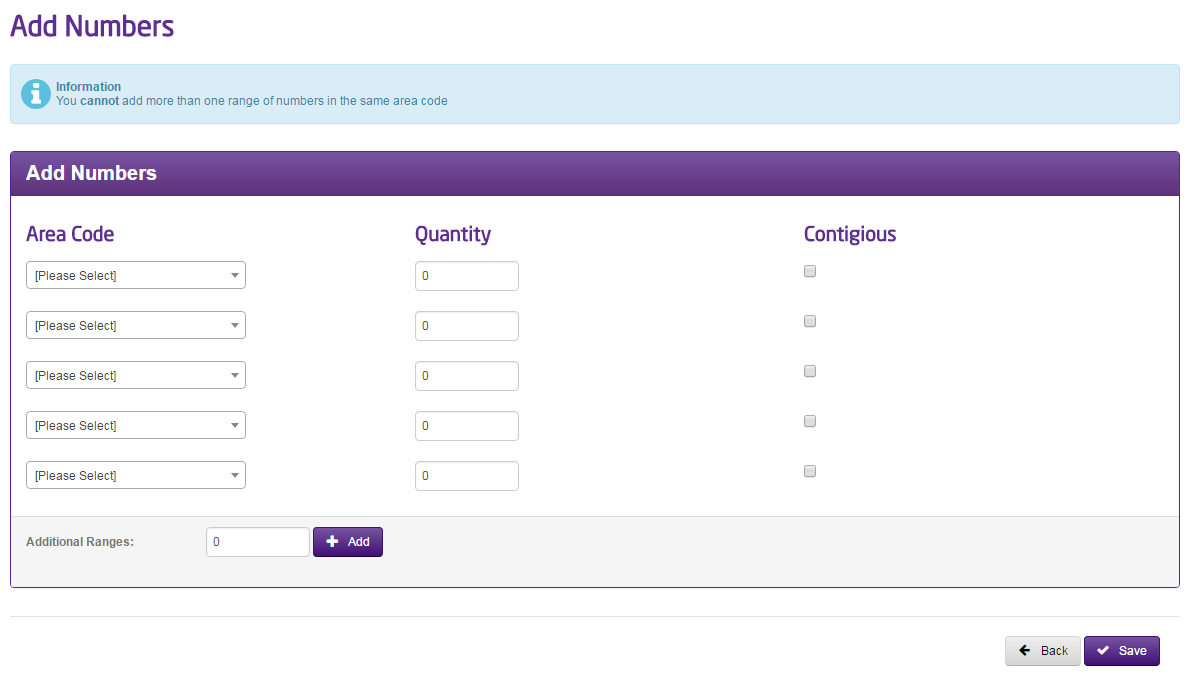
You can then search for the area code of the number range you require from the drop-down menu, then enter the quantity of numbers you want and specify if you require a contiguous range.
Specific Geographic Number Selection #
If you would like to search for a specific geographic number then you can Gamma Number Search under Help and Support on the Gamma Portal. This will allow you to search for new available numbers and also view numbers currently allocated to your account that are not in use.
Removing numbers from your Horizon Company #
You can only remove a number if it is no longer assigned to a site and the number is owned by Gamma.
Step 1
From the Gamma Portal, go to “Provisioning and Service Management”, “Hosted”, “Horizon” and “Horizon Manage Company”.
Step 2
Find the company that you wish to remove numbers to using the Actions drop-down select “Manage Numbers”

Step 3
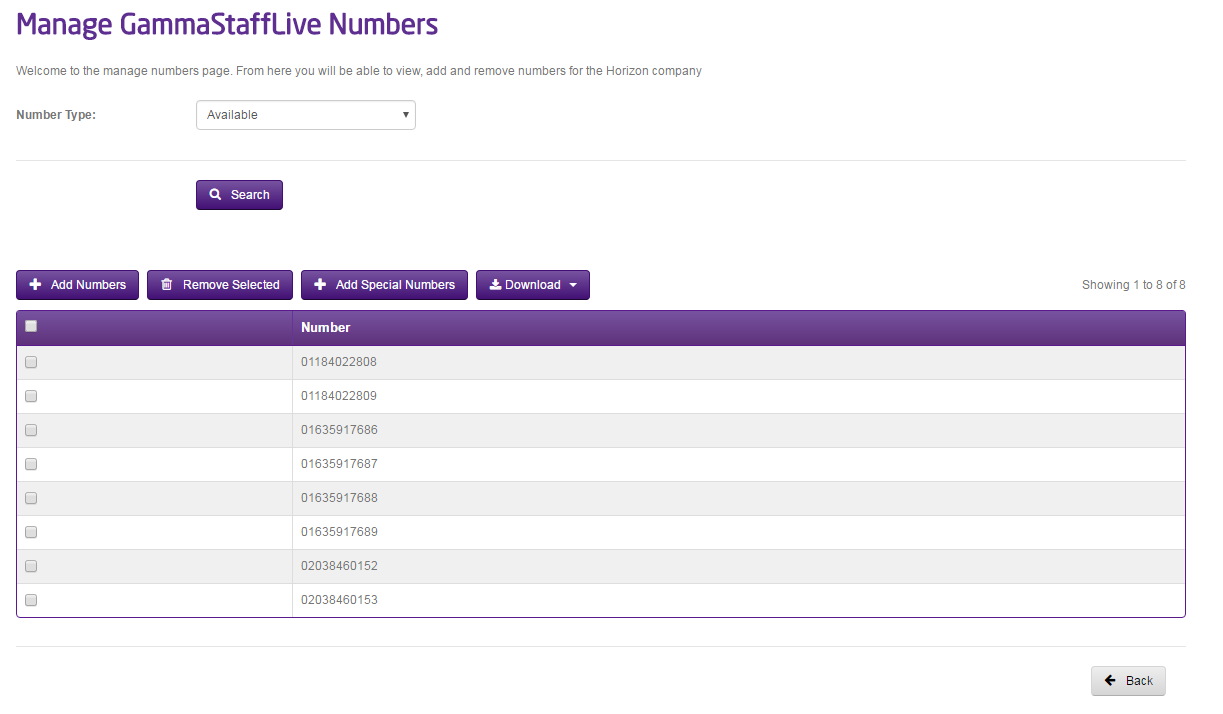
Set the Number type to “Available”.
Step 4
Select all the numbers you want to remove and then click “Remove Selected”.